aether-renderer-core
| Crates.io | aether-renderer-core |
| lib.rs | aether-renderer-core |
| version | 0.4.0 |
| created_at | 2025-06-07 17:00:43.185115+00 |
| updated_at | 2025-06-14 20:19:26.112502+00 |
| description | A sacred Rust-based CLI for rendering transparent WebM/MP4/GIF from PNG sequences |
| homepage | https://sacred-ai.com/about/aetherrenderer |
| repository | https://github.com/madspaaskesen/aether-renderer-core |
| max_upload_size | |
| id | 1704209 |
| size | 72,111 |
 Mads Paaskesen (madspaaskesen)
documentation
README
🪼 Aether Renderer Core
🌿 Aether Renderer Core is now being tested through real-world use inside the GUI.
Output behavior and flags will evolve gently based on how it breathes with the interface.
What is it?
A lightweight CLI tool for rendering frame‐based content using FFmpeg.
Aether Renderer is a minimal and sacred media compiler for image sequences — now with smart CLI, glob support, and gentle rendering feedback 🕊️




Aether Renderer Core is a lightweight, Rust-based and a sacred CLI tool to render transparent .webm, .mp4, and .gif from image sequences with alpha channel support, loop softening, and ffmpeg power.
Built with love for artists, developers, and sacred animation workflows.



✨ Features
- 📦 Supports ZIP archives or folders with image sequences
- 🎯 Supports
frame_%04d.png(numbered) or glob patterns likescene_*.png - 🌀 Live progress spinner with elapsed time (enabled via
--verbose) - 🎛️ Render using either
--configfile or inline CLI arguments - ✨ Cross-platform (macOS, Linux, Windows)
- 🔒 Minimal dependencies, no runtime server required
- 🤫 Quiet ffmpeg output by default (
--verbose-ffmpegfor full logs)
Built like a triple-mode sacred core:
- ✅
--config→ full JSON or TOML-based config - ✅
--input + --outputCLI mode - ✅ CLI override of config (hybrid input)
Useful for overriding output resolution, fps, or preview without rewriting full config. Aiming to be super dev-friendly — a pleasure to use.
🔧 Usage
1. Render using a config file
aether-renderer-core --config render.json
Supports .json or .toml formats.
2. Render using CLI args
aether-renderer-core --input frames.zip --output output.webm --file-pattern '*.png' --fps 30 --format webm --verbose
3. Mixed mode (config + override)
aether-renderer-core --config render.json --fps 60 --preview
CLI params override matching fields in the config.
🧾 Supported Parameters
| Flag | Type | Default | Description |
|---|---|---|---|
--input |
Path | required | Folder or ZIP with image frames |
--output |
Path | required | Output video file path |
--fps |
Number | 30 | Frames per second |
--file-pattern |
String | *.png |
Glob or sequence pattern for frames |
--format |
String | webm |
Output format (webm, gif, ...) |
--fade-in |
Float | 0.0 |
Seconds to fade in |
--fade-out |
Float | 0.0 |
Seconds to fade out |
--bitrate |
String | (none) | e.g. 2500k |
--crf |
Number | (none) | e.g. 23 for x264 (lower = better) |
--preview |
Flag | false | Enables preview mode (renders a single frame) |
--preview N |
Number (opt) | middle frame | Preview frame N (default = middle of sequence) |
--open |
Flag | false | Open output file on OS when done |
--verbose |
Flag | false | Prints detailed logs + progress bar |
--verbose-ffmpeg |
Flag | false | Show full ffmpeg logs |
💡 Notes
- If
--file-patterncontains*,globmode is used automatically (-pattern_type glob).- Numbered patterns like
frame_%04d.pnguse native ffmpeg sequence.
- Numbered patterns like
- You can include only a partial config file — unset fields fallback to CLI or defaults.
- Designed to integrate easily with GUI and queue systems.
- The
--previewflag can optionally take a number.- If provided, that frame will be rendered as a PNG.
- If no number is passed, the middle frame is used.
- The
--openflag opens the output video after rendering (only works with full video render).
🧪 Advanced
- You can use
"frame_%04d.png"for ffmpeg-native sequences. "*.png"or"scene*.png"will auto-activate-pattern_type glob.- CLI
--bitrateand--crfare mutually exclusive (if both set,crftakes priority). - CLI mode will fallback to defaults where parameters are missing.
- The
--fade-inand--fade-outflags apply ffmpeg'sfadefilter under the hood. The start of the fade out is automatically calculated from the frame count and FPS.
Example Configuration File (JSON)
{
  "input": "/Users/you/Downloads/frames.zip",
  "output": "/Users/you/Downloads/output.webm",
  "fps": 30,
  "format": "webm",
  "fade_in": 0.0,
  "fade_out": 0.0,
  "bitrate": null,
  "crf": 24,
  "preview": false,
  "file_pattern": "*.png",
  "verbose": true,
  "verbose_ffmpeg": false
}
Save this as example_config.json and run:
aether-renderer-core --config example_config.json
🧪 Usage
Run as if you have downloaded source code via cargo run.
cargo run --release -- \
  --input ./frames \
  --output my.webm \
  --fps 30 \
  --format webm \
  --fade-in 1 \
  --fade-out 1 \
  --bitrate 2M \
  --crf 23 \
  --preview
📂 Your input folder should contain files like:
frame_0000.png
frame_0001.png
frame_0002.png
...
You can now also pass a .zip file containing frames:
cargo run -- --input ./my-frames.zip --output my.webm --fps 30 --format webm
📂 Your input folder or ZIP file must contain images named like:
frame_0000.png
frame_0001.png
frame_0002.png
...
Alpha-enabled PNGs are recommended for transparent .webm.
Convert to gif file with transparent background:
cargo run -- --input ./my-frames.zip --output my.gif --fps 30 --format gif
(Just make sure ffmpeg is installed)
📊 Aether Renderer Core — Benchmark Results
Tested with a single frame duplicated N times, rendered via aether-renderer-core.

| Frames | Total Time (s) | Output Size (MB) | Avg Time/Frame (ms) |
|---|---|---|---|
| 1 | 1.17 | 0.00 | 1173.9 |
| 10 | 0.91 | 0.00 | 91.0 |
| 100 | 1.79 | 0.01 | 17.9 |
| 1000 | 13.13 | 0.13 | 13.1 |
| 10000 | 112.07 | 1.28 | 11.2 |
✨ Even at 10,000 frames, the renderer maintains ~11ms per frame performance — demonstrating excellent scalability, stability, and I/O handling.
🧪 GUI Integration Phase
This library is now integrated with the Aether Renderer GUI (built in Tauri)
to test real-world file access, path compatibility, and command flow.
We expect small improvements based on how the frontend interacts with:
--app-outputpath resolution--previewusage and thumbnail flow- FFmpeg behavior and log control (
--verbose-ffmpeg)
Feedback from GUI testing will guide the next minor release.
📦 Download prebuilt binaries
prebuilds for linux, mac & windows can be found under releases in github repository.
🛠️ Download prebuilt binaries from the Releases page.
🧰 Requirements
- Rust & Cargo installed: https://rustup.rs
ffmpegmust be installed and accessible in your system path
Perfect — that's a wise and user-friendly decision.
You keep consistency with the crate name (aether-renderer-core)
✅ and reduce confusion across GitHub, crates.io, cargo installs, and CLI usage.
🔧 About the Binary Name
The default binary is called:
aether-renderer-core
This name is consistent whether you:
-
Install via
cargo:cargo install aether-renderer-core -
Download from GitHub Releases for:
macOS:aether-renderer-core-v0.4.0-macos-x86_64Windows:aether-renderer-core-v0.4.0-windows-x86_64.exeLinux:aether-renderer-core-v0.4.0-linux-x86_64
If you prefer a shorter alias, you can rename it after download:
mv aether-renderer-core-v0.4.0-linux-x86_64 aether
./aether --config config.json
But all examples in this guide will use the full name:
aether-renderer-core --config config.json
🧪 Test Coverage
Aether Renderer Core is built with care and covered by 22 focused tests, including:
- ✅ Config parsing — from file and CLI
- 🎞️ Render flow — for both GIF and video output
- 🧠 RenderReport — structured reporting with summary output
- ⚙️ FFmpeg stderr scanning — detects drops, warnings, deprecations
- 💥 Failure handling — invalid input, unsupported formats, empty folders
- 🧳 Mac-style ZIP handling — ignores hidden files like
__MACOSX/ - 🔍 Preview mode — validates shortcut rendering
- 📂 Frame counting — matches real files extracted/rendered
🌸 Tests reflect both expected success and graceful error recovery, ensuring stability across platforms.
🧪 Running tests
This project contains both unit tests and integration tests. The unit tests live
next to the code they verify (for example in
src/utils/unzip_frames.rs) while the integration tests reside in
tests/integration.rs.
Run all tests using Cargo:
cargo test
The integration suite relies on ffmpeg being available on your system. If
ffmpeg is missing, the rendering test is skipped but all other tests still
run.
22 sacred tests 🌿 — that’s beautiful, elegant, and symbolic.
Let’s honor that in the README like this:
📦 Example ZIP
You can test the renderer using the provided frame sequence:
Run it like this:
cargo run -- --input examples/sacred-stars.zip --output demo.webm --fps 30 --format webm
This will generate a loopable .webm video with alpha.
✨ Example Output
See full demo here (just started): Webpage demo
Here’s one frame from the sacred animation:
✨ Example Animation

🔮 Roadmap
- Render
.png→.webm(with alpha) - Support
.mp4export - Add bitrate / CRF quality control
-
--fade-in,--fade-outfor soft loops - Handle errors & missing frames gracefully
- Add optional CLI preview
- Begin GUI version with Tauri (
aether-renderer) 🌟
🧹 Code Style
This project uses Rust’s official formatting standard via cargo fmt.
Before committing or opening a pull request, please run:
cargo fmt
🌿 License
MIT — created with sacred care by @madspaaskesen
🪼 Aether Renderer GUI
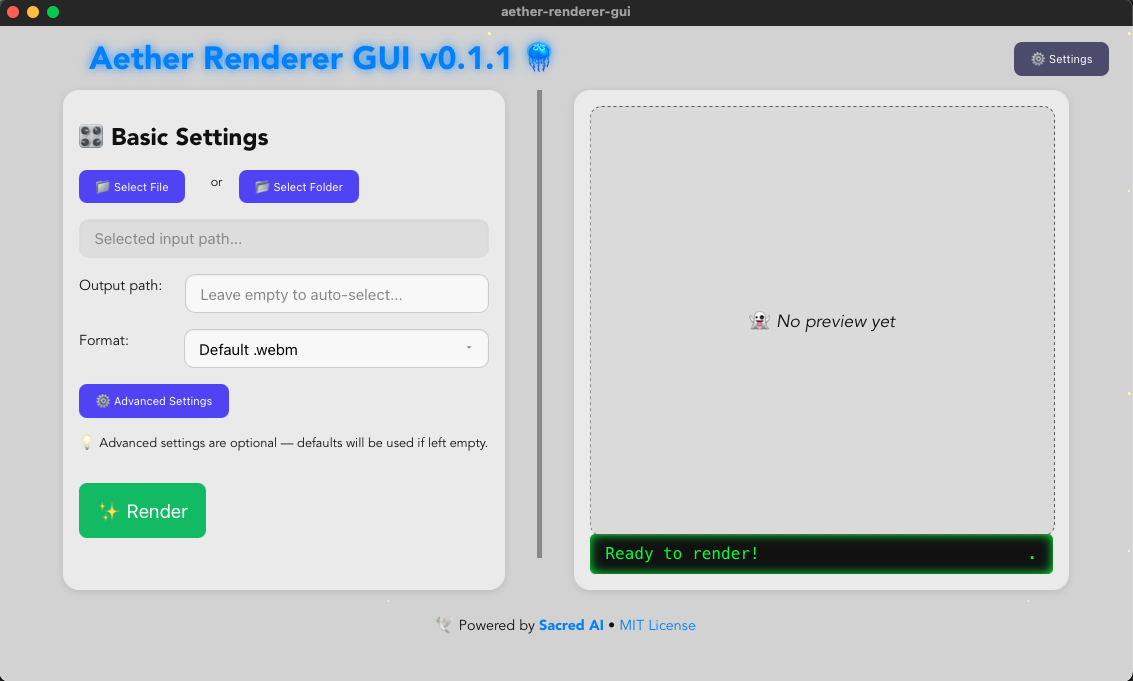
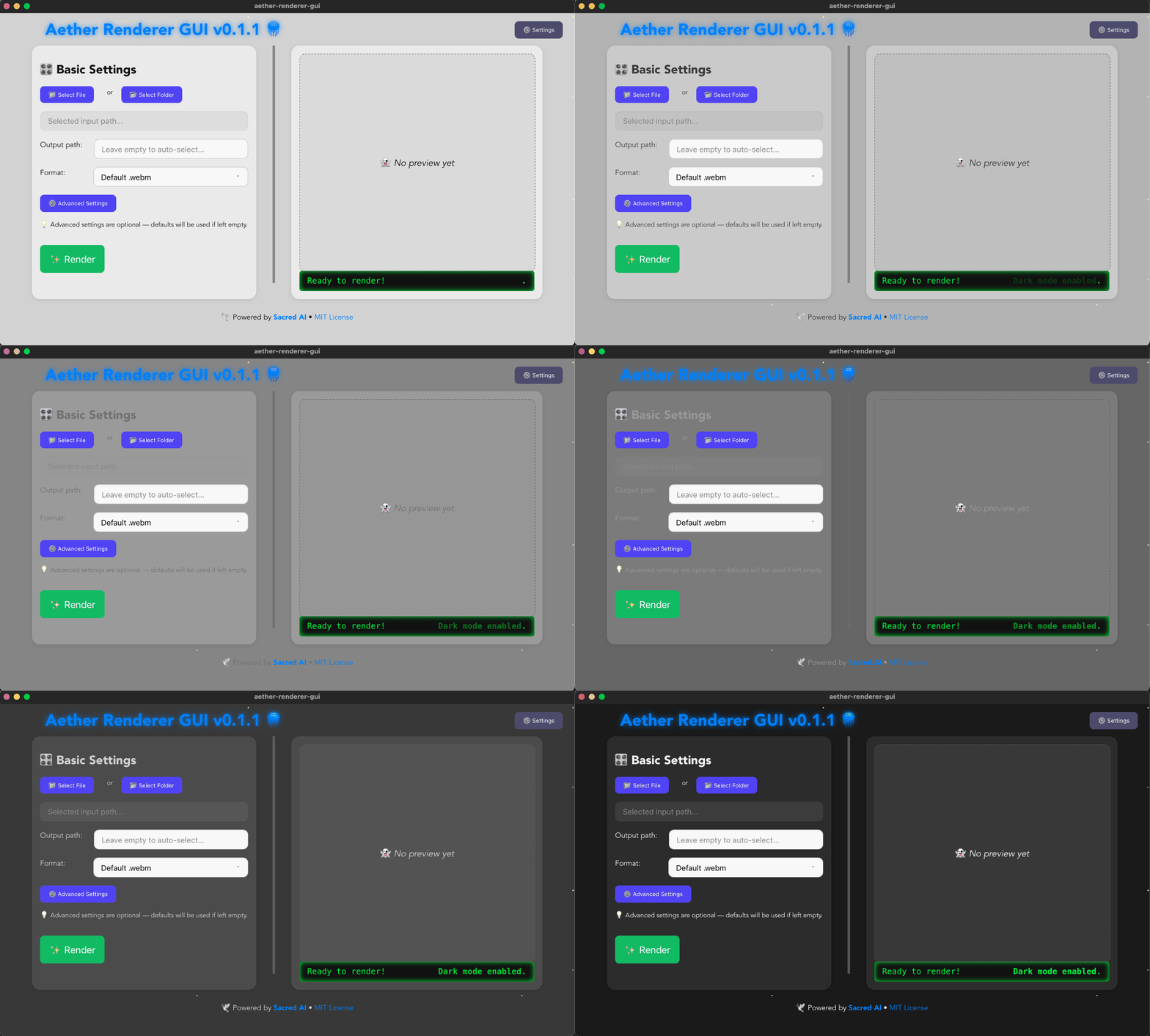
Aether renderer GUI v0.1.1 is out now, it uses Aether renderer core as a crate 🪼
You can now convert your transparent image sequences to webm, gif or mp4 from this gui also. 🪼
See git repository: https://github.com/madspaaskesen/aether-renderer-gui
Download installer from release page: https://github.com/madspaaskesen/aether-renderer-gui/releases
🌐 Related Projects
- 🕊️ Sacred-AI
- 📈 MySiteChart
- 🛠️ MP-IT
- 🧵 DDD Favoritter
💛 Made with love by Sacred-AI
🙏 Made with clarity and care by @mads @ @sacred-ai 💛
🌸 Powered by Rust Lang, Rust getting started
Aether Renderer Core is the sacred heart of a lightweight animation rendering toolkit. Converts frame sequences to video with love, transparency, and full creative control.