dear-implot3d
| Crates.io | dear-implot3d |
| lib.rs | dear-implot3d |
| version | 0.8.0 |
| created_at | 2025-10-06 16:06:32.469012+00 |
| updated_at | 2026-01-02 18:15:15.073738+00 |
| description | High-level Rust bindings to ImPlot3D with dear-imgui-rs integration |
| homepage | https://github.com/Latias94/dear-imgui-rs |
| repository | https://github.com/Latias94/dear-imgui-rs |
| max_upload_size | |
| id | 1870378 |
| size | 159,562 |
 Latias94 (Latias94)
documentation
https://docs.rs/dear-implot3d
README
dear-implot3d


High-level Rust bindings for ImPlot3D, integrating with dear-imgui-rs.
This crate sits on top of dear-implot3d-sys (FFI to cimplot3d) and mirrors
the ergonomics of dear-implot.
Links
- Upstream: https://github.com/brenocq/implot3d
- C API: https://github.com/cimgui/cimplot3d
Compatibility
| Item | Version |
|---|---|
| Crate | 0.8.x |
| dear-imgui-rs | 0.8.x |
| dear-implot3d-sys | 0.8.x |
See also: docs/COMPATIBILITY.md in the workspace for the full matrix.
WASM (WebAssembly) support
This crate has experimental support for wasm32-unknown-unknown targets via the same
import-style design used by the core ImGui bindings and other extensions:
dear-implot3danddear-implot3d-sysexpose awasmfeature which:- Enables import-style FFI that links against the shared
imgui-sys-v0provider module. - Avoids compiling C/C++ during the Rust build for wasm.
- Enables import-style FFI that links against the shared
- The provider module (
imgui-sys-v0) is built once using Emscripten and contains:- Dear ImGui + cimgui (from
dear-imgui-sys) - ImPlot3D + cimplot3d (from
dear-implot3d-sys)
- Dear ImGui + cimgui (from
To try the web demo with ImPlot3D enabled:
# 1) Generate pregenerated wasm bindings (Dear ImGui core + ImPlot3D)
cargo run -p xtask -- wasm-bindgen imgui-sys-v0
cargo run -p xtask -- wasm-bindgen-implot3d imgui-sys-v0

# 2) Build the main wasm + JS (includes ImPlot3D demo window)
cargo run -p xtask -- web-demo implot3d

# 3) Build the provider (Emscripten imgui-sys-v0 with ImGui + ImPlot3D)
cargo run -p xtask -- build-cimgui-provider

# 4) Serve and open in a browser
python -m http.server -d target/web-demo 8080
Notes:
- The
dear-imgui-web-democrate inexamples-wasmenables theimplot3dfeature when you passimplot3dtoxtask web-demo, which shows an “ImPlot3D (Web)” window when ImPlot3D bindings + provider are available. - This is an early, experimental path shipped in the 0.7.x release train; API and build
steps may evolve. For production use, pin to a specific release and follow changes in
docs/WASM.md.
Features
- Safe, idiomatic Rust API - Type-safe wrappers over the C API
- Builder pattern - Fluent API for configuring plots
- RAII tokens - Automatic cleanup with
Plot3DToken - Type-safe flags - Using
bitflags!for compile-time safety - Modular plot types - Separate modules for each plot type
- f32/f64 support - Separate functions for different numeric types
- Optional
mintsupport - Interoperability with math libraries (glam, nalgebra, cgmath, etc.) - Predefined meshes - Cube, sphere meshes included
- Comprehensive API - Line, scatter, surface, triangle, quad, mesh, image, and text plots
Quick Start
use dear_imgui_rs::*;
use dear_implot3d::*;

let mut imgui_ctx = Context::create();
let plot3d_ctx = Plot3DContext::create(&imgui_ctx);

// In your main loop:
let ui = imgui_ctx.frame();
let plot_ui = plot3d_ctx.get_plot_ui(&ui);

if let Some(_token) = plot_ui.begin_plot("3D Demo")
    .size([600.0, 400.0])
    .build()
{
    plot_ui.setup_axes("X", "Y", "Z",
        Axis3DFlags::NONE,
        Axis3DFlags::NONE,
        Axis3DFlags::NONE);

    let xs = [0.0, 1.0, 2.0];
    let ys = [0.0, 1.0, 0.0];
    let zs = [0.0, 0.5, 1.0];
    plot_ui.plot_line_f32("Line", &xs, &ys, &zs, Line3DFlags::NONE);
}
Examples
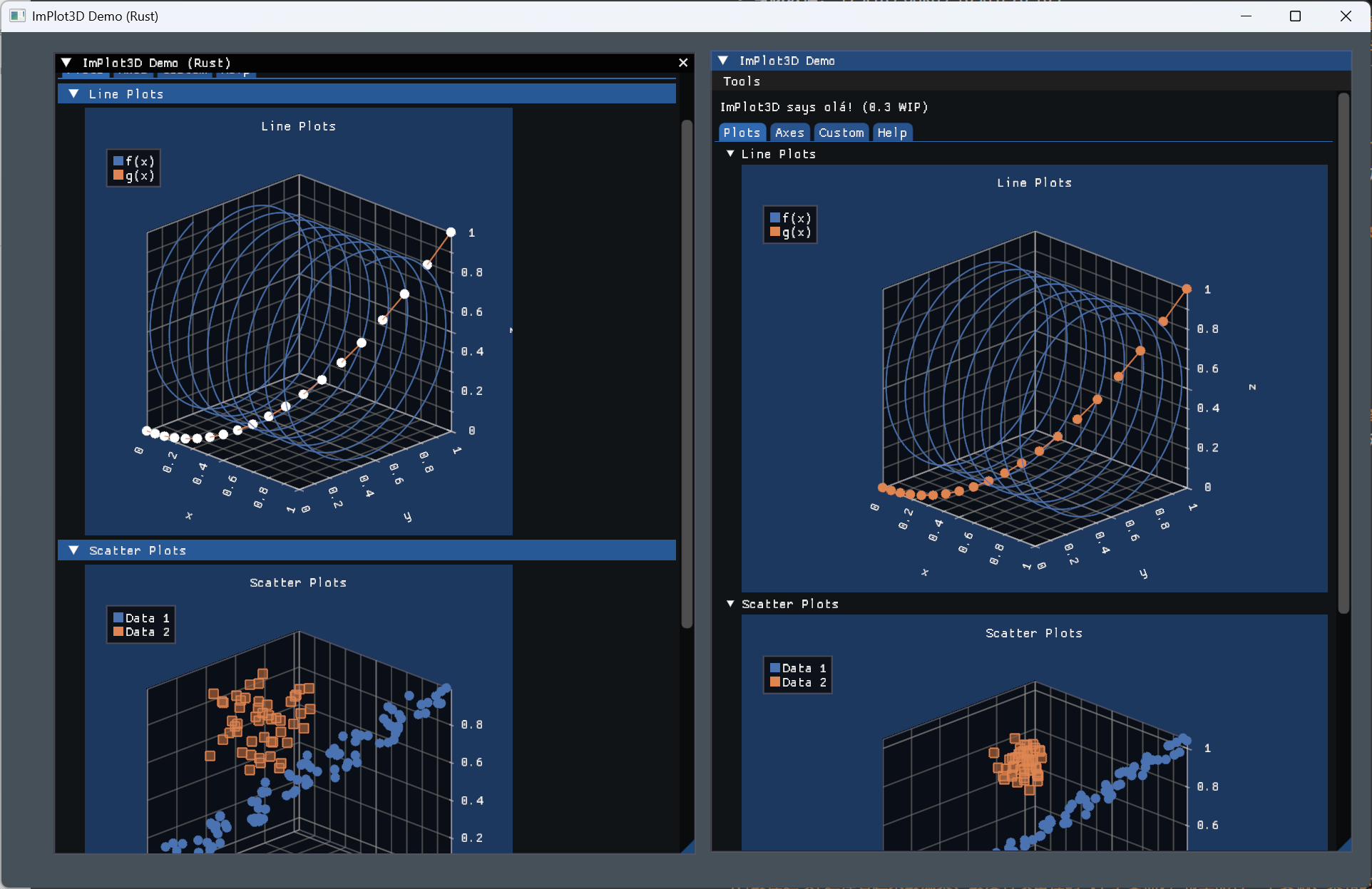
See examples/implot3d_basic.rs for a comprehensive demo that replicates the official ImPlot3D C++ demo.
Run with:
cargo run -p dear-imgui-examples --bin implot3d_basic --features "implot3d"
# If your workspace does not pre-enable the dear-app ImPlot3D add-on feature:
# cargo run -p dear-imgui-examples --bin implot3d_basic --features "implot3d, dear-app/implot3d"
Predefined Meshes
The meshes module provides ready-to-use mesh data:
use dear_implot3d::meshes::*;

// Cube (8 vertices, 36 indices)
plot_ui.mesh("Cube", CUBE_VERTICES, CUBE_INDICES).plot();

// Sphere (162 vertices, 960 indices)
plot_ui.mesh("Sphere", SPHERE_VERTICES, SPHERE_INDICES).plot();
Mint Support
When the mint feature is enabled, you can use mint::Point3<f32> types:
use mint::Point3;

let points = vec![
    Point3 { x: 0.0, y: 0.0, z: 0.0 },
    Point3 { x: 1.0, y: 1.0, z: 1.0 },
];

plot_ui.plot_line_mint("Line", &points, Line3DFlags::NONE);
Notes
- The underlying C API comes from
cimplot3dwhich depends onimplot3d. Ensure git submodules are initialized with--recursive.
License
See workspace root.