iridis-flows
| Crates.io | iridis-flows |
| lib.rs | iridis-flows |
| version | 0.3.4 |
| created_at | 2025-05-03 17:26:23.903816+00 |
| updated_at | 2025-05-07 08:36:18.739779+00 |
| description | iridis is a framework that lets you define and build dataflow applications with ease. |
| homepage | https://github.com/iridis-rs/iridis |
| repository | https://github.com/iridis-rs/iridis |
| max_upload_size | |
| id | 1659008 |
| size | 42,736 |
 Enzo Le Van (Hennzau)
documentation
README
iridis
iridis is a framework that allows you to define and build dataflow applications with ease.
It consists of two main APIs:
iridis-api: the primary API used to implement each node in the dataflow graph.iridis: theruntimeAPI responsible for loading all nodes and launching the application.
In addition, we provide two plugin APIs:
iridis-file-ext: the plugin API for handling file extensions. It defines how the runtime should load files with specific extensions.iridis-url-scheme: the plugin API for handling URL schemes. It defines how the runtime should load URLs with specific schemes.
Each plugin can be loaded into the iridis runtime upon initialization.
Usage
In a lib crate, you can define a node like this:
use iridis_api::prelude::{thirdparty::*, *};

#[derive(Node)]
pub struct MySink {
    pub input: Input<String>,
}

#[node(runtime = "default_runtime")]
impl Node for MySink {
    async fn new(
        mut inputs: Inputs,
        _: Outputs,
        _: Queries,
        _: Queryables,
        _: serde_yml::Value,
    ) -> Result<Self> {
        Ok(Self {
            input: inputs.with("in").await.wrap_err("Failed to create input")?,
        })
    }

    async fn start(mut self: Box<Self>) -> Result<()> {
        while let Ok((_, message)) = self.input.recv().await {
            println!("Received message: {}", message);
        }

        Ok(())
    }
}
Next, create a layout and define the flows for the application:
use iridis::prelude::{thirdparty::*, *};

#[tokio::main]
async fn main() -> Result<()> {
    let mut layout = DataflowLayout::new();

    let (source, output) = layout
        .node("source", async |builder: &mut NodeIOBuilder| {
            builder.output("out")
        })
        .await;

    let (operator, (op_in, op_out)) = layout
        .node("operator", async |builder: &mut NodeIOBuilder| {
            (builder.input("in"), builder.output("out"))
        })
        .await;

    let (sink, input) = layout
        .node("sink", async |builder: &mut NodeIOBuilder| {
            builder.input("in")
        })
        .await;

    let layout = layout.build();

    let flows = Flows::new(layout.clone(), async move |builder: &mut FlowsBuilder| {
        builder.connect(op_in, output, None)?;
        builder.connect(input, op_out, None)?;

        Ok(())
    })
    .await?;

    Ok(())
}
Finally, create a runtime, load your plugins, and load a node implementation for each node in the layout:
let runtime = Runtime::new(
    async |_file_ext: &mut FileExtManagerBuilder, _url_scheme: &mut UrlSchemeManagerBuilder| {
        Ok(())
    },
)
.await?;

runtime
    .run(flows, async move |loader: &mut NodeLoader| {
        loader
            .load::<Timer>(source, serde_yml::from_str("frequency: 1.0")?)
            .await?;

        loader
            .load::<Transport>(operator, serde_yml::from_str("")?)
            .await?;

        loader
            .load::<Printer>(sink, serde_yml::from_str("")?)
            .await?;

        Ok(())
    })
    .await
}
In this example, three nodes are loaded as statically linked libraries. However, it’s also possible to load a node dynamically from a URL. The node must be compiled as a cdylib with the cdylib feature flag enabled:
loader.load_url(Url::parse("file:///path/to/timer.so")?, source, serde_yml::from_str("frequency: 1.0")?)
    .await?;
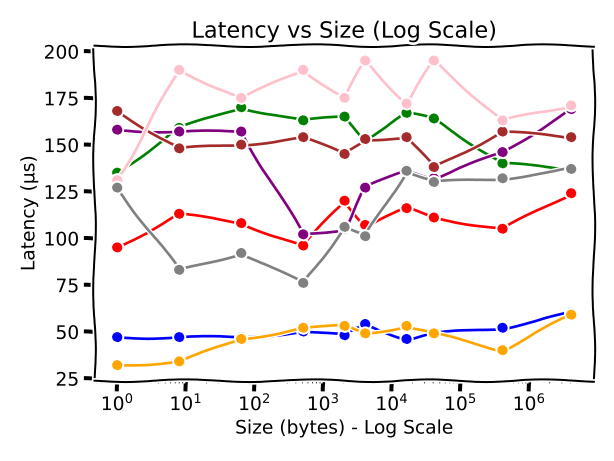
For a complete example of a project with multiple nodes—both statically linked and dynamically loaded—see iridis-benchmark.
Python
It's possible to write your nodes in python. You will need to add the PythonFileExt plugin into your runtime to be able to load a .py file. See
pyridis for a detailed description of the python support.
Benchmark
See iridis-benchmark for a detailed description of the benchmark.