jwkserve
| Crates.io | jwkserve |
| lib.rs | jwkserve |
| version | 0.19.0 |
| created_at | 2025-10-19 19:14:06.519323+00 |
| updated_at | 2025-12-22 22:37:30.090943+00 |
| description | CLI tool for jwkserve - a fake authentication service for local development |
| homepage | |
| repository | https://github.com/sbstjn/jwkserve |
| max_upload_size | |
| id | 1890801 |
| size | 998,145 |
 Sebastian Müller (sbstjn)
documentation
README
JWKServe



Zero-config JWT generation with JWKS support to accelerate local development and rapid prototyping.
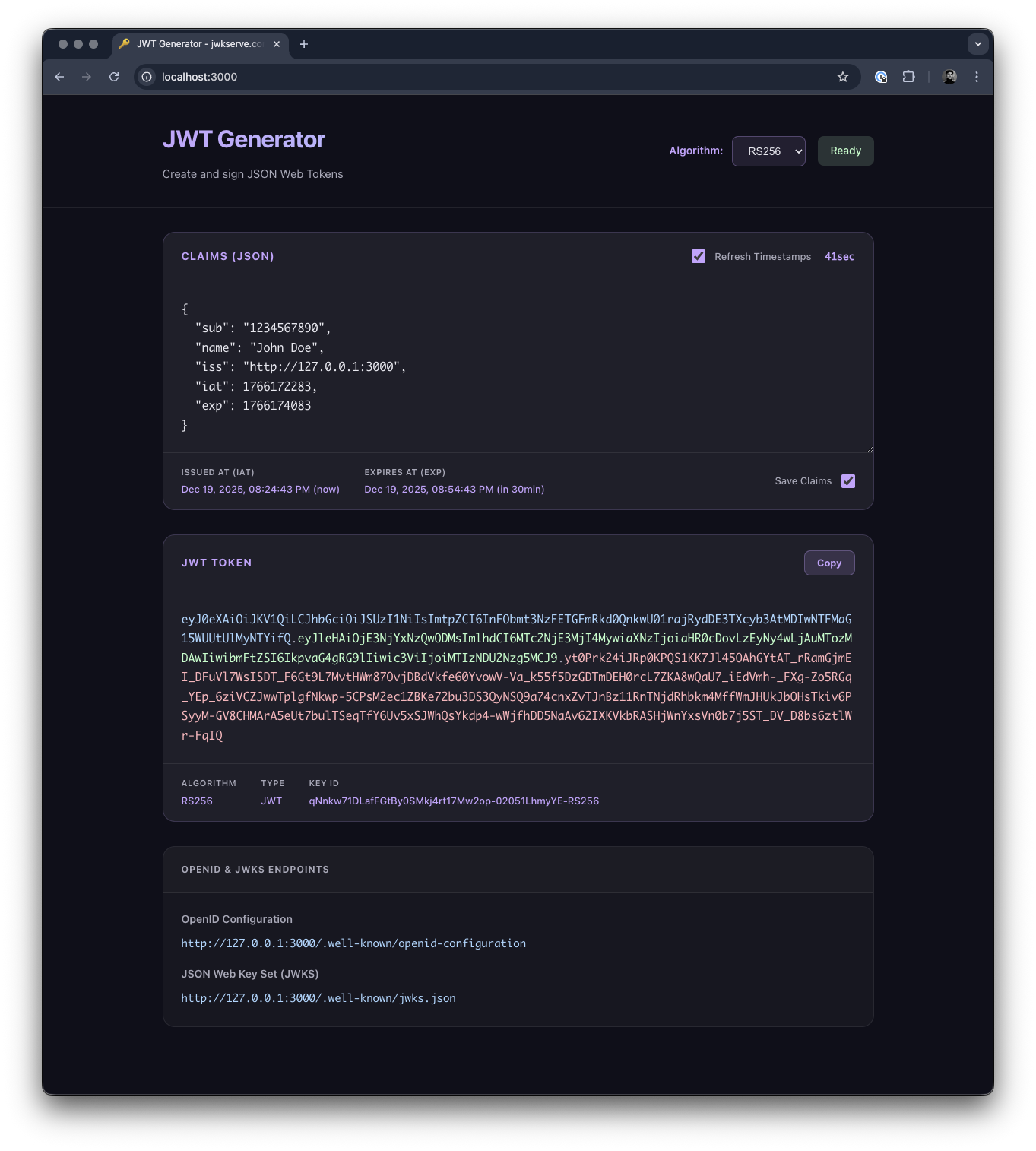
Speed up local development with instant JWT generation. Running integration tests with JWT authentication based on JWKS typically requires a real identity provider—external services, API keys, network latency—all adding friction to your development loop. jwkserve eliminates this overhead: no external dependencies, no configuration files, just run the binary and start signing tokens locally. Generate JWT access tokens for any combination of claims while serving the OpenID Connect and JWKS endpoints your integrations expect.
Available as sbstjn/jwkserve on DockerHub and jwkserve.com.
Common JWKS Flow
When validating a JWT access token using JWKS per RFC 7519 and RFC 7517, here's what typically happens:
- Verify the token contains two period separators
- Split the token into
Header.Payload.Signaturevalues - Base64 decode
Header,Payload, andSignature - Use
kidinHeaderobject as reference for needed key - Use
issinPayloadto fetch the Discovery Endpoint at/.well-known/openid-configuration - Parse JSON structure and use
jwks_uriproperty as location for public keys - Fetch the provided JWKS Endpoint (usually at
/.well-known/jwks.json) - Parse JSON structure and retrieve key with
kidfrom JWTHeader
When writing automated tests for authentication and authorisation flows, requiring a real identity provider adds unnecessary complexity and slows iteration. jwkserve delivers zero-config JWKS endpoints and instant token generation, enabling rapid prototyping with arbitrary claims and token structures.
Installation
# Install jwkserve binary
$ > cargo install jwkserve

# Install jwkserve binary without HTML UI
$ > cargo install jwkserve --features headless

# OR: Download jwkserve container
$ > docker pull sbstjn/jwkserve:latest
Usage
Zero-config by design: jwkserve auto-generates cryptographic keys on startup and immediately serves all required endpoints. No configuration files, no external dependencies, no setup steps. Sign arbitrary payloads as valid JWT access tokens instantly—perfect for rapid prototyping, integration testing, and CI/CD pipelines where speed matters.
Start the binary:
# Use local binary
$ > jwkserve serve

INFO Starting jwkserve
INFO Generating new RSA-2048 key
INFO Generating ECDSA P-256 key
INFO Generating ECDSA P-384 key
INFO Generating ECDSA P-521 key
INFO Server listening on 127.0.0.1:3000 for issuer http://127.0.0.1:3000
INFO Supported algorithms: [RS256, RS384, RS512, ES256, ES384, ES512]
or use the provided Docker container:
# Use docker container
$ > docker run -it \
    -p 3000:3000 \
    sbstjn/jwkserve:latest \
    jwkserve serve --bind 0.0.0.0

INFO Starting jwkserve
INFO Generating new RSA-2048 key
INFO Generating ECDSA P-256 key
INFO Generating ECDSA P-384 key
INFO Generating ECDSA P-521 key
INFO Server listening on 0.0.0.0:3000 for issuer http://localhost:3000
INFO Supported algorithms: [RS256, RS384, RS512, ES256, ES384, ES512]
Now you're ready to generate valid JWT access tokens! Here's how:
$ > curl -X POST http://localhost:3000/sign \
    -H "Content-Type: application/json" \
    -d '{
        "aud": "my-app",
        "exp": 1735689600,
        "iat": 1704067200,
        "nbf": 1704067200,
        "sub": "user-12345"
    }'

{"token":"eyJ0eXAiOiJKV1QiLCJhbGciOiJSUzI1NiJ9.eyJhdWQiOiJteS1hcHAiLCJleHAiOjE3MzU2ODk2MDAsImlhdCI6MTcwNDA2NzIwMCwibmJmIjoxNzA0MDY3MjAwLCJzdWIiOiJ1c2VyLTEyMzQ1In0.signature_here"}
That's it! You've got a valid JWT token. The token is complete and ready to use—the signature portion is truncated here for readability.
JWKS Flow
To enable the full JWKS flow, jwkserve serves two endpoints you'll need:
# OpenID Discovery Endpoint
$ > curl http://localhost:3000/.well-known/openid-configuration

{
  "issuer": "http://localhost:3000",
  "jwks_uri": "http://localhost:3000/.well-known/jwks.json",
}

# JWKS Key
$ > curl http://localhost:3000/.well-known/jwks.json

{
  "keys": [
    {
      "kty": "RSA",
      "use": "sig",
      "kid": "vB_ZfJ5y5E5PPMBUyaZxoPcmKxgaclK6ImLI-YkheEs-RS256",
      "alg": "RS256",
      "n": "2x2LkXrzc2DLo7tytA0ZfBq4KWpctpe67SWL7gcfDfG7mlKXTd6Rg05Hts8i7gLPCKb-iFKpm57n...",
      "e": "AQAB"
    }
  ]
}
Custom Keys
Zero-config defaults: serve auto-generates ephemeral keys on every startup—ideal for throwaway test environments. For faster restarts during iterative development, persist keys to disk:
# Generate RSA key (sizes: 2048, 3072, 4096)
$ > jwkserve keygen --type rsa --size 2048 --output rsa.pem

# Generate ECDSA key (curves: 256, 384, 521)
$ > jwkserve keygen --type ecdsa --curve 256 --output ecdsa.pem

# Use pre-generated key (instant startup)
$ > jwkserve serve --key rsa.pem
For development, test fixtures are available:
$ > jwkserve serve --key tests/fixtures/example_2048.pem
Supported Algorithms
All six JWT signing algorithms are supported by default:
| Algorithm | Type | Curve/Size | Endpoint |
|---|---|---|---|
| RS256 | RSA | 2048-bit | /sign or /sign/RS256 |
| RS384 | RSA | 2048-bit | /sign/RS384 |
| RS512 | RSA | 2048-bit | /sign/RS512 |
| ES256 | ECDSA | P-256 | /sign/ES256 |
| ES384 | ECDSA | P-384 | /sign/ES384 |
| ES512 | ECDSA | P-521 | /sign/ES512 |
By default, all algorithms are enabled and exposed in JWKS. Configure specific algorithms:
# Enable only ES256 and ES384
$ > jwkserve serve --algorithm ES256 --algorithm ES384
Signing works with all algorithms regardless of JWKS configuration:
# Sign with ECDSA P-384
$ > curl -X POST http://localhost:3000/sign/ES384 \
    -H "Content-Type: application/json" \
    -d '{"sub": "user-12345", "exp": 1735689600}'

{"token":"eyJ0eXAiOiJKV1QiLCJhbGciOiJFUzM4NCIsImtpZCI6Ii4uLiJ9..."}
Build
If you're building from source, you can create binaries for both ARM and x86 architectures:
# Build ARM
$ > cargo zigbuild --release --target aarch64-unknown-linux-gnu

# Build X86
$ > cargo zigbuild --release --target x86_64-unknown-linux-gnu
To build a Docker container:
# Docker build for ARM
$ > docker build \
    --platform linux/arm64 \
    -f Dockerfile . \
    -t jwkserve:latest
Container
Running the container is straightforward:
$ > docker run -it \
    -p 4000:3000 \
    jwkserve:latest
Docker Compose
Docker Compose makes it straightforward to use jwkserve in your development environment:
services:
  jwkserve:
    image: sbstjn/jwkserve
    container_name: jwkserve
    ports:
      - "3000:3000"
    command: ["jwkserve", "serve", "--bind", "0.0.0.0"]
Code Coverage
$ > cargo +nightly tarpaulin \
    --verbose --all-features --workspace --timeout 120 \
    --out xml