kubediff
| Crates.io | kubediff |
| lib.rs | kubediff |
| version | 1.2.0 |
| created_at | 2026-01-01 13:38:18.646788+00 |
| updated_at | 2026-01-12 15:51:49.156853+00 |
| description | A diff tool for Kubernetes manifests |
| homepage | |
| repository | https://github.com/ramilito/kubediff |
| max_upload_size | |
| id | 2016169 |
| size | 1,143,856 |
 (Ramilito)
documentation
README
kubediff
Table of Contents
Showcase
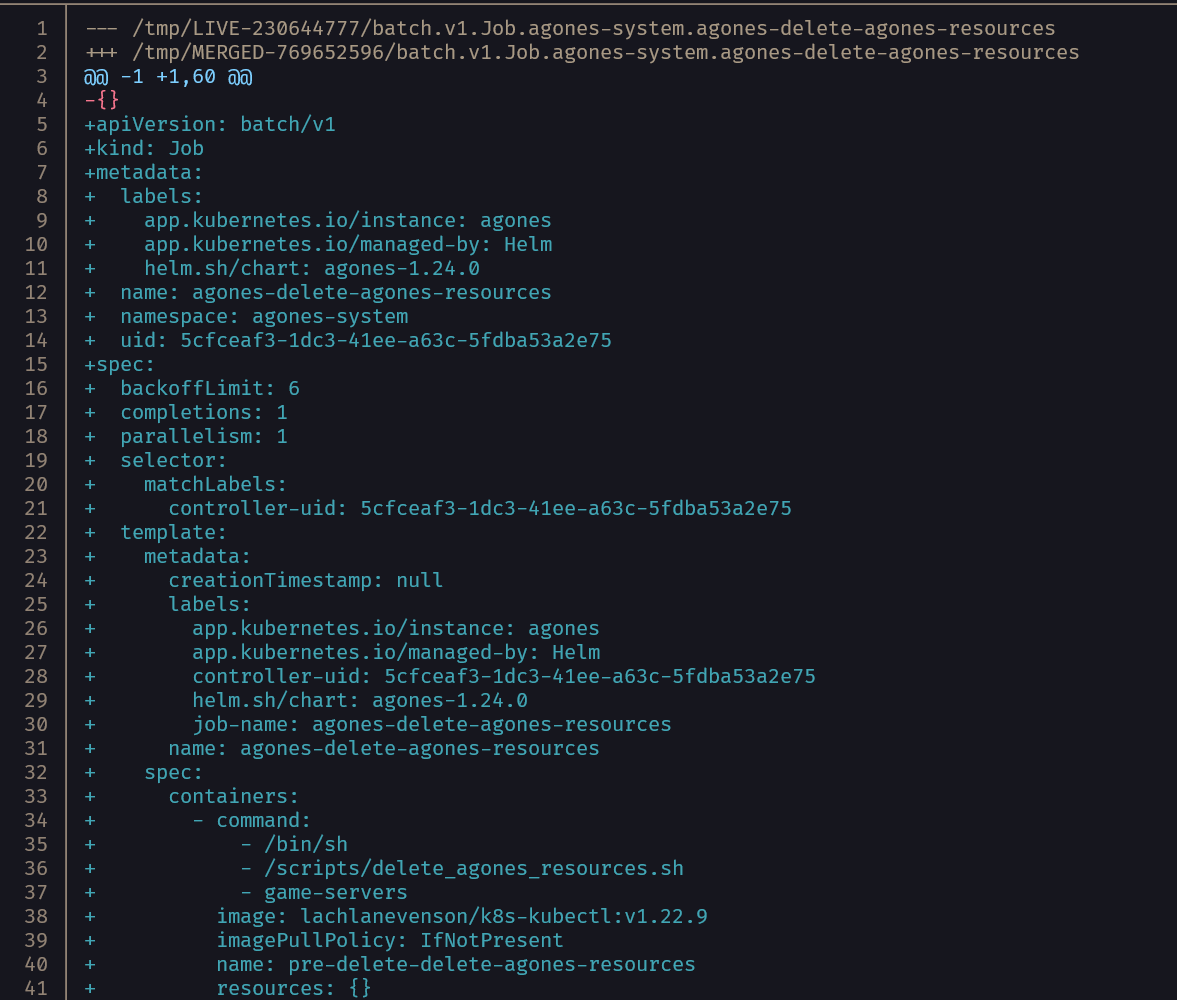
 The showcase demonstrates an upgrade of agones
| Kubediff | Kubectl diff |
|---|---|
 |
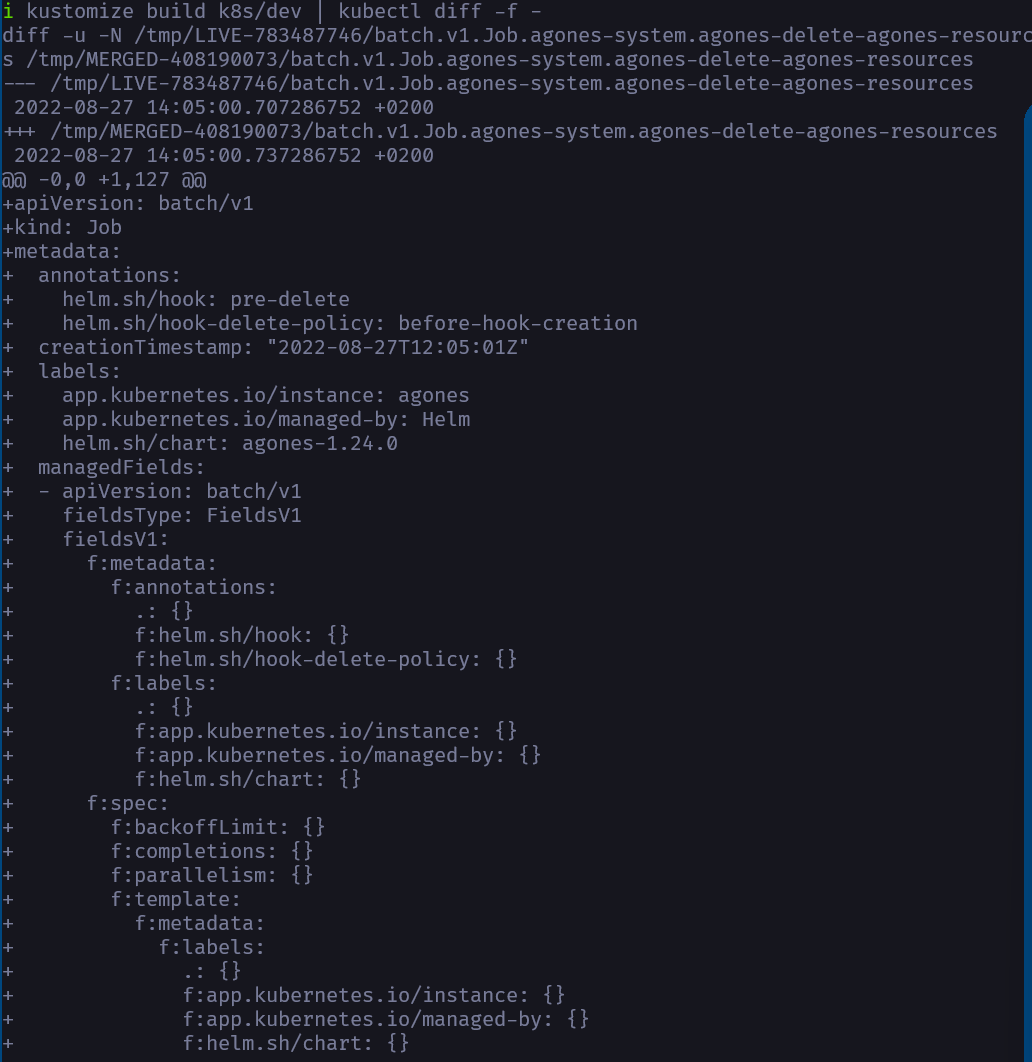 |
Notice that kubediff has removed the hated managedFields
About The Project
What
Used to sanity check and understand what has changed between environments.
This cli tool written in Rust is a wrapper around kubectl diff and is supposed to diff one or multiple projects instead of single files against any environment you want, be it docker-desktop, dev, prod.
It takes a glob pattern to one or more projects and beautifies the output so you can get an understanding on what differences there are.
Why
Ever asked yourself, what is deployed on my cluster? Or,
-
are all changes applied to the cluster?
-
What differences are there between the environments?
-
What have I forgotten to deploy?
-
Has something changed without us knowing it?
-
Forgot to add a change in git after hotfixing it in prod? Well, look no further...well a couple of lines further, I guess...
How
We will loop over the projects files and run kubectl build, then pipe the output into kubectl diff and then process the output of that to make it pretty.
Getting Started
Prerequisite
No external dependencies required - all tools are bundled with the binary.
Installation
Download and extract the binary.
KUBEDIFF_VERSION=0.1.7 && \
KUBEDIFF_OS=x86_64-unknown-linux-gnu && \
wget "https://github.com/Ramilito/kubediff/releases/download/${KUBEDIFF_VERSION}/kubediff_${KUBEDIFF_VERSION}_${KUBEDIFF_OS}.tar.gz" && \
mkdir -p $HOME/.kube/kubediff && tar zxpf kubediff_${KUBEDIFF_VERSION}_${KUBEDIFF_OS}.tar.gz -C $HOME/.kube/kubediff
Add it to your PATH in .zshrc/.bashrc.
export PATH="$PATH:/home/$USER/.kube/kubediff"
Usage
Configuration
Se the available commands by running kubediff -h
Regular usage would be to list your projects in the config.yaml file located at the install directory
Few projects, will use the kustomization file located at that path:
configs:
    include:
        - "~/projectone/serviceone/k8s"
        - "~/projecttwo/servicetwo/k8s"
Many projects (monorepo), will use glob pattern to find all services:
configs:
    include:
        - "~/monorepo/Services/**/k8s"
Many environments, will suffix the variable to end of the paths in config.yaml, example below will look in "~/monorepo/Services/**/k8s/dev"
kubediff -e dev
You can also bypass the config by passing either -path or -inplace argument:
kubediff -p ~/path-to-dir-or-file
kubediff -i
Roadmap
- Remove, make optional or include dependency on yq
- Change theme with input