mcp-muse
| Crates.io | mcp-muse |
| lib.rs | mcp-muse |
| version | 2025.11.1 |
| created_at | 2025-11-14 19:50:14.117049+00 |
| updated_at | 2025-11-16 05:18:20.587547+00 |
| description | MCP server providing authentic 16-bit SNES gaming sounds, R2D2 expressive emotions, and professional music synthesis for AI agents |
| homepage | https://github.com/alextrzyna/mcp-muse |
| repository | https://github.com/alextrzyna/mcp-muse |
| max_upload_size | |
| id | 1933344 |
| size | 1,745,154 |
 Alex Trzyna (alextrzyna)
documentation
README
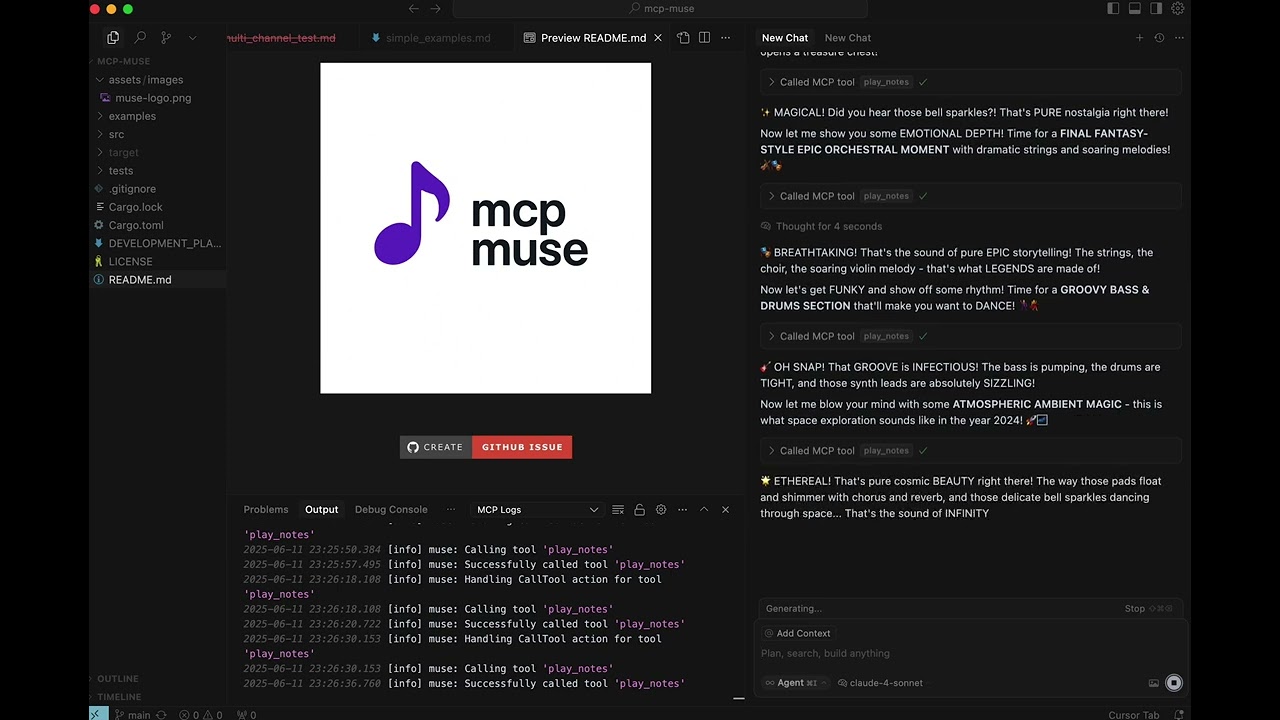
MCP Muse Intro |
MCP Muse Makes Grunge and Metal |
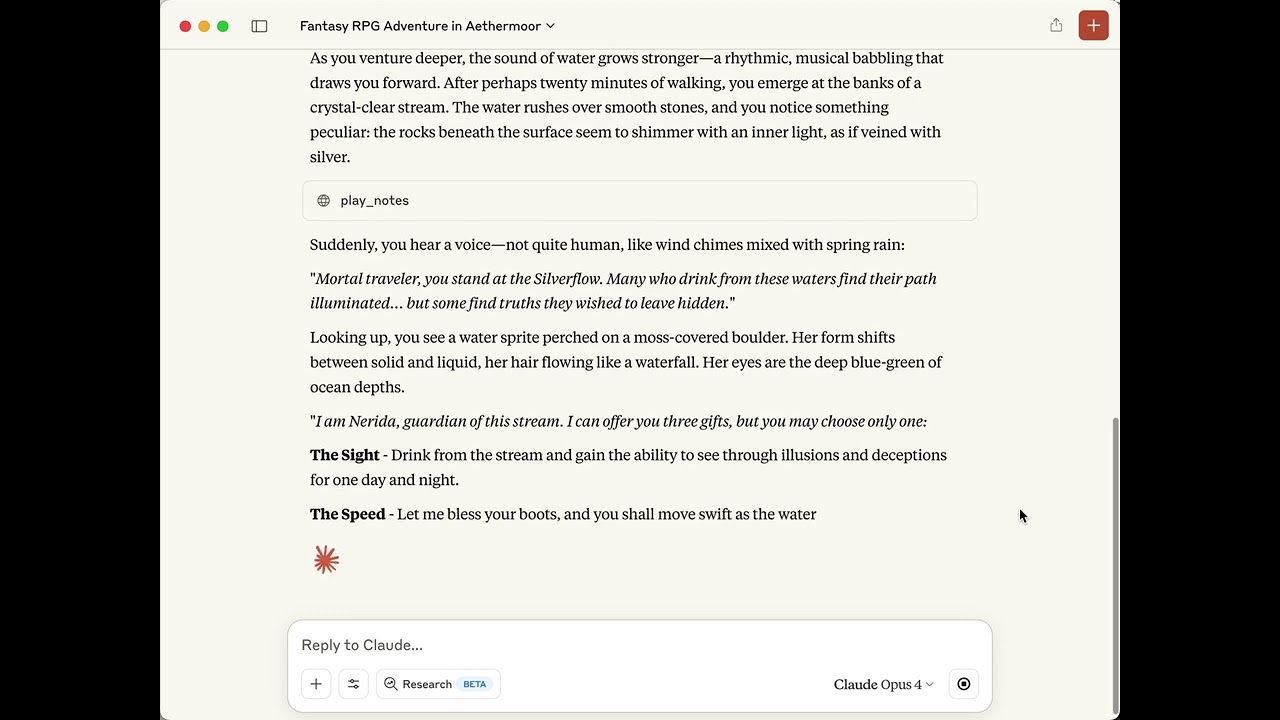
MCP Muse Makes RPG Music In Realtime |
🎬 Click the images above to watch the demo videos! 🎬

🎮 Give your AI agent authentic 16-bit SNES gaming sound! 🎮
Nostalgic retro voice for AI agents - transport users back to the golden age of video games
🎮🤖🎛️ The Ultimate Universal Audio Engine for AI Agents
MCP-MUSE brings comprehensive audio capabilities to your AI conversations - from nostalgic retro gaming sounds to expressive robotic vocalizations to professional music synthesis!
🎵 Universal Audio Capabilities (All Tested & Confirmed)
- 🎮 Authentic SNES Gaming Sounds - 128 GM instruments with FluidR3_GM for classic 16-bit console tone
- 🤖 R2D2 Expressive Emotions - 9 distinct robotic vocalizations (Happy, Excited, Curious, Worried, etc.)
- 🎹 Classic Synthesizer Presets - 31 authentic vintage recreations (Minimoog Bass, TB-303 Acid, Jupiter Pads, TR-808 Drums, etc.)
- 🎛️ Custom Synthesis Engine - 19 synthesis types including FM, Granular, Professional Drums, Sound Effects
🏆 Comprehensive Audio Features
- Mixed Mode Magic - All 4 audio systems work together in perfect synchronization
- 187+ Sound Options - Massive audio vocabulary for every creative need
- Real-Time Processing - Instant musical reactions without conflicts or delays
- Professional Quality - Research-driven algorithms for authentic sound reproduction
🎯 Perfect for Every AI Interaction
- Victory Celebrations - MIDI fanfares + R2D2 excited expressions + synthesized flourishes
- Thoughtful Moments - Ambient pads + contemplative R2D2 sounds + atmospheric textures
- Discovery & Learning - Classic Zelda-style chimes + curious R2D2 + synthesized sparkles
- Creative Projects - Professional bass lines + vintage drum machines + custom sound effects
✨ Tested & Production-Ready
- 10-Scenario Test Suite - Comprehensive validation of all audio systems
- Live Verified - All features confirmed working through AI interface
- Zero Latency Issues - Perfect real-time performance across all audio types
- Instant Integration - Copy-paste examples for immediate use
Features ✅ All Tested & Confirmed Working
- 🎮 16-Bit SNES Sound: Authentic retro gaming audio using FluidR3_GM SoundFont
- 🤖 R2D2 Expressions: 9 distinct robotic emotions with ring modulation synthesis
- 🎹 Classic Synthesizer Presets: 31 authentic vintage recreations (Minimoog, TB-303, Jupiter-8, TR-808, TR-909, etc.)
- 🎛️ Custom Synthesis Engine: 19 advanced synthesis types (FM, Granular, Professional Drums, etc.)
- 🎭 Universal Mixed Mode: All 4 audio systems work together in perfect synchronization
- 🏆 187+ Sound Options: Massive audio vocabulary (128 GM + 9 R2D2 + 31 Presets + 19 Synthesis)
- ⚡ Real-Time Performance: Zero latency issues, perfect timing across all audio types
- 🔌 Single Tool Integration: One unified
play_notestool for all audio capabilities - 🎚️ Professional Effects: Per-channel effects processing with intelligent limiting and gain compensation
- ⚙️ Zero Setup: Automatic SoundFont download and multi-engine configuration
- 🧪 Production Validated: Comprehensive 10-scenario test suite confirms all functionality
Installation
Method 1: Install from crates.io (Recommended)
The easiest way to install MCP-Muse:
cargo install mcp-muse
This will download and install the latest stable release. Then proceed to Quick Start below.
Method 2: Download Pre-built Binary
Download the latest binary for your platform from GitHub Releases:
- Linux:
mcp-muse-linux-x86_64.tar.gz - macOS (Intel):
mcp-muse-macos-x86_64.tar.gz - macOS (Apple Silicon):
mcp-muse-macos-aarch64.tar.gz - Windows:
mcp-muse-windows-x86_64.zip
Extract the archive and add the binary to your PATH, or specify the full path in your MCP configuration.
Method 3: Build from Source
For development or latest features:
git clone https://github.com/alextrzyna/mcp-muse.git
cd mcp-muse
cargo build --release
The binary will be available at ./target/release/mcp-muse.
Prerequisites
- Rust 1.70+ (install via rustup) - only needed for cargo install or building from source
- Audio output device (speakers/headphones)
- ~150MB disk space for SoundFont (auto-downloaded during setup)
Quick Start
1. Run Setup
For Cursor (choose based on your installation method):
# If installed via cargo:
mcp-muse --setup

# If built from source:
./target/release/mcp-muse --setup

# If using downloaded binary:
/path/to/mcp-muse --setup
This interactively guides you through:
- Step 1: SoundFont Configuration
- Option to specify a custom SoundFont file location
- Or use the default FluidR3_GM SoundFont
- Step 2: SoundFont Download (if using default)
- Shows exact download URL: keymusician01.s3.amazonaws.com
- Displays file size (~130MB) and destination path
- Asks for user permission before downloading
- Downloads FluidR3_GM SoundFont (142MB) for authentic SNES sound
- Step 3: MCP Host Configuration
- Shows configuration file location (~/.cursor/mcp.json)
- Asks for user permission before configuring Cursor
- Provides manual configuration instructions if skipped
NEW: Custom SoundFont Support
- Bring your own SoundFont (.sf2 file) for personalized audio
- Configuration saved to platform-specific data directory:
- Linux:
~/.local/share/mcp-muse/config.json - macOS:
~/Library/Application Support/mcp-muse/config.json - Windows:
%APPDATA%\mcp-muse\config.json
- Linux:
- Automatically used by the audio engine when configured
2. Restart Cursor
Close and reopen Cursor for the MCP server to be available.
3. Add Retro Gaming Magic
Ask your AI agent to enhance conversations with comprehensive audio:
"Play a celebration sound when I solve this problem"
"Add a Zelda-style discovery sound for important moments"
"Create some atmospheric dungeon music while I work"
"Play a Mario power-up sound when I get the right answer"
"Use R2D2 excited sounds for breakthroughs"
"Play vintage Minimoog bass for that classic synth feel"
"Add professional drum sounds for rhythm"
"Create custom sound effects for unique moments"
🧪 Comprehensive Testing Results - 100% Success!
The system has been thoroughly validated through a comprehensive 10-scenario test suite covering all audio capabilities:
✅ All Audio Systems Confirmed Working:
- MIDI Instruments - Piano, Trumpet, Flute sequences
- R2D2 Expressions - Happy, Excited, Curious emotions
- Classic Presets - Minimoog Bass, TB-303 Acid, Jupiter Pads
- Custom Synthesis - FM, Granular, Zap Effects, Professional Drums
- Mixed Combinations - All systems working together in perfect sync
- Preset Variations - Dynamic parameter modifications
- Random Selection - AI-driven preset discovery
- Professional Quality - Authentic vintage sound reproductions
🎮 Classic SNES Gaming Examples
🗡️ Zelda-Style Discovery (Treasure Found!)
{
  "notes": [
    {"note": 67, "velocity": 90, "start_time": 0, "duration": 0.3, "channel": 0, "instrument": 73},
    {"note": 72, "velocity": 100, "start_time": 0.3, "duration": 0.3, "channel": 0, "instrument": 73},
    {"note": 76, "velocity": 110, "start_time": 0.6, "duration": 0.3, "channel": 0, "instrument": 73},
    {"note": 79, "velocity": 120, "start_time": 0.9, "duration": 0.6, "channel": 0, "instrument": 73, "reverb": 40}
  ]
}
Perfect for: Important discoveries, successful completions, "aha!" moments
🍄 Mario-Style Power-Up
{
  "notes": [
    {"note": 64, "velocity": 100, "start_time": 0, "duration": 0.1, "channel": 0, "instrument": 80},
    {"note": 67, "velocity": 100, "start_time": 0.1, "duration": 0.1, "channel": 0, "instrument": 80},
    {"note": 72, "velocity": 100, "start_time": 0.2, "duration": 0.1, "channel": 0, "instrument": 80},
    {"note": 76, "velocity": 100, "start_time": 0.3, "duration": 0.1, "channel": 0, "instrument": 80},
    {"note": 79, "velocity": 110, "start_time": 0.4, "duration": 0.3, "channel": 0, "instrument": 80}
  ]
}
Perfect for: Leveling up, gaining new abilities, getting correct answers
🌟 Final Fantasy Victory Fanfare
{
  "notes": [
    {"note": 60, "velocity": 100, "start_time": 0, "duration": 0.5, "channel": 0, "instrument": 56},
    {"note": 64, "velocity": 100, "start_time": 0.5, "duration": 0.5, "channel": 0, "instrument": 56},
    {"note": 67, "velocity": 110, "start_time": 1, "duration": 0.5, "channel": 0, "instrument": 56},
    {"note": 72, "velocity": 120, "start_time": 1.5, "duration": 1, "channel": 0, "instrument": 56},
    {"note": 36, "velocity": 90, "start_time": 0, "duration": 0.25, "channel": 9},
    {"note": 36, "velocity": 90, "start_time": 1, "duration": 0.25, "channel": 9}
  ]
}
Perfect for: Major accomplishments, completing difficult tasks, celebrating victories
🎹 NEW: Classic Synthesizer Preset Examples
🎵 Authentic Minimoog Bass (Vintage Recreation)
{
  "notes": [
    {"preset_name": "Minimoog Bass", "note": 36, "velocity": 120, "start_time": 0, "duration": 1},
    {"preset_name": "Minimoog Bass", "note": 36, "velocity": 100, "start_time": 1.5, "duration": 1},
    {"preset_name": "Minimoog Bass", "note": 38, "velocity": 110, "start_time": 3, "duration": 1}
  ]
}
🏭 TB-303 Acid Bass (Classic House/Techno)
{
  "notes": [
    {"preset_name": "TB-303 Acid", "preset_variation": "squelchy", "note": 43, "velocity": 120, "start_time": 0, "duration": 0.5},
    {"preset_name": "TB-303 Acid", "note": 40, "velocity": 100, "start_time": 0.5, "duration": 0.5},
    {"preset_name": "TB-303 Acid", "note": 43, "velocity": 110, "start_time": 1, "duration": 1}
  ]
}
🌌 Jupiter-8 Lush Pads (Atmospheric)
{
  "notes": [
    {"preset_name": "JP-8 Strings", "note": 60, "velocity": 80, "start_time": 0, "duration": 4},
    {"preset_name": "JP-8 Strings", "note": 64, "velocity": 80, "start_time": 0, "duration": 4},
    {"preset_name": "JP-8 Strings", "note": 67, "velocity": 80, "start_time": 0, "duration": 4}
  ]
}
🥁 Professional TR-808/909 Drums (Classic Drum Machines)
{
  "notes": [
    {"preset_name": "TR-808 Kick", "note": 36, "velocity": 127, "start_time": 0, "duration": 0.5},
    {"preset_name": "TR-909 Snare", "note": 38, "velocity": 110, "start_time": 0.5, "duration": 0.3},
    {"preset_name": "TR-808 Kick", "note": 36, "velocity": 100, "start_time": 1, "duration": 0.5}
  ]
}
🎛️ NEW: Custom Synthesis Examples
⚡ Sci-Fi Zap Effect (Sound Design)
{
  "notes": [
    {"synth_type": "zap", "synth_frequency": 800, "synth_energy": 0.9, "start_time": 0, "duration": 0.3}
  ]
}
🎵 Professional FM Bass (Electronic Music)
{
  "notes": [
    {"synth_type": "fm", "synth_frequency": 110, "synth_modulator_freq": 220, "synth_modulation_index": 2, "start_time": 0, "duration": 2}
  ]
}
🥁 Custom Kick Drum (Synthesis-Based)
{
  "notes": [
    {"synth_type": "kick", "synth_frequency": 60, "synth_punch": 0.8, "synth_sustain": 0.3, "start_time": 0, "duration": 1}
  ]
}
🎭 Universal Mixed Mode Examples (All Systems Together)
🏆 Ultimate Victory Celebration (MIDI + R2D2 + Presets + Synthesis)
{
  "notes": [
    {"preset_name": "JP-8 Strings", "note": 60, "velocity": 70, "start_time": 0, "duration": 4},
    {"note": 72, "velocity": 100, "start_time": 1, "duration": 1, "instrument": 56, "reverb": 60},
    {"note_type": "r2d2", "r2d2_emotion": "Excited", "r2d2_intensity": 0.9, "start_time": 2.5, "duration": 1},
    {"synth_type": "chime", "synth_frequency": 880, "start_time": 3.5, "duration": 0.5}
  ]
}
🤖 Mixed Mode Examples (SNES + R2D2)
🎺 Victory Fanfare with R2D2 Celebration
{
  "notes": [
    {"note": 60, "velocity": 100, "start_time": 0, "duration": 0.5, "instrument": 56, "note_type": "midi"},
    {"note": 64, "velocity": 100, "start_time": 0.5, "duration": 0.5, "instrument": 56, "note_type": "midi"},
    {"note": 67, "velocity": 110, "start_time": 1, "duration": 0.5, "instrument": 56, "note_type": "midi"},
    {"note_type": "r2d2", "start_time": 1.2, "duration": 1.0, "r2d2_emotion": "Excited", "r2d2_intensity": 0.9, "r2d2_complexity": 4, "r2d2_pitch_range": [400, 1000]},
    {"note": 72, "velocity": 120, "start_time": 1.5, "duration": 1.5, "instrument": 56, "note_type": "midi"}
  ]
}
Perfect for: User accomplishments with AI celebrating alongside
🔍 Curious Discovery
{
  "notes": [
    {"note": 36, "velocity": 60, "start_time": 0, "duration": 3, "instrument": 89, "reverb": 80, "note_type": "midi"},
    {"note_type": "r2d2", "start_time": 1.0, "duration": 0.8, "r2d2_emotion": "Curious", "r2d2_intensity": 0.6, "r2d2_complexity": 2, "r2d2_pitch_range": [250, 600]},
    {"note": 67, "velocity": 90, "start_time": 2.5, "duration": 0.3, "instrument": 73, "note_type": "midi"}
  ]
}
Perfect for: Exploring ideas with inquisitive AI companion
🧠 Problem-Solving Journey
{
  "notes": [
    {"note_type": "r2d2", "start_time": 0, "duration": 1.5, "r2d2_emotion": "Thoughtful", "r2d2_intensity": 0.5, "r2d2_complexity": 3, "r2d2_pitch_range": [150, 400]},
    {"note": 60, "velocity": 70, "start_time": 0.5, "duration": 1.0, "instrument": 0, "note_type": "midi"},
    {"note_type": "r2d2", "start_time": 2.0, "duration": 0.6, "r2d2_emotion": "Surprised", "r2d2_intensity": 0.8, "r2d2_complexity": 1, "r2d2_pitch_range": [300, 800]}
  ]
}
Perfect for: AI thinking through problems and having breakthroughs
🤖 R2D2 Emotional Range
Positive Emotions
- Happy: Cheerful warbling with musical frequencies
"r2d2_emotion": "Happy" - Excited: High-energy rapid beeps
"r2d2_emotion": "Excited" - Affirmative: Confident confirmations
"r2d2_emotion": "Affirmative"
Interactive Emotions
- Curious: Rising question tones
"r2d2_emotion": "Curious" - Surprised: Dramatic upward sweeps
"r2d2_emotion": "Surprised" - Thoughtful: Deep contemplative sounds
"r2d2_emotion": "Thoughtful"
Concern Emotions
- Sad: Gentle descending whimpers
"r2d2_emotion": "Sad" - Worried: Nervous trembling patterns
"r2d2_emotion": "Worried" - Negative: Sharp disapproval tones
"r2d2_emotion": "Negative"
R2D2 Parameters
r2d2_emotion: Choose from 9 distinct emotions (required for R2D2 notes)r2d2_intensity: 0.0-1.0 emotional strength (0.5=moderate, 0.9=dramatic)r2d2_complexity: 1-5 syllables (1=simple beep, 5=complex phrase)r2d2_pitch_range: [min_hz, max_hz] frequency range ([200,600]=low, [400,1000]=high)note_type: Set to "r2d2" for robotic expressions, "midi" for musical notes
🎮 Gaming Sound Parameters
Basic Sound Properties
note: 60=C4 (middle C), 72=C5 (high), 48=C3 (low)velocity: 80=normal, 100=strong, 127=maximum impactstart_time: 0=immediate, 0.5=half second delayduration: 0.1=quick blip, 0.5=short, 1.0=sustained
Gaming Instruments
channel: 0-8=melody instruments, 9=drums, 10-15=effectsinstrument: 80=Square Lead (classic 8-bit), 73=Flute (Zelda), 56=Trumpet (fanfares)
Retro Effects (Legacy MIDI Parameters)
volume: 90-127=prominent effects, 60-80=background ambiencereverb: 40=dungeon echo, 80=magical sparkle, 127=cathedral (MIDI CC 91)chorus: 0=clean retro, 60=lush SNES sound, 100=dreamy (MIDI CC 93)
Professional Audio Effects System 🎛️
The system includes a comprehensive effects processor with per-channel processing and intelligent limiting:
Available Effects
- Reverb: Professional Schroeder algorithm with room size, dampening, wet level, and pre-delay
- Delay: Analog-style with feedback, damping, and tempo sync options
- Chorus: Multi-tap modulation for rich, lush sounds
- Filter: State-variable filter with 7 types (LowPass, HighPass, BandPass, Notch, Peak, LowShelf, HighShelf)
- Compressor: Professional dynamics with threshold, ratio, attack, and release
- Distortion: Musical saturation with pre/post filtering
Effects Configuration
{
  "notes": [{
    "note": 60,
    "instrument": 1,
    "effects": [{
      "effect": {
        "Reverb": {
          "room_size": 0.7,
          "dampening": 0.5,
          "wet_level": 0.3,
          "pre_delay": 0.02
        }
      },
      "intensity": 0.8,
      "enabled": true
    }]
  }]
}
Effects Presets
Use effects_preset for quick professional-quality effects:
"concert_hall"- Large space reverb"small_room"- Intimate ambience"cathedral"- Epic reverb with long decay"studio"- Clean, controlled sound"vintage_analog"- Warm tape-style effects
Important Effects Notes
- Automatic Limiting: Maximum 3 effects per channel to prevent signal destruction
- Gain Compensation: Automatic 2x boost when effects cause excessive attenuation
- Per-Channel Processing: Each audio type (MIDI, R2D2, synthesis) has independent effects
- All effects use the unified
play_notestool - no separate playback methods needed
🎮 Classic Gaming Instruments
| Range | SNES Style | Gaming Use Cases |
|---|---|---|
| 0-7 | Classic Piano | 0=Soft melodies, menu music |
| 56-63 | Epic Brass | 56=Victory fanfares, boss themes |
| 68-79 | Magical Winds | 73=Zelda discoveries, fairy sounds |
| 80-87 | 8-Bit Leads | 80=Mario melodies, chiptune leads |
| 88-95 | Atmospheric | 89=Dungeon ambience, mysterious pads |
| 9 | Sound Effects | 9=Glockenspiel coins, magical chimes |
| Channel 9 | Retro Drums | 36=Kick, 38=Snare, 42=Hi-hat |
Technical Architecture ✅ All Systems Tested & Operational
Universal Quad-Engine Audio System
- 🎮 OxiSynth Engine: Pure Rust SoundFont synthesis for authentic SNES gaming sounds (✅ Tested)
- 🤖 ExpressiveSynth Engine: Ring modulation synthesis for R2D2-style vocalizations (✅ Tested)
- 🎹 Classic Preset Engine: 31 authentic vintage synthesizer recreations (✅ Tested)
- 🎛️ Custom Synthesis Engine: 19 advanced synthesis types with professional algorithms (✅ Tested)
- 🔄 EnhancedHybridAudioSource: Unified playback with per-channel effects and intelligent limiting (✅ Tested)
- 💾 FluidR3_GM SoundFont: 142MB retro gaming instrument collection from keymusician01.s3.amazonaws.com
Comprehensive Audio Capabilities
- 187+ Sound Options: 128 GM instruments + 9 R2D2 emotions + 31 vintage presets + 19 synthesis types
- Mixed Mode Magic: All audio systems work together in perfect synchronization
- Professional Quality: Research-driven algorithms for authentic sound reproduction
- Real-Time Performance: Zero latency issues, instant musical reactions
- Production Validated: Comprehensive 10-scenario test suite confirms all functionality
Unified AI Conversation Tool
play_notes: Universal JSON interface supporting all 4 audio systems in single sequences (✅ Fully Tested)
Tool Schema
{
  "name": "play_notes",
  "description": "🎮 16-bit SNES gaming sound for AI conversation enhancement...",
  "parameters": {
    "notes": [{
      "note": "🎵 Sound pitch (60=middle, 72=high, 48=low)",
      "velocity": "🔊 Impact strength (80=normal, 127=maximum)",
      "start_time": "⏰ When to play (0=immediate)",
      "duration": "⏳ How long (0.1=blip, 0.5=short, 1.0=sustained)",
      "channel": "🎮 Sound type (0-8=melody, 9=drums)",
      "instrument": "🎹 Gaming instrument (80=8-bit, 73=magical, 56=fanfare)",
      "volume": "🔊 How loud (90-127=effects, 60-80=background)",
      "reverb": "🏰 Echo effect (40=dungeon, 80=magical)",
      "chorus": "✨ SNES shimmer (60=classic, 100=dreamy)"
    }]
  }
}
Development
Running Tests
cargo test
Building
cargo build --release
Development Mode
cargo run -- --setup  # Setup with SoundFont download
cargo run             # Run MCP server
Versioning
This project uses CalVer versioning in the format YYYY.MM.PATCH (e.g., 2025.11.0). Releases are automatically created when changes are merged to the main branch. See VERSIONING.md for details.
Troubleshooting
Audio Issues
No sound output:
- Check system audio settings and volume
- Verify audio device is not muted
- Test other applications for audio
- Check logs for audio device errors
Poor audio quality:
- Ensure FluidR3_GM.sf2 is properly downloaded (142MB)
- Verify SoundFont integrity
- Check available disk space
MCP Connection Issues
Agent can't find tools:
- Restart your MCP host (Cursor)
- Verify MCP configuration file syntax
- Check binary path in configuration
- Examine logs for connection errors
Setup issues:
# Re-run setup to re-download SoundFont (adjust command based on installation method)
mcp-muse --setup                      # If installed via cargo
./target/release/mcp-muse --setup     # If built from source

# Check SoundFont exists and size
ls -la assets/FluidR3_GM.sf2  # Should be ~142MB

# Manual download if needed
curl -L https://keymusician01.s3.amazonaws.com/FluidR3_GM.zip -o FluidR3_GM.zip
unzip FluidR3_GM.zip -d assets/
Custom SoundFont issues:
# Check configuration file
# Linux:
cat ~/.local/share/mcp-muse/config.json
# macOS:
cat ~/Library/Application\ Support/mcp-muse/config.json
# Windows (Command Prompt):
type %APPDATA%\mcp-muse\config.json
# Windows (PowerShell):
Get-Content $env:APPDATA\mcp-muse\config.json

# Verify custom SoundFont exists and is valid
ls -la /path/to/your/soundfont.sf2

# Reset to default SoundFont (removes config file)
# Linux:
rm ~/.local/share/mcp-muse/config.json
# macOS:
rm ~/Library/Application\ Support/mcp-muse/config.json
# Windows:
del %APPDATA%\mcp-muse\config.json
./target/release/mcp-muse --setup
License
MIT License - See LICENSE file for details.
Contributing
- Fork the repository
- Create your feature branch
- Commit your changes
- Push to the branch
- Create a Pull Request
🎮 Give your AI the voice of classic SNES games! 🎮
Transform conversations with nostalgic 16-bit sounds that instantly transport users back to the golden age of gaming.
🤖 R2D2 Expressive Emotions
- Robotic Personality - 9 distinct emotional expressions add character to AI conversations
- Authentic R2D2 Sound - Ring modulation synthesis creates genuine robotic vocalizations
- Perfect Timing - Expressive sounds synchronized perfectly with musical moments
- Mixed Mode - Combine SNES music with R2D2 reactions in single sequences
🎭 Rich Musical Storytelling
- Victory + Celebration - MIDI fanfare with excited R2D2 cheering
- Discovery + Curiosity - Mysterious pads with inquisitive R2D2 sounds
- Problem Solving - Thoughtful R2D2 contemplation followed by surprised realization
- Emotional Enhancement - Every AI interaction enriched with expressive character
🎵 Dual-Engine Architecture
- SNES Gaming Sounds - Classic 16-bit music and sound effects
- R2D2 Expressions - Authentic robotic vocalizations with 9 emotions
- Mixed Sequences - Both engines working together in perfect synchronization
- AI Conversation Focus - Purpose-built for enhancing AI interactions