mcsdk
| Crates.io | mcsdk |
| lib.rs | mcsdk |
| version | 0.1.2 |
| created_at | 2024-05-23 17:49:21.426495+00 |
| updated_at | 2024-07-27 18:53:08.671746+00 |
| description | A Local Minecraft Server Plugin Testing Solution |
| homepage | https://github.com/Noriskky/mc-server-dev-kit |
| repository | https://github.com/Noriskky/mc-server-dev-kit |
| max_upload_size | |
| id | 1249831 |
| size | 184,781 |
 Noriskky (Noriskky)
documentation
README
MCSDK - mc-server-dev-kit
A Minecraft Server wrapper that makes it easier testing Spigot/Paper Server Plugins on your local Machine.

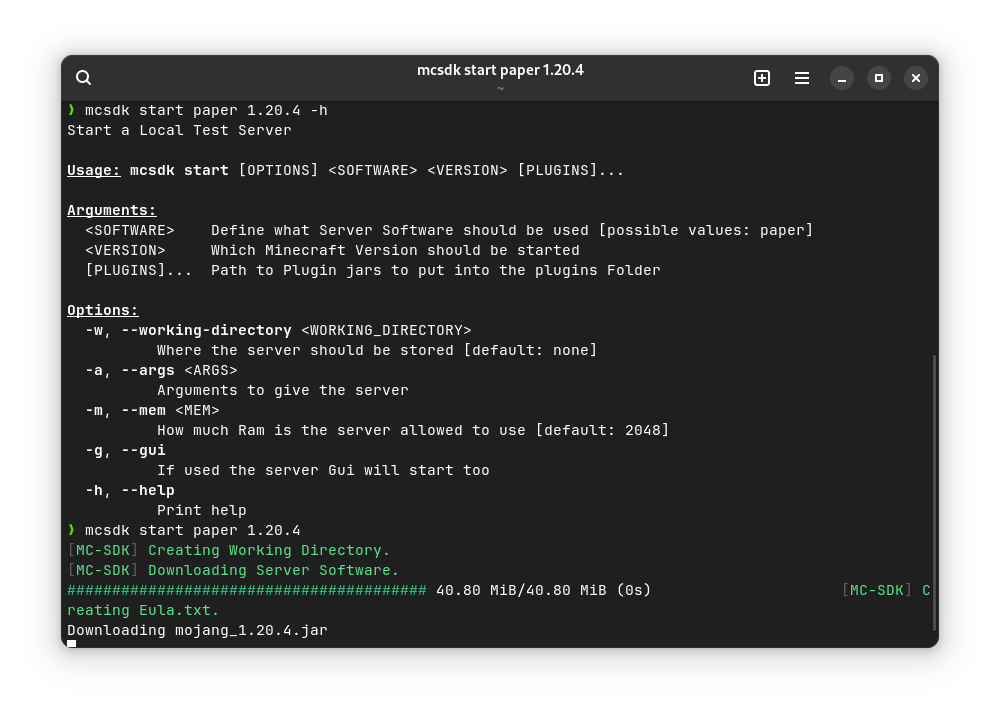
Installation
You can install MCSDK via Cargo:
cargo install mcsdk
Make Sure to add the .cargo/bin folder in your path with you can put the following in your .bashrc or .zshrc:
export PATH="$PATH:$HOME/.cargo/bin"
Usage
When Installed, it can be executed with the following:
mcsdk
Options
-h, --help: Print help-V, --version: Print version
Subcommands
start: Start a Local Test Serverhelp: Print Help message
Start Options:
Arguments:
<SOFTWARE>: Define what Server Software should be used[possible values: paper]<VERSION>: Which Minecraft Version should be started[PLUGINS]...: Path to Plugin jars to put into the plugins Folder
Options:
-w, --working-directory <WORKING_DIRECTORY>: Where the server should be stored[default: none]-a, --args <ARGS>: Arguments to give the server-m, --mem <MEM>: How much Ram is the server allowed to use[default: 2048]-h, --help: Print help-g, --gui: If used the server Gui will start too-p, --port: Which Port to bind for the Server[default: 25565]
Support
It should be usable under Windows and MacOS but it only got tested under Linux. It would be appreciated that if you have any Issues to open a Issue. Thx u
How to contribute
Hey if you want to contribute your are welcome to do so. Testing can be done with the following:
# For make users
make release
./target/debug/mcsdk

# For just users (recommended)
make release
./target/debug/mcsdk
or you could also install it but with the following:
# For make users
make install
mcsdk

# For just users
just install
mcsdk
[!NOTE] This is not recommended!
Build from Source
To do build from source use the following command:
# For make users
make release

# For just users
just release
The binary will be found under target/debug
Or if you want to directly install it you can use the following command:
# For make users
make install

# For just users
just install