ohcrab
| Crates.io | ohcrab |
| lib.rs | ohcrab |
| version | 0.7.7 |
| created_at | 2023-10-13 13:40:51.946192+00 |
| updated_at | 2025-09-07 09:13:00.741463+00 |
| description | Fix your command line magically |
| homepage | |
| repository | https://github.com/luizvbo/oh-crab |
| max_upload_size | |
| id | 1002317 |
| size | 999,089 |
 Luiz Otavio Vilas Boas Oliveira (luizvbo)
documentation
README
OhCrab! 🦀
ohcrab is a port of the well known CLI tool
thefuck to our beloved Rust language.
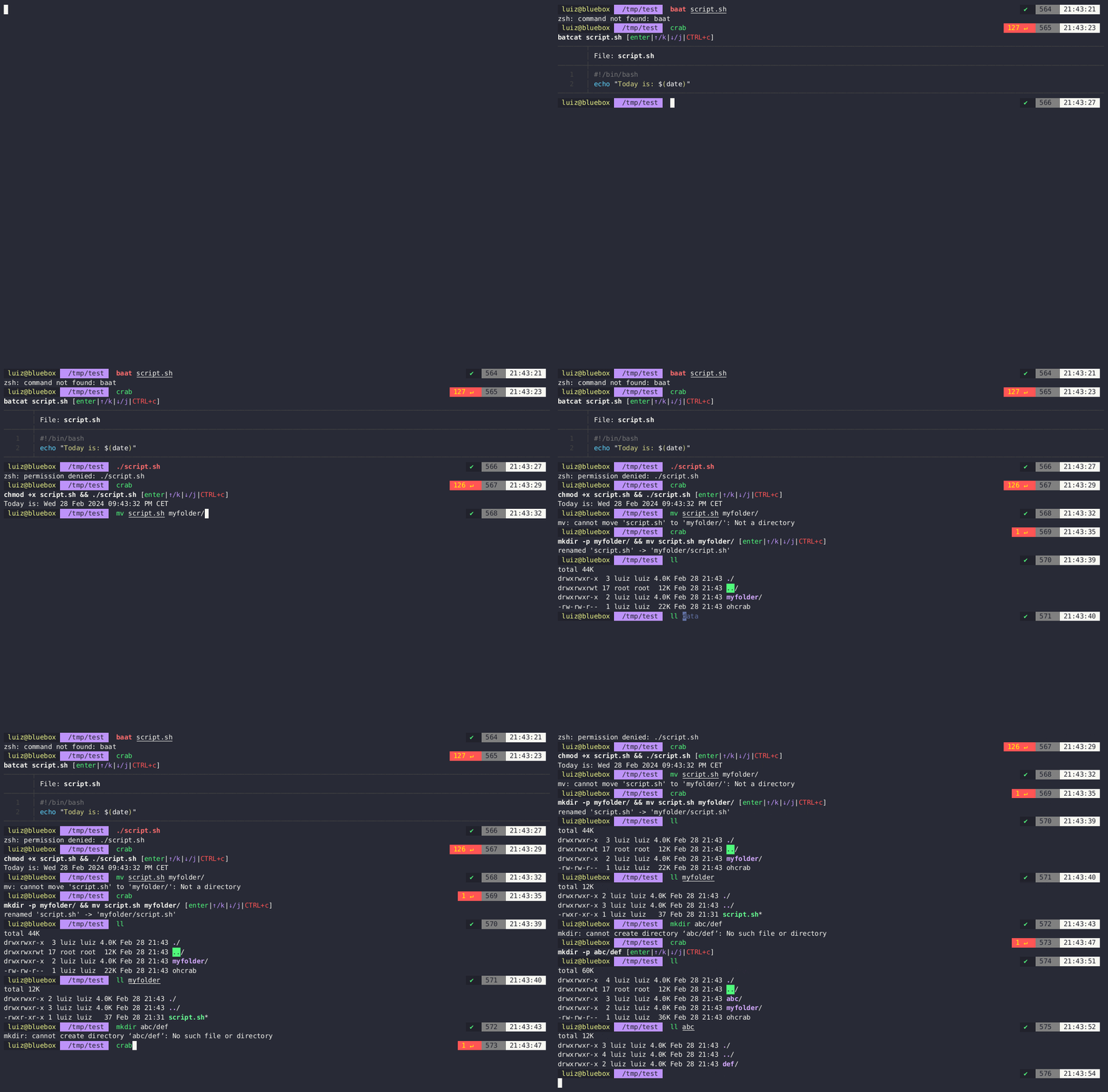
Table of contents
Installation
Currently, there are two methods of installation:
See below how to install using any of these methods.
Downloading the binary
Follow these steps to download and install the package using the pre-compiled binaries for your OS and architecture:
Download the file
The binaries are available in the Assets section from the release page. Download the binary according to your system:
- ohcrab_x86_64_unknown_linux_gnu_vx.x.x.bin: This binary is for Linux devices with 64-bit Intel processors.
- ohcrab_i686_unknown_linux_gnu_vx.x.x.bin: This binary is for Linux devices with 32-bit Intel processors.
- ohcrab_aarch64_unknown_linux_gnu_vx.x.x.bin: This binary is for Linux devices with ARM 64-bit processors (like Raspberry Pi 3/4).
- ohcrab_x86_64_apple_darwin_vx.x.x.bin: This binary is for Apple devices with 64-bit Intel processors running macOS.
- ohcrab_aarch64_apple_darwin_vx.x.x.bin: This binary is for Apple devices (like the M1 Macs) running macOS.
- ohcrab_i686_unknown_freebsd_vx.x.x.bin: This binary is for FreeBSD devices with 32-bit Intel processors.
- ohcrab_x86_64_unknown_freebsd_vx.x.x.bin: This binary is for FreeBSD devices with 64-bit Intel processors.
Make the binary executable
After downloading the binary, you need to make it executable. Use the following command:
chmod +x <BINARY_NAME>
Replace <BINARY_NAME> with the name of your downloaded binary file.
Move the binary to /opt
We recommend moving the binary to the /opt directory and renaming it to
ohcrab. Use the following command:
sudo mv <BINARY_NAME> /opt/ohcrab
Create a symbolic link
Finally, create a symbolic link to the binary from a directory that's in your PATH, like /usr/local/bin. Use the following command:
sudo ln -s /opt/<BINARY_NAME> /usr/local/bin/
Now, you should be able to run your program from the terminal by typing
ohcrab.
Proceed to adding ohcrab to your environment to finalize the installation.
Install from cargo
Prerequisite
For now, it is only possible to install ohcrab through cargo. If you don't
have cargo installed, you can install it following the instructions from
https://doc.rust-lang.org/cargo/getting-started/installation.html.
Installing the package
You can install ohcrab using cargo:
cargo install ohcrab
Adding ohcrab to your environment
In order for ohcrab to work in your terminal, you need to export the correct
function for your shell. Currently, we support bash and zsh. Copy and paste
the respective command to your terminal:
- For
bash, use:
eval $(ohcrab --shell bash)
- For
zsh, use:
eval $(ohcrab --shell zsh)
NOTE: In order to load ohcrab every time you open a terminal, add the
eval command above to your .bash_profile, .bashrc, .zshrc or other startup
script.
Changing the alias
The commands above use the default alias (crab) to call ohcrab from your
terminal. Feel free to use your own alias by passing --alias NEW_ALIAS to use
your NEW_ALIAS instead. For example, in case you want to use shinycrab as
your alias in zsh, use
eval $(ohcrab --shell zsh --alias shinycrab)
Usage
In the terminal, after typing the wrong command, type crab (or the alias you
chose in during the Exporting ohcrab step). It will show
a menu to choose the correct command from.
Contributing
If you like ohcrab and/or want to learn rust, you can contribute by adding
new rules or improving the crate.
Road map
- Add
sudosupport - Distribute binaries for Linux, MacOs and Windows.
- Make a short screen record of its functioning
- Inform the user which shell type is being used when the
ohcrabshell function is generated. - Add support to user shell aliases.
- Add support to PowerShell
- Reduce number/size of dependencies
- Make it available via package managers
- Benchmark against thefuck
- Add an interactive menu to setup ohcrab (see issue #74)
- Add integration tests (see issue #81)
Rules
Implemented
- ag_literal
- apt_get
- apt_get_search
- apt_list_upgradable
- apt_upgrade
- aws_cli
- az_cli
- brew_install
- brew_link
- brew_reinstall
- brew_uninstall
- brew_update_formula
- cargo
- cargo_no_command
- cat_dir
- cd_correction
- cd_cs
- cd_mkdir
- cd_parent
- chmod_x
- choco_install
- composer_not_command
- conda_mistype
- cp_create_destination
- cp_omitting_directory
- cpp11
- dirty_untar
- django_south_ghost
- django_south_merge
- docker_image_being_used_by_container
- docker_login
- dry
- fix_alt_space
- git_add
- git_add_force
- git_bisect_usage
- git_branch_0flag
- git_branch_delete
- git_branch_delete_checked_out
- git_branch_exists
- git_branch_list
- git_checkout
- git_clone_git_clone
- git_clone_missing
- git_commit_add
- git_commit_amend
- git_commit_reset
- git_diff_no_index
- git_diff_staged
- git_fix_stash
- git_flag_after_filename
- git_help_aliased
- git_hook_bypass
- git_lfs_mistype
- git_main_master
- git_merge
- git_merge_unrelated
- git_not_command
- git_pull
- git_pull_clone
- git_pull_uncommitted_changes
- git_push
- git_push_different_branch_names
- git_push_force
- git_push_pull
- git_push_without_commits
- git_rebase_merge_dir
- git_rebase_no_changes
- git_remote_delete
- git_remote_seturl_add
- git_rm_local_modifications
- git_rm_recursive
- git_rm_staged
- git_stash
- git_stash_pop
- git_tag_force
- git_two_dashes
- go_run
- gradle_wrapper
- grep_arguments_order
- grep_recursive
- has_exists_script
- heroku_multiple_apps
- heroku_not_command
- history
- hostscli
- java
- javac
- lein_not_task
- ln_no_hard_link
- ln_s_order
- long_form_help
- ls_all
- ls_lah
- man
- man_no_space
- mercurial
- mkdir_p
- mvn_no_command
- mvn_unknown_lifecycle_phase
- nixos_cmd_not_found
- no_command
- no_such_file
- npm_missing_script
- npm_run_script
- php_s
- pip_install
- pip_unknown_command
- prove_recursively
- python_command
- python_execute
- python_module_error
- quotation_marks
- rails_migrations_pending
- remove_shell_prompt_literal
- rm_dir
- sl_ls
- sudo
- sudo_command_from_user_path
- tmux
- touch
- unsudo
To be Implemented
- adb_unknown_command
- apt_invalid_operation
- brew_cask_dependency
- brew_unknown_command
- dirty_unzip
- dnf_no_such_command
- docker_not_command
- fab_command_not_found
- fix_file
- gem_unknown_command
- go_unknown_command
- gradle_no_task
- grunt_task_not_found
- gulp_not_task
- ifconfig_device_not_found
- missing_space_before_subcommand
- npm_wrong_command
- omnienv_no_such_command
- open
- pacman
- pacman_invalid_option
- pacman_not_found
- path_from_history
- port_already_in_use
- react_native_command_unrecognized
- remove_trailing_cedilla
- rm_root
- scm_correction
- sed_unterminated_s
- ssh_known_hosts
- switch_lang
- systemctl
- terraform_init
- terraform_no_command
- test
- tsuru_login
- tsuru_not_command
- unknown_command
- vagrant_up
- whois
- workon_doesnt_exists
- wrong_hyphen_before_subcommand
- yarn_alias
- yarn_command_not_found
- yarn_command_replaced
- yarn_help
- yum_invalid_operation