onionize
| Crates.io | onionize |
| lib.rs | onionize |
| version | 0.1.1 |
| created_at | 2025-12-09 22:28:33.582806+00 |
| updated_at | 2025-12-09 22:28:33.582806+00 |
| description | A CLI tool for creating ephemeral Tor Onion Services to proxy local ports. |
| homepage | |
| repository | https://github.com/andsemenoff/onionize |
| max_upload_size | |
| id | 1976851 |
| size | 209,567 |
 (AndSemenoff)
documentation
README
Onionize





A command-line tool that creates ephemeral Tor Onion Services to proxy local TCP ports.
Think of it as a decentralized, private alternative to ngrok, powered by Arti (the official Tor implementation in Rust).
🚀 Concept
The Problem: Developers often need to expose a local web server (e.g., localhost:3000) to a colleague or client but don't want to configure router port forwarding or pay for centralized tunneling services.
The Solution: onionize takes a local port and instantly creates a temporary .onion address for it. No registration, no central servers, no NAT configuration required.
✨ Features
- Ephemeral Onion Services: Generates a temporary
.onionaddress that vanishes when you stop the process. - Zero Configuration: No
torrcediting required; uses the embedded Arti client. - Client Authorization (Restricted Access): Secure your service using x25519 keys so only authorized clients can connect.
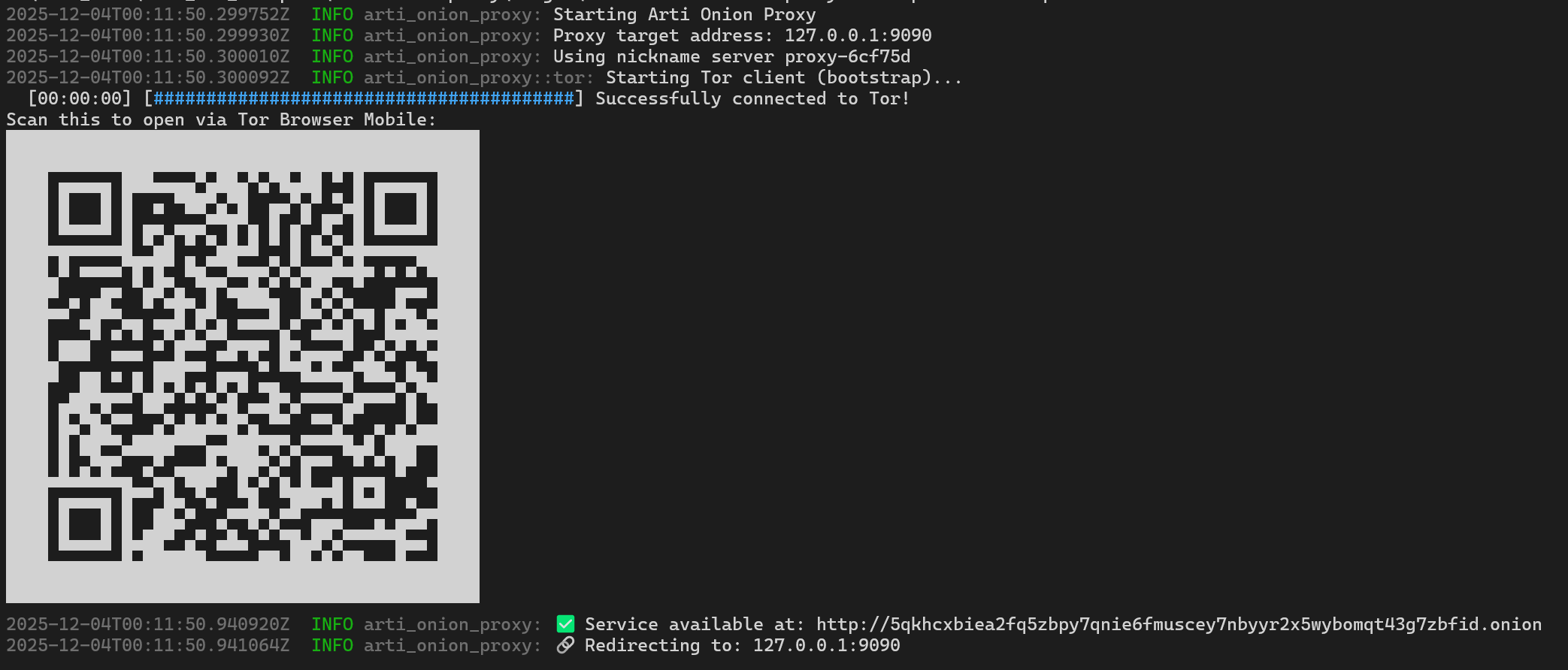
- QR Code Generation: Instantly generates a QR code to open the link on Tor Browser Mobile.
- TCP Proxy: Forwards traffic bi-directionally between the Tor network and your local service.
- Cross-Platform: Runs on Linux, macOS, and Windows.
- Localization: Supports English and Russian (detects system locale automatically).
📦 Installation
Build from Source
Requirements: Rust and Cargo.
# Clone the repository
git clone [https://github.com/andsemenoff/onionize.git](https://github.com/andsemenoff/onionize.git)
cd onionize

# Build and run
cargo run --release -- --help
Install via Cargo
cargo install --path .
🛠 Usage
Basic Usage
Expose your local server running on port 3000:
onionize --port 3000
Wait for the bootstrap to finish. You will see a link like http://[random-string].onion
Show QR Code
To easily share the link with a mobile device:
onionize -p 3000 --qr
🔒 Restricted Access (Client Authorization)
If you want to prevent random people from accessing your local service, you can enable Restricted Discovery. This requires the client to possess a specific private key to even find the service in the Tor network.
Option A: Ephemeral Restricted Mode (Easiest)
Automatically generate keys for this session only:
onionize -p 3000 --restricted
The tool will output a Client Key string. You must add this key to your client's Tor configuration to connect.
Option B: Manual Key Management
-
Generate keys:
onionize --keygenThis will output a Public Key (for the server) and a Private Key (for the client).
-
Run the proxy with the authorized public key:
onionize -p 3000 --auth "descriptor:x25519:<YOUR_PUBLIC_KEY>"
⚙️ CLI Options
| Flag | Short | Default | Description |
|---|---|---|---|
--port |
-p |
3000 |
Local port to proxy. |
--host |
-H |
127.0.0.1 |
Local interface/IP to forward traffic to. |
--nickname |
-n |
my-ephemeral-service |
Nickname for the Onion Service. |
--verbose |
-v |
false |
Enable verbose logging. |
--qr |
false |
Display a QR code of the onion URL in the terminal. | |
--keygen |
false |
Generate x25519 keypair for Client Authorization and exit. | |
--auth |
None |
Enable restricted access using a specific public key string. | |
--restricted |
false |
Auto-generate keys and enable restricted access (Client Auth). |
🌍 Localization
The interface language is determined automatically based on your system locale. To force a specific language, set the ARTI_LANG environment variable:
ARTI_LANG=ru onionize
Development
To test the proxy locally, you can start a simple file server in another terminal:
python3 -m http.server 3000
Then run onionize. It will generate an onion link. Open this link in Tor Browser to access your local server.
Similar Projects
ephemeral-hidden-service (Python)
⚠️ Disclaimer
Security Notice: By default (without --restricted or --auth), this tool exposes your local port to the entire Tor network. Anyone who knows the generated .onion address can access your service.
- Do not expose sensitive services without additional authentication (e.g., Basic Auth on the web server or using the built-in
--restrictedmode). - This tool is intended for development and testing purposes.
🤝 Contributing
Contributions are welcome!
- Fork the project.
- Create your feature branch (
git checkout -b feature/AmazingFeature). - Commit your changes.
- Push to the branch.
- Open a Pull Request.
⚖️ License
This project is licensed under either of:
at your option.