par-particle-life
| Crates.io | par-particle-life |
| lib.rs | par-particle-life |
| version | 0.1.0 |
| created_at | 2025-12-03 07:06:20.836937+00 |
| updated_at | 2025-12-03 07:06:20.836937+00 |
| description | GPU-accelerated particle life simulation in Rust |
| homepage | |
| repository | https://github.com/paulrobello/par-particle-life |
| max_upload_size | |
| id | 1963490 |
| size | 2,942,951 |
 Paul Robello (paulrobello)
documentation
README
Par Particle Life




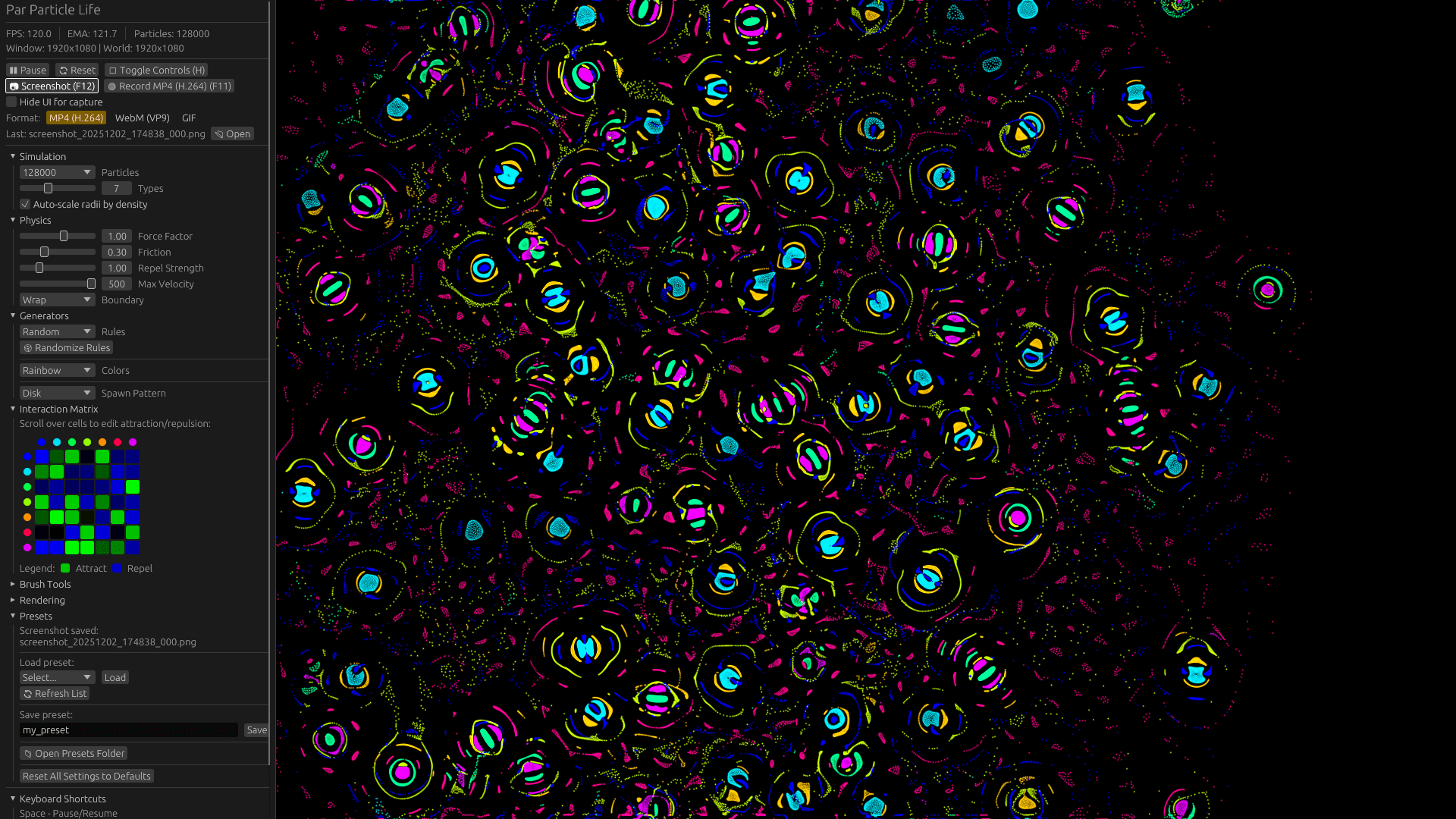
A high-performance, cross-platform GPU-accelerated particle life simulation built with Rust and WebGPU. Watch emergent life-like behaviors arise from simple particle interaction rules.
Quick Start
# Install from crates.io
cargo install par-particle-life

# Or build from source
git clone https://github.com/paulrobello/par-particle-life.git
cd par-particle-life
make run

# Or download pre-built binaries from releases
See the Configuration Guide for detailed setup instructions.
Features
- GPU-Accelerated - Efficient WebGPU compute shaders for physics simulation
- Spatial Hashing - O(n*k) neighbor queries instead of O(n²)
- 31 Rule Generators - Random, Symmetric, Snake, Rock-Paper-Scissors, and more
- 37 Color Palettes - Rainbow, Pastel, CyberNeon, Aurora, and more
- 28 Spawn Patterns - Disk, Spiral, Grid, Yin-Yang, and more
- 4 Boundary Modes - Repel, Wrap, Mirror Wrap, Infinite Tiling
- Real-time Adjustment - Modify all parameters while simulation runs
- Interactive Brushes - Draw, Erase, Attract, Repel particles
- Video Recording - MP4, WebM, and GIF output (requires ffmpeg)
- Preset System - Save and load simulation configurations
- VSync Toggle - Uncapped framerates for performance testing
See Generator Reference for complete generator documentation.
Gallery
|
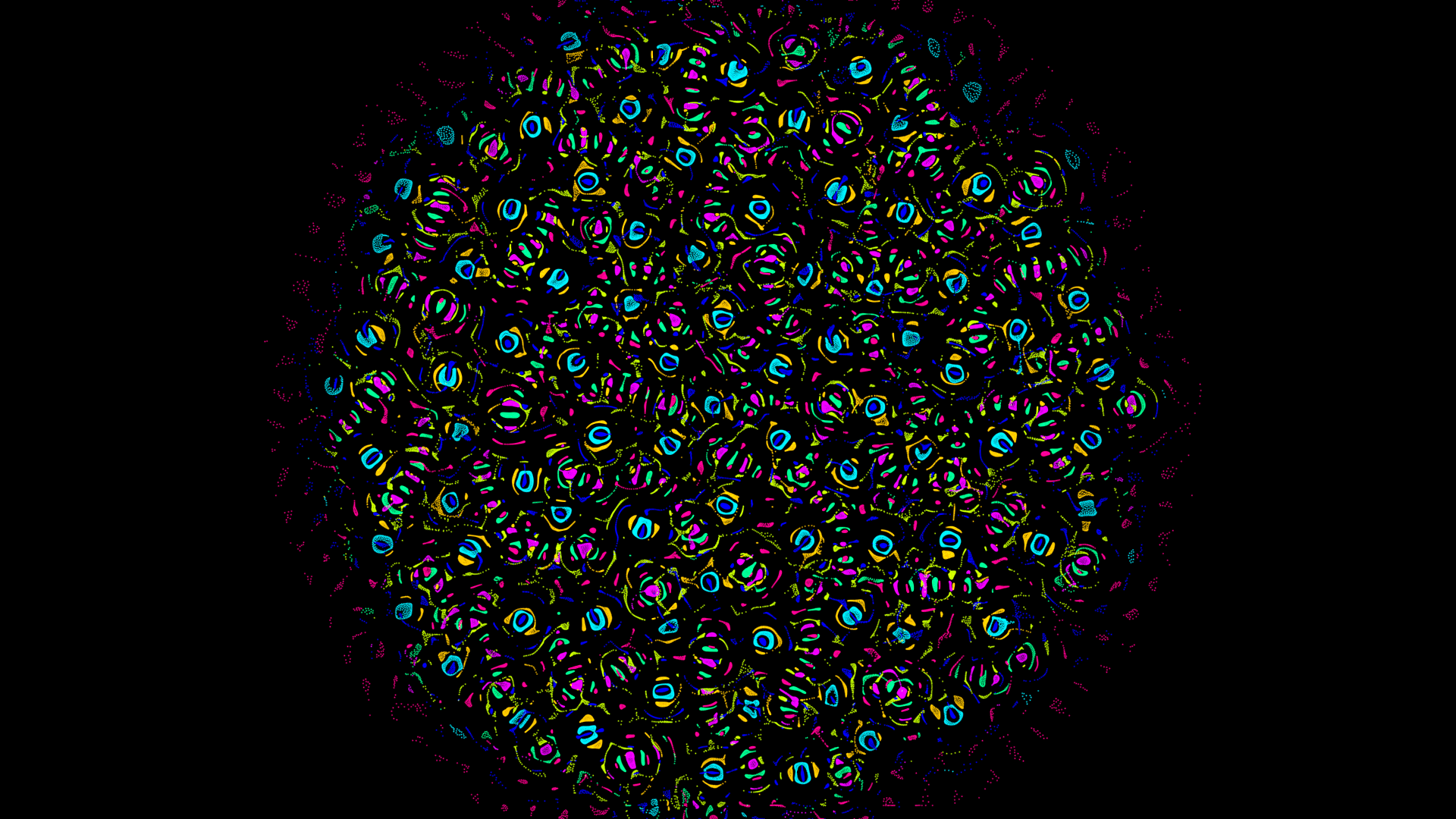
Emergent Clusters
|
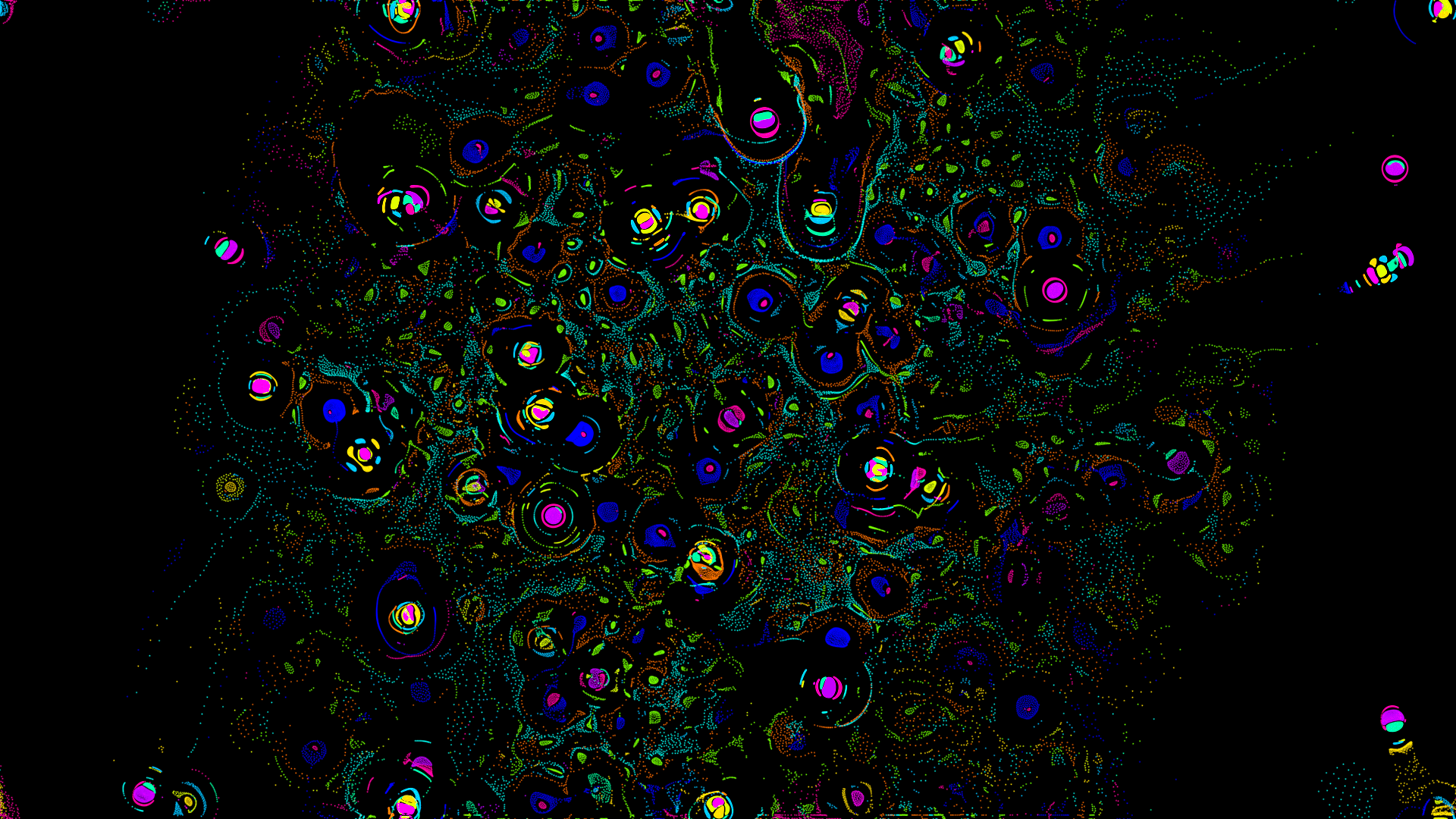
Cellular Patterns
|
Generators
Interaction Rules (31)
Chaos: Random, RandomSymmetric, RandomBiased Structured: Chains, Snake, RockPaperScissors, Predator-Prey Social: Tribes, Flocking, Segregation, Cooperation And more: Symbiosis, Parasitism, Hierarchy, Crystals...
Color Palettes (37)
Classic: Rainbow, Pastel, Neon, Earth Themed: CyberNeon, Aurora, Sunset, Ocean Scientific: Viridis, Plasma, Magma, Spectral
Spawn Patterns (28)
Geometric: Disk, Ring, Grid, Spiral Organic: Galaxy, Clusters, Noise Fun: Yin-Yang, Hearts, DNA Helix
Documentation
Getting Started
- Configuration Guide - Setup and configuration options
- Generator Reference - All rule, color, and position generators
- Shader Documentation - WGSL shader reference
Reference
- Architecture Guide - System design and data flow
- API Documentation - Public API reference
- CHANGELOG - Version history
Installation
Using Cargo (Recommended)
# Install from crates.io
cargo install par-particle-life

# Run the application
par-particle-life
Requires Rust 1.88+. Install from rustup.rs.
Pre-built Binaries
Download pre-compiled binaries from the GitHub Releases page:
- Go to the latest release
- Download the appropriate binary for your platform
- Extract and run
macOS users: Allow the app in System Preferences > Security & Privacy if prompted.
Using Homebrew (macOS)
# Tap the official Homebrew tap
brew tap paulrobello/par-particle-life

# Install the application
brew install --cask par-particle-life
From Source
# Clone repository
git clone https://github.com/paulrobello/par-particle-life.git
cd par-particle-life

# Build and run (optimized)
make run

# Or use cargo directly
cargo run --release
Basic Usage
# Run with default settings
par-particle-life

# Or use the Makefile for development
make run         # Run in release mode
make build       # Build debug
make test        # Run tests
make lint        # Run linter
make checkall    # Run all checks
Key Bindings
| Shortcut | Action |
|---|---|
| Space | Pause/resume simulation |
| R | Regenerate particles |
| M | Generate new interaction rules |
| H | Toggle UI visibility |
| C | Reset camera (zoom/pan) |
| F11 | Start/stop video recording |
| F12 | Save screenshot (PNG) |
| Escape | Quit application |
Mouse Controls
| Action | Effect |
|---|---|
| Scroll wheel | Zoom in/out |
| Right-click drag | Pan view |
| Middle-click drag | Pan view |
| Left-click drag | Use active brush tool |
Brush Tools
Interactive particle manipulation tools:
| Tool | Effect |
|---|---|
| None | No brush active |
| Draw | Add particles at cursor |
| Erase | Remove particles within radius |
| Attract | Pull particles toward cursor |
| Repel | Push particles away from cursor |
Platform Support
Desktop
- Windows - DirectX 12 / Vulkan
- macOS - Metal
- Linux - Vulkan
Cross-platform compatibility through WebGPU (wgpu-rs).
Technology
- Rust 1.88+ - Core implementation
- wgpu - Cross-platform GPU API (WebGPU)
- winit - Window creation and event handling
- egui - Immediate mode GUI
- glam - Mathematics library
- bytemuck - Safe GPU data casting
- image - Screenshot encoding
- rayon - Parallel CPU operations
Architecture
graph TB
    subgraph "Application Layer"
        App[App State]
        UI[egui UI]
        Input[Input Handler]
    end

    subgraph "Simulation Core"
        Physics[Physics Engine]
        Spatial[Spatial Hash]
        Particles[Particle Data]
    end

    subgraph "Generators"
        Rules[31 Rule Generators]
        Colors[37 Color Generators]
        Positions[28 Position Generators]
    end

    subgraph "GPU Rendering"
        Context[wgpu Context]
        Compute[Compute Shaders]
        Render[Render Shaders]
        Buffers[Double Buffers]
    end

    subgraph "Media"
        Video[Video Recorder]
        Screenshot[Screenshot]
    end

    App --> UI
    App --> Input
    App --> Physics
    App --> Context

    Physics --> Spatial
    Physics --> Particles
    Physics --> Compute

    Rules --> Particles
    Colors --> Particles
    Positions --> Particles

    Context --> Compute
    Context --> Render
    Context --> Buffers

    App --> Video
    App --> Screenshot

    style App fill:#e65100,stroke:#ff9800,stroke-width:3px,color:#ffffff
    style Physics fill:#1b5e20,stroke:#4caf50,stroke-width:2px,color:#ffffff
    style Context fill:#0d47a1,stroke:#2196f3,stroke-width:2px,color:#ffffff
    style Rules fill:#4a148c,stroke:#9c27b0,stroke-width:2px,color:#ffffff
    style Colors fill:#4a148c,stroke:#9c27b0,stroke-width:2px,color:#ffffff
    style Positions fill:#4a148c,stroke:#9c27b0,stroke-width:2px,color:#ffffff
    style Compute fill:#1a237e,stroke:#3f51b5,stroke-width:2px,color:#ffffff
    style Render fill:#1a237e,stroke:#3f51b5,stroke-width:2px,color:#ffffff
    style Video fill:#880e4f,stroke:#c2185b,stroke-width:2px,color:#ffffff
Configuration
Presets
Simulation states can be saved and loaded as presets:
- macOS:
~/Library/Application Support/par-particle-life/presets/ - Linux:
~/.local/share/par-particle-life/presets/ - Windows:
%APPDATA%\par-particle-life\presets\
Video Recording
Video recording requires ffmpeg:
# macOS (Homebrew)
brew install ffmpeg

# Ubuntu/Debian
sudo apt install ffmpeg

# Windows (Chocolatey)
choco install ffmpeg
Supported formats: MP4 (H.264), WebM (VP9), GIF
Contributing
Contributions are welcome! Please read the contribution guidelines:
# Clone and setup
git clone https://github.com/paulrobello/par-particle-life.git
cd par-particle-life
cargo build

# Run quality checks
make checkall
All contributions must pass:
- Formatting (
cargo fmtormake format) - Linting (
cargo clippyormake lint) - Tests (
cargo testormake test)
Resources
Performance Tips
For the best experience:
- Run in release mode (
cargo run --releaseormake run) - Ensure GPU drivers are up to date
- Start with fewer particles, increase gradually
- Adjust spatial hash cell size for your interaction radius
- Disable VSync for maximum framerate testing
License
This program is free software: you can redistribute it and/or modify it under the terms of the GNU Affero General Public License as published by the Free Software Foundation, either version 3 of the License, or (at your option) any later version.
See LICENSE file for the full license text.
This project is derived from SandboxScience by Luzzi Charly (@DicSo92), which is also licensed under AGPL-3.0.
Author
Paul Robello - probello@gmail.com
Acknowledgments
- Original implementation by SandboxScience (TypeScript/WebGPU)
- Built with the amazing Rust graphics ecosystem
- Thanks to the wgpu and egui communities
Watch emergent life arise from simple rules through the power of GPU computing!