rmk
| Crates.io | rmk |
| lib.rs | rmk |
| version | 0.8.2 |
| created_at | 2023-08-16 09:31:45.332208+00 |
| updated_at | 2025-12-18 12:33:45.422837+00 |
| description | Keyboard firmware written in Rust |
| homepage | https://github.com/haobogu/rmk |
| repository | https://github.com/haobogu/rmk |
| max_upload_size | |
| id | 945672 |
| size | 1,033,115 |
 HaoboGu (HaoboGu)
documentation
README

A feature-rich keyboard firmware written in Rust.




👉 Join our Discord server for discussions, support, and community collaboration!
Features
- Broad microcontroller compatibility: Leveraging embassy, RMK supports a comprehensive range of microcontrollers, including stm32, nRF, rp2040(w), esp32, etc
- Dynamic keymap customization: RMK offers native Vial support, enabling real-time keymap modifications. You can even edit keymaps over BLE connections wirelessly
- Advanced keyboard functionality: RMK comes with lots of advanced keyboard features by default, including layer switching, media controls, system commands, mouse control, and more
- Wireless connectivity: BLE wireless support with automatic reconnection and multi-device capabilities for nRF52 and esp32 microcontrollers, tested on nRF52840, esp32c3, esp32s3, Pi Pico W
- Easy configuration: RMK simplifies keyboard development through a single
keyboard.tomlconfiguration file. For Rust enthusiasts, the firmware remains highly customizable using Rust code - Optimized performance: RMK achieves approximately 2ms latency in wired mode and 10ms in wireless mode. With the
async_matrixfeature enabled, power consumption is significantly reduced—a 2000mAh battery can power your keyboard for several months
User Documentation | API Reference | FAQs | Changelog
Real-World Implementations
rmk-ble-keyboard
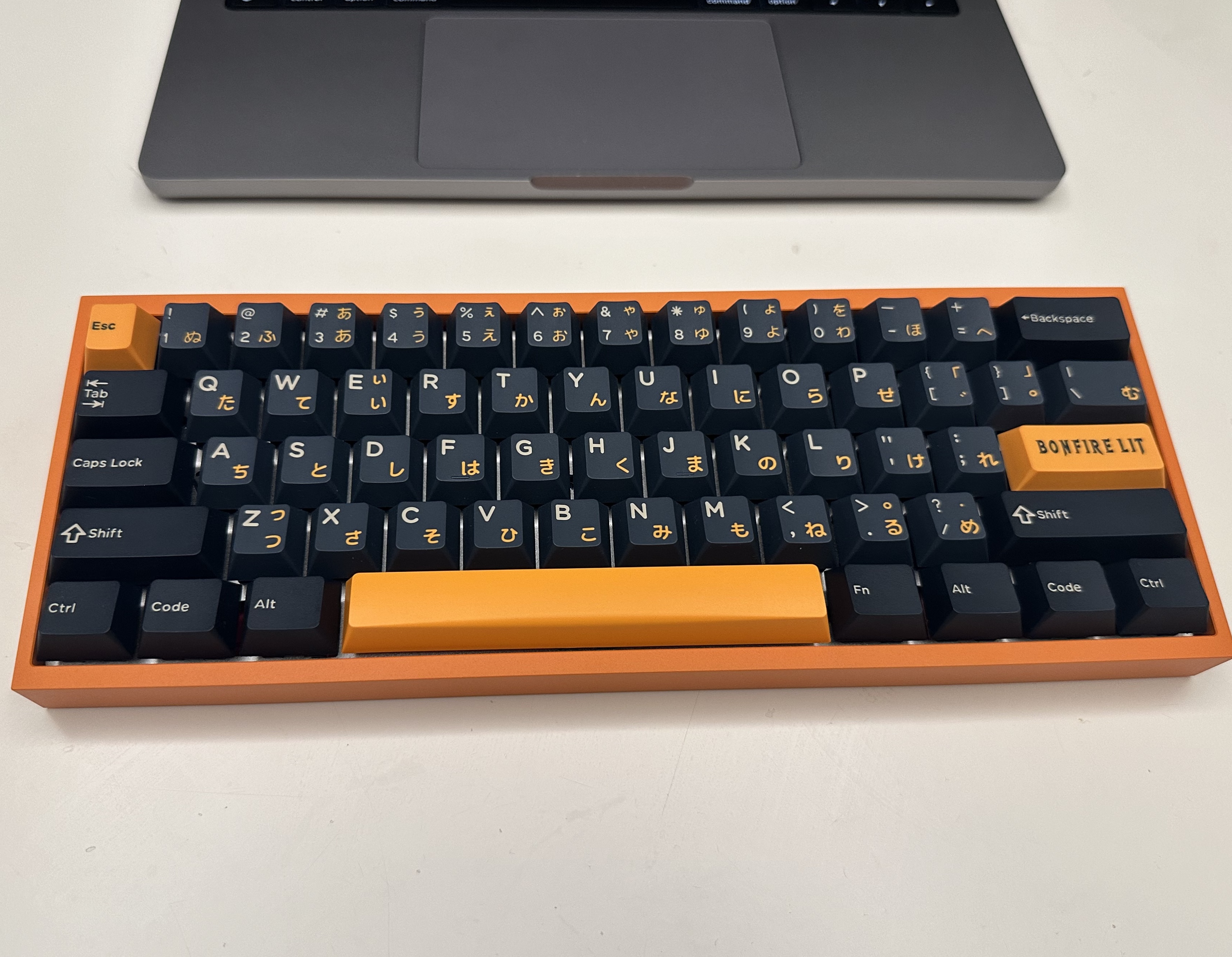
dactyl-lynx-rmk
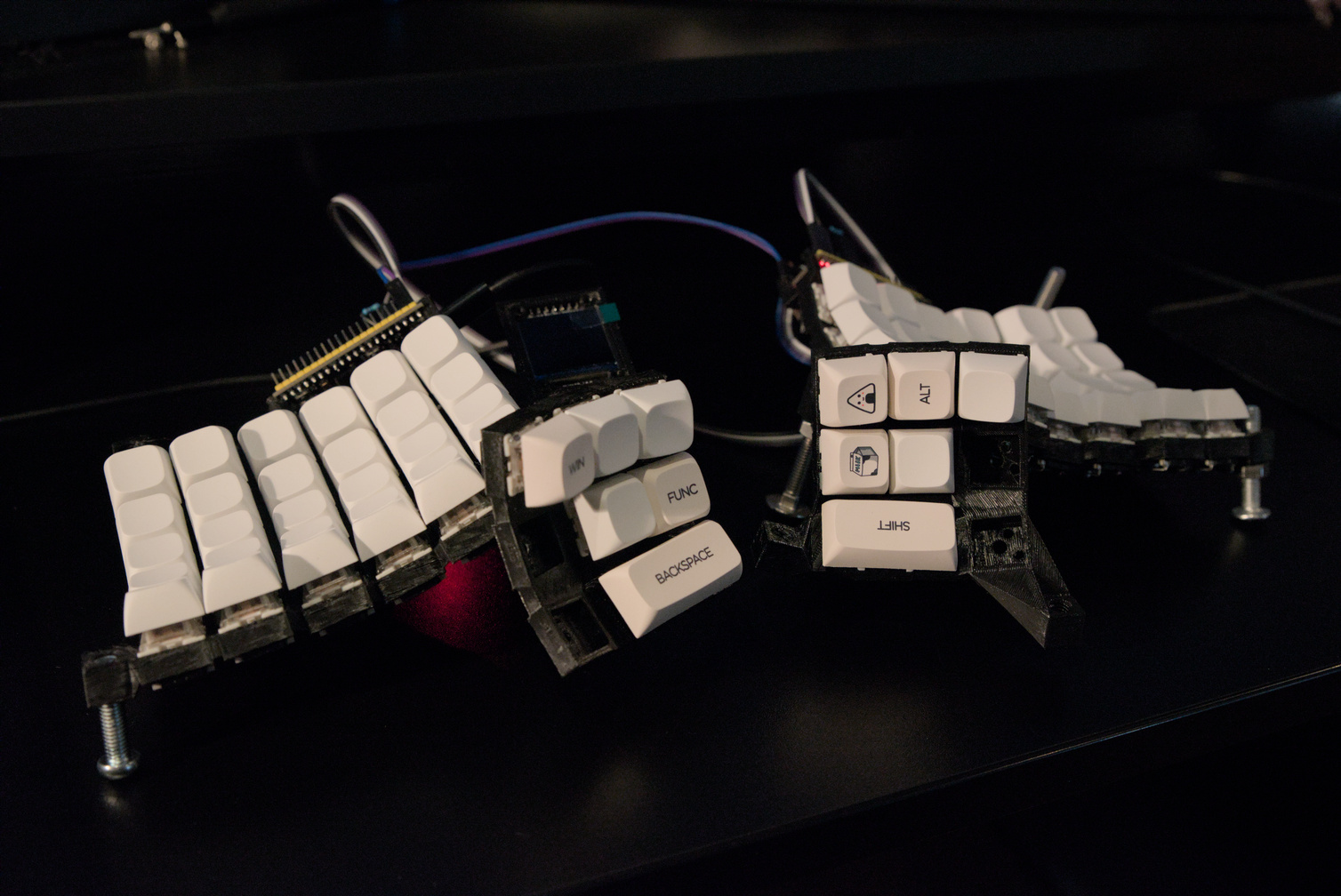
sessile
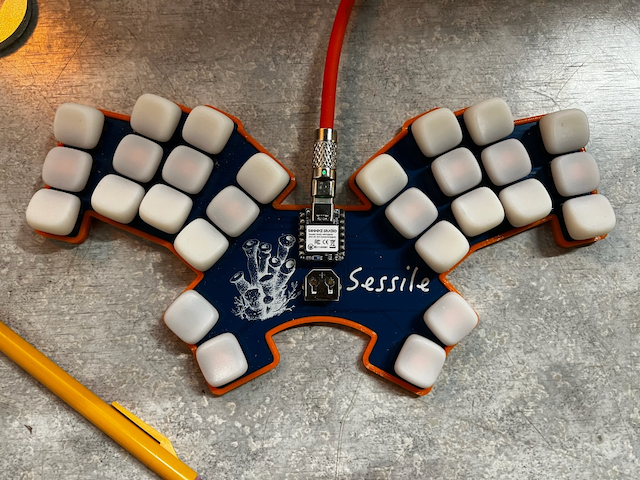
Getting Started
Option 1: Start with a Template
Quickly bootstrap your project using rmkit and the official RMK project template.
cargo install rmkit flip-link
# If you encounter installation issues on Windows, try this alternative command:
# powershell -ExecutionPolicy ByPass -c "irm https://github.com/haobogu/rmkit/releases/download/v0.0.20/rmkit-installer.ps1 | iex"
rmkit init
For comprehensive guidance, refer to the User Guide.
Option 2: Explore Built-in Examples
Browse the examples in the examples directory. Below are step-by-step instructions for rp2040 development. The process is similar for other microcontrollers when using a debug probe.
rp2040 Setup
-
Install probe-rs
curl --proto '=https' --tlsv1.2 -LsSf https://github.com/probe-rs/probe-rs/releases/latest/download/probe-rs-tools-installer.sh | sh -
Build the firmware
cd examples/use_rust/rp2040 cargo build --release -
Flash using a debug probe
With a debug probe connected to your rp2040 board, simply run:
cd examples/use_rust/rp2040 cargo run --release -
(Optional) Flash via USB
Without a debug probe, you can use
elf2uf2-rsto flash via USB:- Install the tool:
cargo install elf2uf2-rs - Modify
examples/use_rust/rp2040/.cargo/config.tomlto useelf2uf2:- runner = "probe-rs run --chip RP2040" + runner = "elf2uf2-rs -d" - Connect your rp2040 board while holding the BOOTSEL button until the USB drive appears
- Flash the firmware:
Upon successful completion, you'll see output similar to:cd examples/use_rust/rp2040 cargo run --releaseFinished release [optimized + debuginfo] target(s) in 0.21s Running `elf2uf2-rs -d 'target\thumbv6m-none-eabi\release\rmk-rp2040'` Found pico uf2 disk G:\ Transfering program to pico 173.00 KB / 173.00 KB [=======================] 100.00 % 193.64 KB/s
- Install the tool:
Development Roadmap
Current roadmap of RMK can be found here.
Minimum Supported Rust Version (MSRV)
RMK is developed against the latest stable Rust release. While other versions may work, they are not fully tested.
License
RMK is licensed under either of
- Apache License, Version 2.0 (LICENSE-APACHE or http://www.apache.org/licenses/LICENSE-2.0)
- MIT license (LICENSE-MIT or http://opensource.org/licenses/MIT)
at your option.