rocketmq-filter
| Crates.io | rocketmq-filter |
| lib.rs | rocketmq-filter |
| version | 0.7.0 |
| created_at | 2024-06-04 15:33:28.043113+00 |
| updated_at | 2025-12-07 14:56:34.789352+00 |
| description | A filter for RocketMQ messages |
| homepage | https://github.com/mxsm/rocketmq-rust |
| repository | https://github.com/mxsm/rocketmq-rust |
| max_upload_size | |
| id | 1261532 |
| size | 29,254 |
 mxsm (mxsm)
documentation
README











RocketMQ-Rust
Welcome to Apache Rocketmq Rust implementation. RocketMQ-Rust(Rust library) is a reimplementation of the Apache RocketMQ message middleware in the Rust language. This project aims to provide Rust developers with a high-performance and reliable message queue service, making full use of the features of the Rust language.
RocketMQ-Rust Features
- Rust Language Advantages: Leveraging the benefits of Rust, such as memory safety, zero-cost abstractions, and high concurrency performance, RocketMQ-Rust offers an efficient and reliable message middleware.
- Asynchronous and Non-blocking Design: RocketMQ-Rust takes full advantage of Rust's asynchronous programming capabilities, adopting a non-blocking design that supports high-concurrency message processing.
- Ecosystem Integration: As part of the Rust ecosystem, RocketMQ-Rust integrates well with other libraries and frameworks within the Rust ecosystem, providing flexible integration options for developers.
- Cross-platform Support: RocketMQ-Rust supports multiple platforms, including Linux, Windows, macOS, making it convenient for use in different environments.
Architecture

Document
Manual official documentation:Rocketmq-rust websiteAI documentation: Rocketmq-rust Deepwiki
Getting Started
Requirements
- rust toolchain MSRV is 1.85.0(stable,nightly)
Run name server
Run the following command to see usage:
-
windows platform
cargo run --bin rocketmq-namesrv-rust -- --help RocketMQ Name remoting_server(Rust) Usage: rocketmq-namesrv-rust.exe [OPTIONS] Options: -p, --port <PORT> rocketmq name remoting_server port [default: 9876] -i, --ip <IP> rocketmq name remoting_server ip [default: 0.0.0.0] -c, --config-file <CONFIG FILE> Name server config properties file -h, --help Print help -V, --version Print version -
Linux platform
$ cargo run --bin rocketmq-namesrv-rust -- --help

RocketMQ Name server(Rust)

Usage: rocketmq-namesrv-rust [OPTIONS]

Options:
  -p, --port <PORT>                rocketmq name remoting_server port [default: 9876]
  -i, --ip <IP>                    rocketmq name remoting_server ip [default: 0.0.0.0]
  -c, --config-file <CONFIG FILE>  Name server config properties file
  -h, --help                       Print help
  -V, --version                    Print version
Run the following command to start the name server
cargo run --bin rocketmq-namesrv-rust
Run Broker
Run the following command to see usage:
-
windows platform
cargo run --bin rocketmq-broker-rust -- --help RocketMQ Broker Server(Rust) Usage: rocketmq-broker-rust.exe [OPTIONS] Options: -c, --config-file <FILE> Broker config properties file -m, --print-important-config Print important config item -n, --namesrv-addr <IP> Name server address list, eg: '192.168.0.1:9876;192.168.0.2:9876' [default: 127.0.0.1:9876] -p, --print-config-item Print all config item -h, --help Print help -V, --version Print version -
Linux platform
$ cargo run --bin rocketmq-broker-rust -- --help

RocketMQ Broker Server(Rust)

Usage: rocketmq-broker-rust [OPTIONS]

Options:
  -c, --config-file <FILE>      Broker config properties file
  -m, --print-important-config  Print important config item
  -n, --namesrv-addr <IP>       Name server address list, eg: '192.168.0.1:9876;192.168.0.2:9876' [default: 127.0.0.1:9876]
  -p, --print-config-item       Print all config item
  -h, --help                    Print help
  -V, --version                 Print version
Run the following command to start the name server
cargo run --bin rocketmq-broker-rust
Client how to send message
First, start the RocketMQ NameServer and Broker services.
For more examples, you can check here
Modules
The existing RocketMQ has the following functional modules:
- Name Server
- Broker
- Store (Local Storage)
- Controller (High Availability)
- Client (SDK)
- Proxy
- Tiered Store (Tiered Storage Module)
The specific functions of each module can be referred to in the official RocketMQ documentation. The Rust implementation will be carried out sequentially in the following order.
Contributing
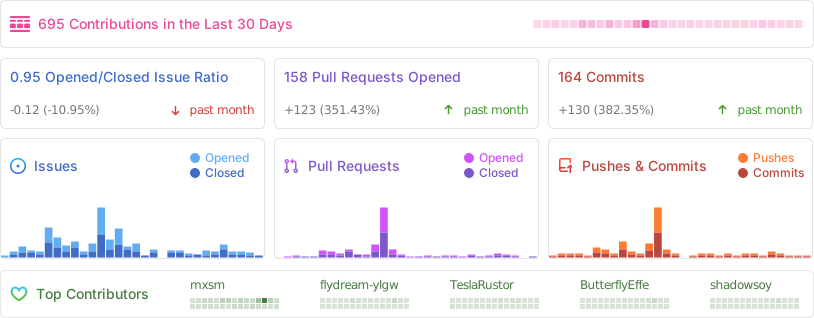
Contributions to code, issue reporting, and suggestions are welcome. The development of RocketMQ-Rust relies on the
support of developers. Let's collaborate to advance Rust in the message middleware
domain. Contribute Guide
License
RocketMQ-Rust is licensed under the Apache License 2.0 and MIT license