rs-coco
| Crates.io | rs-coco |
| lib.rs | rs-coco |
| version | 0.0.1 |
| created_at | 2024-09-28 01:47:06.108669+00 |
| updated_at | 2024-09-28 01:47:06.108669+00 |
| description | 🥥 coco » an interactive cli for creating conventional commits. |
| homepage | https://github.com/lucas-labs/coco |
| repository | https://github.com/lucas-labs/coco |
| max_upload_size | |
| id | 1389671 |
| size | 965,546 |
 Lucas Colombo (lucas-labs)
documentation
README

🔎 coco is an interactive command line interface for creating conventional commits.
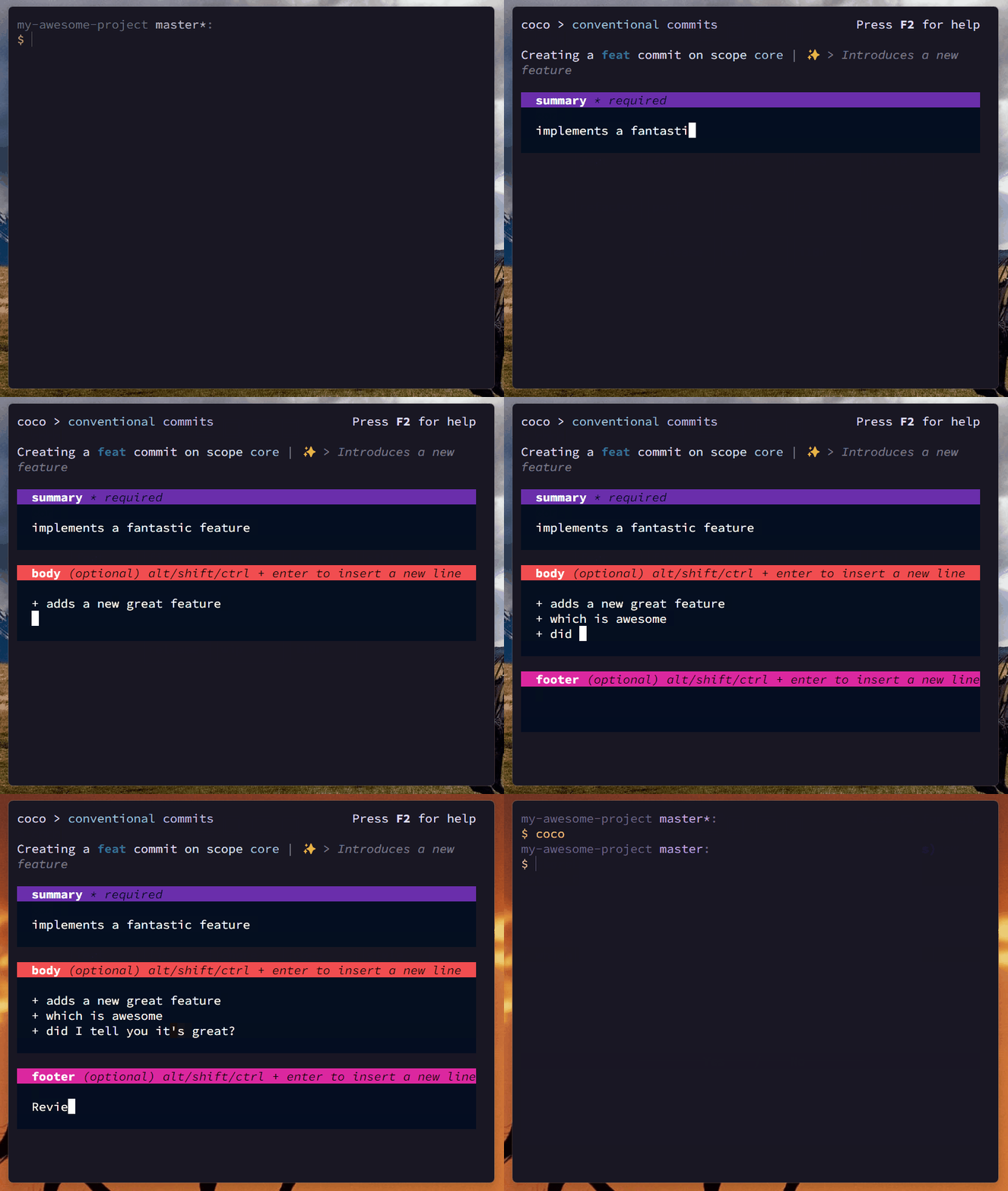
coco › 


This is a port to Rust ⚡ of the original (and slower)
lucas-labs/coco-js, that was implemented using node.js.
This implementation, being written in Rust, is faster, more efficient and has implemented several improvements over the original implementation.
Installation
Pre-built binaries not available yet.
Usage
Drop the coco binary somewhere in your PATH and run it in your repository:
$ coco

# and follow the steps 😊
Configuration
coco can be configured by creating a coco.yaml, coco.yml or .cocorc file in your project's
root (per repository config) or in your users home directory (global config). The file should be a
valid YAML.
See the coco.yml file from this
repository for an example configuration.
[!NOTE] Config is totally optional. If no config is provided,
cocowill use default values.
Options
types
An array of commit types. Each type should be an object with the following properties:
name- The name of the typedesc- The description of the typeemoji- The emoji to be used for the type ifuseEmojiis set totrue
types:
  - name: feat
    desc: A new feature
    emoji: 🎉
  - name: fix
    desc: A bug fix
    emoji: 🐛
scopes
An array of commit scopes.
scopes:
  - api
  - ui
If provided, instead of asking you to type the scope, coco will prompt you to select one from the
list.
useEmoji
Whether to use emojis in the summary. If set to true, the emoji property of the type will be
used to create the commit message.
useEmoji: true
Provided useEmoji is true, an example of a commit message would be:
feat(api): ✨ add new endpoint
askScope
Whether to ask for the scope of the commit. IF set to true, the user will be prompted to enter or
select a scope (depending if scope list was provided by user config or not). If set to false, the
scope will be omitted from the commit message and the cli won't ask for it.
askScope: true
askBody
Whether to ask for the body of the commit. If set to true, the user will be prompted to enter the
body of the commit. If set to false, the body will be omitted from the commit message and the cli
won't ask for it.
askBody: true
askFooter
Whether to ask for the footer of the commit. If set to true, the user will be prompted to enter
the footer of the commit. If set to false, the footer will be omitted from the commit message and
the cli won't ask for it.
askFooter: true
askBreakingChange
Whether to ask for the breaking change of the commit. If set to true, the user will be prompted to
specify if the commit is a breaking change. If set to false, the breaking change information will
be omitted from the commit message and the cli won't ask for it.
askBreakingChange: true
maxSummaryLength
Defines the maximum length of the commit summary (the "title" of the commit). The summary textarea will be limited to this length.
The default value is 72.
maxSummaryLength: 72
theme
You can also customize the colors of the CLI by providing a theme object.
Check the coco.yml file to a full list
of the available theme configuration tokens with their default values.
theme:
  logo:fg:1: blue
  logo:fg:2: light-magenta
  ...
Example
# override the default commit types
types:
  - name: feat
    desc: A new feature
    emoji: 🎉
  - name: fix
    desc: A bug fix
    emoji: 🐛

# set of scopes to choose from
scopes:
   - api
   - ui

useEmoji: true # default
askScope: true # default
askBody: true # default
askFooter: true # default
askBreakingChange: true # default