s3rs
| Crates.io | s3rs |
| lib.rs | s3rs |
| version | 0.4.33 |
| created_at | 2018-05-13 02:10:40.981767+00 |
| updated_at | 2025-11-04 06:24:25.302765+00 |
| description | A s3 cli client with multi configs with different provider |
| homepage | |
| repository | https://github.com/yanganto/s3rs |
| max_upload_size | |
| id | 65127 |
| size | 1,477,594 |
 Antonio Yang (yanganto)
documentation
README
S3RS

an S3 Rich Support client
- encrypt the config with one time pad, see
secretcommand, uses3rs -s 'your secret words'to use the config again. - Download executable, unzip and ready to go
- rust edition 2018
- multi config (please put config files under
~/.config/s3rs) - interactive command line tool
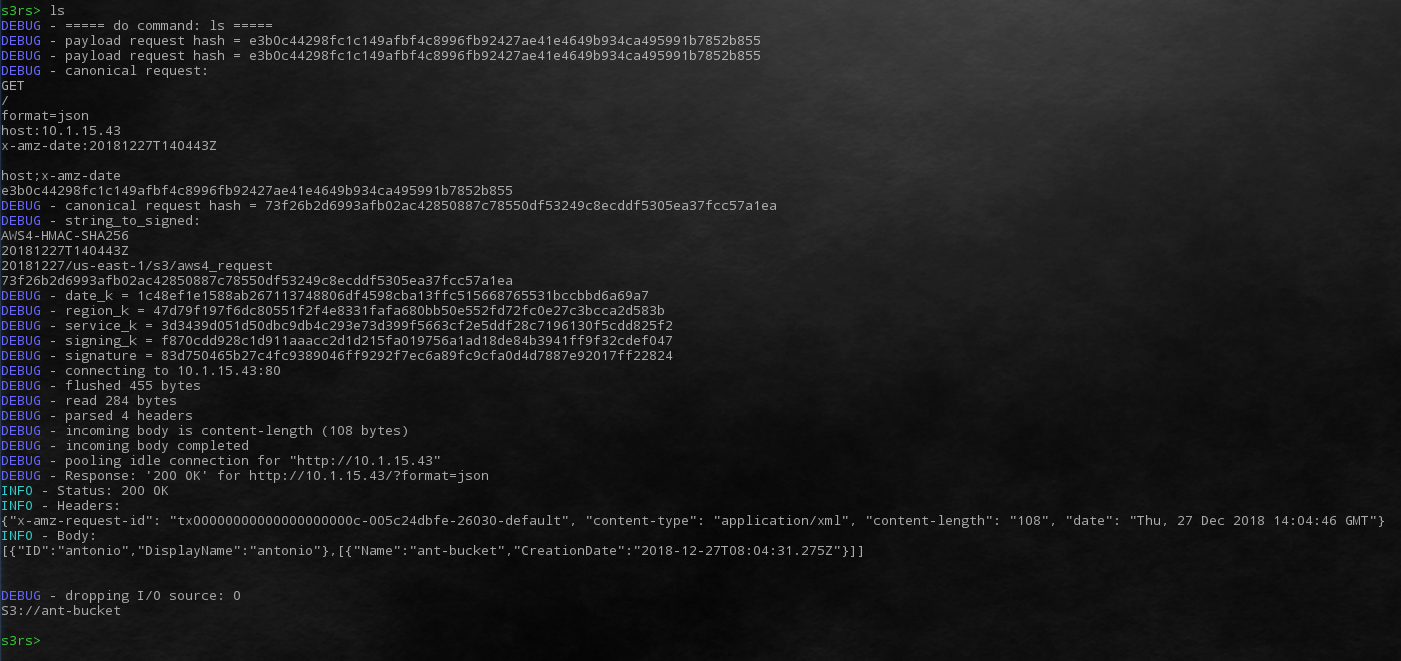
- easy to debug with http protocol
- AWS4, AWS2 support
- support http redirect for multi region of AWS S3
- support automatically multipart upload
- support filters v0.2.8
- support format without protocol v0.2.9
- support command-line interface mode v0.3.0
- support s3 config file encryption function v0.4.0
s3rs -c ~/.config/s3rs/aws2.toml -s 'the password you like' secret encrypt- run s3rs with
-soption or usesecret set <secret phrases or hexal literal>
- support multipart download
How to use
shell mode
- execute
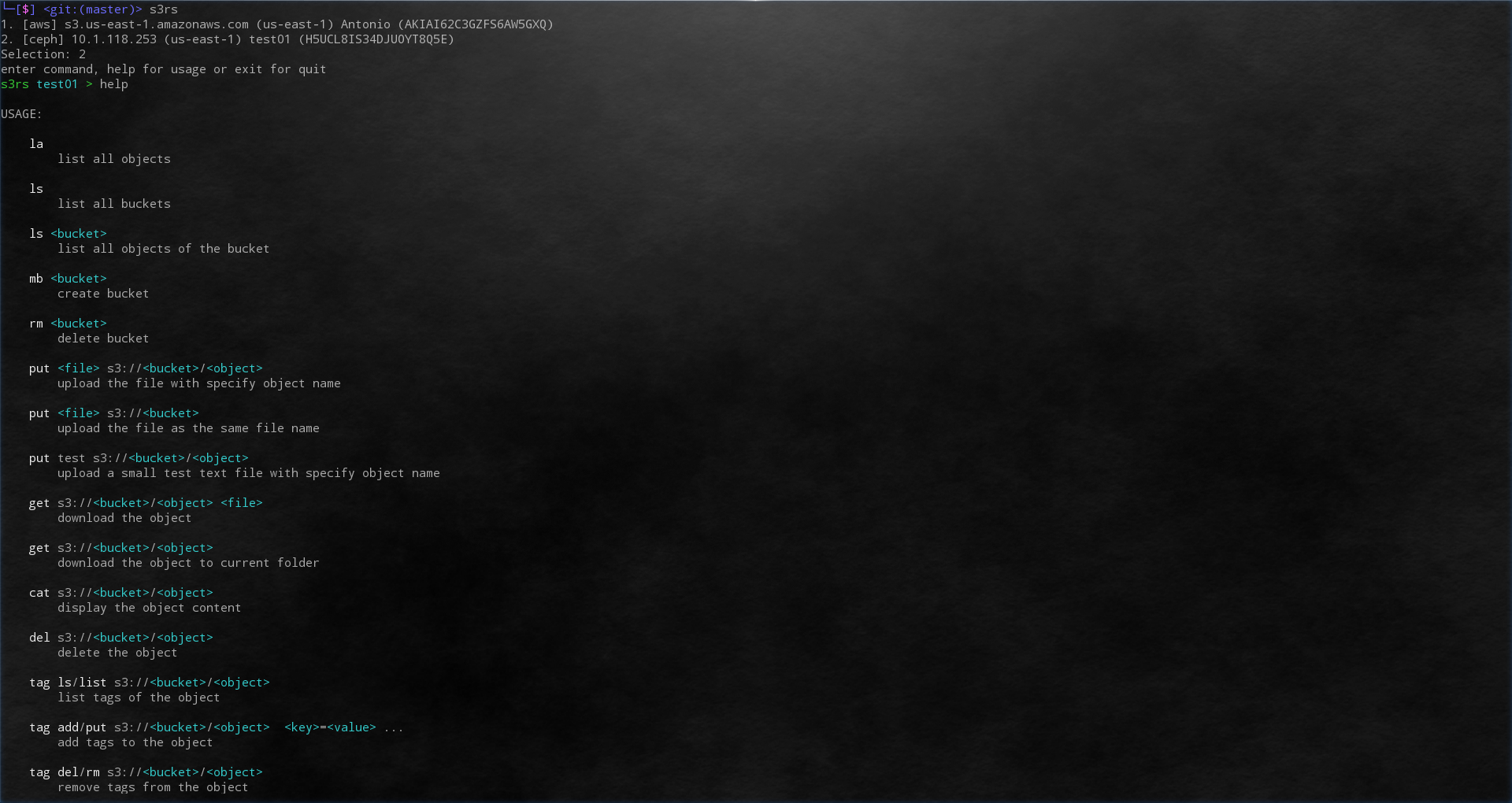
s3rswill into shell mode, and executehelp, you can see the commands you can use
command mode
-
use config file with full path
s3rs --config=/your/s3s/config/file ls
-
use config file
example.tomlin~/.config/s3rswith file name without extensions3rs --config=example ls
Command List
Table 1: List commands will send single http request
| COMMAND | FUNCTION | CEPH | AWS |
|---|---|---|---|
| ls | list all buckets | O | O |
| ls s3://bucket | list objects in the bucket | O | O |
| ls s3://bucket/prefix | list objects match prefix in the bucket | O | O |
| ll | list all objects details (storage class, modify time, etag) | O | O |
| ll s3://bucket | list objects detail in the bucket | O | O |
| ll s3://bucket/prefix | list objects match prefix detail in the bucket | O | O |
| mb s3://bucket | create bucket | O | O |
| rb s3://bucket | delete bucket | O | O |
| put |
upload the file | O | O |
| put |
upload the file (file name as object name) | O | O |
| put test s3://bucket/object | upload a test file specific object name | O | O |
| get s3://bucket/object file | download object | O | O |
| get s3://bucket/object | download object in current folder | O | O |
| cat s3://bucket/object | show the object content | O | O |
| del s3://bucket/object [delete-marker:true] | delete the object (with flag) | O | O |
| delete-marker used in AWS | O | ||
| tag list s3://bucket/object | list tag(s) to the object | O | O |
| tag ls s3://bucket/object | list tag(s) to the object | O | O |
| tag add s3://bucket/object key1=value1 [key2=value2] ... | add tag(s) to the object | O | O |
| tag put s3://bucket/object key1=value1 [key2=value2] ... | add tag(s) to the object | O | O |
| tag del s3://bucket/object | remove tag(s) from the object | O | O |
| tag rm s3://bucket/object | remove tag(s) from the object | O | O |
| /uri?query | give the original url | O | O |
| secret set |
set up the secret to run time encrypt or decrypt the config | O | O |
| secret set |
set up the secret to run time encrypt or decrypt the config | O | O |
| secret unset | clean up the secret in memory | O | O |
| secret encrypt | encrypted and print current config on screen | O | O |
| secret encrypt |
encrypted and save current config to s3rs config folder | O | O |
| secret show | show current plain config on screen | O | O |
| secret show |
save current plain config to s3rs config folder | O | O |
Table 2: List commands will send more than one http request
| HIGH LEVEL COMMAND | INTEGRATE FUNCTIONS | CEPH | AWS |
|---|---|---|---|
| la | list all objects | O | O |
| info s3://bucket | acl(ceph, aws), location(ceph, aws), versioning(ceph, aws), uploads(ceph), version(ceph) | O | O |
Table 3: List commands only for CEPH with system keys
| COMMAND | FUNCTION |
|---|---|
| usage s3://bucket | show the bucket usage |
Table 4: List commands only for CEPH with system keys
| SHELL SETTING COMMAND | FUNCTION |
|---|---|
| s3_type [ceph/aws/aws4/aws2] | change setting for different S3 provider |
| format [xml/json] | change the format client request |
| log [trace/debug/info/error] | change the log level |
| - Info : for Http header and body | |
| - debug: for auth signature hash info | |
| - trace: more detail about rust | |
| logout | logout and reselect user |
| Ctrl + d | logout and reselect user |
Table 5: The default format of S3 type
| S3 TYPE | AUTH TYPE | FORMAT | URL STYLE |
|---|---|---|---|
| ceph | aws4 | json | path-style |
| aws | aws4 | xml | virtual-hosted–style |
Table 6: The talks about this project
| Talks | Link |
|---|---|
| COSCon'19 | Slides |
Install via Crate.io
Install rust tools rustup and cargo
curl --proto '=https' --tlsv1.2 -sSf https://sh.rustup.rs | sh
Additional package for ubuntu
apt-get install libssl-dev pkg-config openssl
It is easy to install s3rs via cargo as following command.
cargo install s3rs
Set up the path for rust binary
export PATH=$PATH:~/.cargo/bin
The config file will auto setup when binary first time launch
-
s3rs
Run s3rs, then it will generate examples under ~/.config/s3rs
then edit the config file under ~/.config/s3rs
Develop
Install rust tools rustup and cargo
curl https://sh.rustup.rs -sSf | shgit clone https://github.com/yanganto/s3rs.gitcargo testcargo build- The executable binary will in
./target/debug/s3rs