sdrive
| Crates.io | sdrive |
| lib.rs | sdrive |
| version | 1.6.3 |
| created_at | 2024-03-18 10:16:32.332064+00 |
| updated_at | 2025-04-07 21:26:01.270329+00 |
| description | Command line tool for uploading and managing files on SDrive. |
| homepage | |
| repository | |
| max_upload_size | |
| id | 1177539 |
| size | 2,998,158 |
 rabba (blockchain-bros)
documentation
README
SDRIVE CLI - Secure File Sharing with End-to-End Encryption
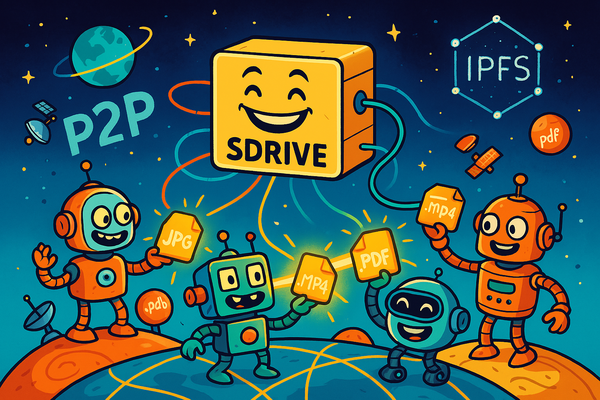
Secure, encrypted file sharing with P2P capabilities
SDRIVE CLI is a powerful command-line tool designed for secure file sharing with end-to-end encryption and per-file key sharing capabilities. Built with security and ease of use in mind, it allows you to share files with others while maintaining complete control over access and ensuring your data remains private and secure.
Features
- 🔒 End-to-End Encryption: Files are encrypted before upload and remain encrypted in transit
- 🔑 Per-File Key Sharing: Share individual files without exposing your master key
- 🌐 P2P File Sharing: Share files directly using Iroh protocol
- 🔐 Secure Key Management: Master keys stored in system keyring
- 🚀 Multiple Upload/Download Options: Support for both SDrive and P2P protocols
Installation
- Install using Cargo (Rust's package manager):
cargo install sdrive
First Steps
🚀 Getting Started with SDrive
1️⃣ Configure Your Environment
First, set up your SDrive configuration with your API credentials and sync folder:
sdrive config create
This will prompt you for:
- API Key (from sdrive.pro)
- User GUID
- Sync directory location (default: ~/sync)
2️⃣ Generate Encryption Key
Create your personal encryption key for end-to-end encryption:
sdrive config generate-key
This key will be:
- Securely stored in your system's keyring
- Used for encrypting all your files
- Required for decrypting files you download
3️⃣ Verify Setup
Test your configuration by uploading a file:
sdrive upload ./test.txt
💡 Pro Tips
- Back up your encryption key using
sdrive config export-key - Set up multiple devices using the same key for seamless access
- Import your key with
sdrive config import-key
Quick Start
# Upload a file
sdrive upload ./myfile.txt

# Share a file via P2P
sdrive share ./video.mp4

# Download a file P2P
sdrive download blobacahvuqj... --output video.mp4

# Download a file IPFS
sdrive download https://ipfs.sdrive.pro...

# Decrypt a file
sdrive decrypt encrypted.bin --output decrypted.txt
Commands
Configuration
Create Configuration
sdrive config create [--config-path <path>] [--sync-dir <path>] [--user-guid <guid>] [--api-key <key>]
This command sets up your SDrive environment with:
- Custom configuration file location
- Dedicated sync directory
- User authentication credentials
- API access key
The configuration is stored securely in your local system and is required for all other operations.
Generate Encryption Key
sdrive config generate-key [--config-path <path>]
Creates a secure master encryption key that is stored in your system's keyring. This key is used for:
- Encrypting files before upload
- Decrypting files you download
- Managing access to your shared files
The key is never stored in plain text and is protected by your system's security mechanisms.
Export Key
sdrive config export-key
Exports your master encryption key in base64 format. This is useful for:
- Creating backups of your encryption key
- Transferring your key to another device
- Setting up multiple devices with the same access
⚠️ Security Warning: Store the exported key securely and never share it with unauthorized parties.
Import Key
sdrive config import-key <base64-key>
Imports a previously exported master encryption key from base64 format. This allows you to:
- Restore your key from a backup
- Set up a new device with your existing key
- Maintain consistent access across multiple devices
File Operations
Upload File
sdrive upload <filepath> [--config-path <path>] [--unencrypted] [--overwrite]
Uploads a file to SDrive with multiple layers of security:
- Automatic end-to-end encryption before upload
- Server-side encryption at rest
- Optional per-file sharing key generation
Options:
--unencrypted: Skip encryption for public files--overwrite: Replace existing file--config-path: Use custom configuration file
Share File (P2P)
sdrive share <filepath>
Share files directly using Iroh's P2P protocol:
- No server dependency
- Direct peer-to-peer transfer
- Unique blob link for sharing
- Supports any file type and size
Download File
sdrive download <url> [--output <filepath>] [--key <base64-key>]
Downloads and decrypts files from SDrive with flexible options:
--output: Specify a custom location for the decrypted file--key: Use a per-file sharing key for decryption (optional)
Supports multiple download sources:
- cdn.sdrive.pro: Fast, CDN-based downloads
- ipfs.sdrive.pro: Decentralized IPFS-based downloads
- iroh.blob: Direct P2P downloads
Decrypt File
sdrive decrypt <filepath> [--output <filepath>]
Decrypts locally stored encrypted files using your keyring:
- Works with any file encrypted by SDrive
- Supports custom output locations
- Maintains security by using your stored master key
Logging
Control the verbosity of logging output with the --log-level flag:
sdrive --log-level debug <command>
Available log levels:
error: Only show critical errorswarn: Show warnings and errorsinfo: Show general information (default)debug: Show detailed debugging informationtrace: Show extremely detailed debugging information
Troubleshooting
If you encounter any issues, follow these steps:
- Verify your API key is valid and properly configured
- Check your configuration file for correct settings
- Ensure your master key is properly installed in the keyring
- Enable debug logging for detailed error information
- Check your internet connection and firewall settings
- Verify you have sufficient disk space for operations
Security Best Practices
-
Key Management
- Never share your master key
- Use per-file keys for sharing
- Regularly backup your master key
- Use secure storage for key backups
-
File Sharing
- Use encryption for sensitive files
- Share files only with trusted recipients
- Monitor shared file access
- Revoke access when needed
-
Configuration
- Use secure locations for config files
- Regularly rotate API keys
- Monitor sync directory access
- Keep the CLI tool updated
License
This project is licensed under the MIT License, allowing for:
- Commercial use
- Modification
- Distribution
- Private use
See the LICENSE file for full details.
Support
For support, please:
- Check the documentation
- Enable debug logging