sgf-render
| Crates.io | sgf-render |
| lib.rs | sgf-render |
| version | 3.3.1 |
| created_at | 2020-11-15 20:34:52.841286+00 |
| updated_at | 2025-09-20 17:19:40.003431+00 |
| description | CLI to generate diagrams of Go games from SGF game records |
| homepage | |
| repository | https://github.com/julianandrews/sgf-render/ |
| max_upload_size | |
| id | 312679 |
| size | 1,138,601 |
 Julian Andrews (julianandrews)
documentation
README
Sgf Render

 .
.
CLI to generate diagrams of Go games from SGF format game records.
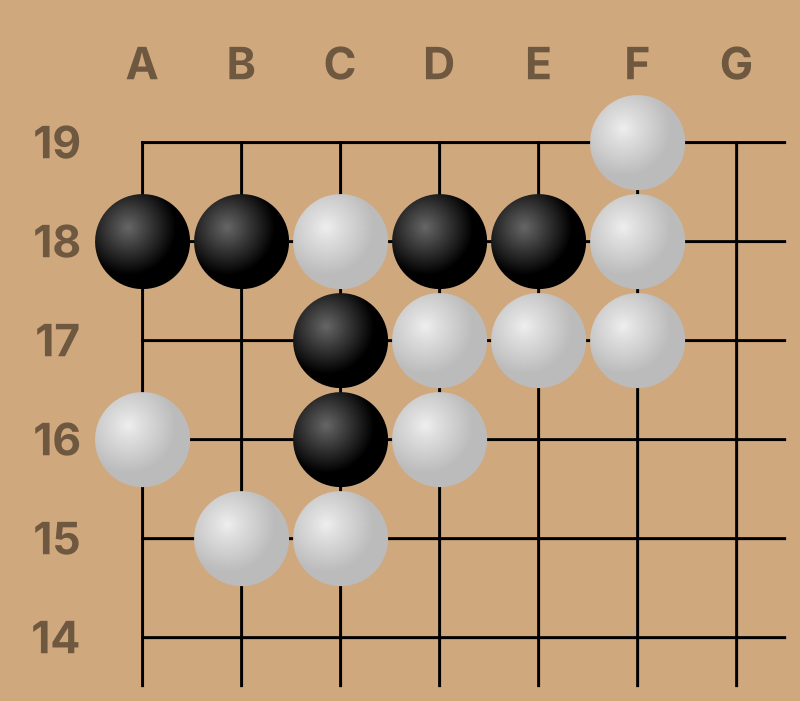
Default SVG output is clean and well labeled for easy re-styling or modification.
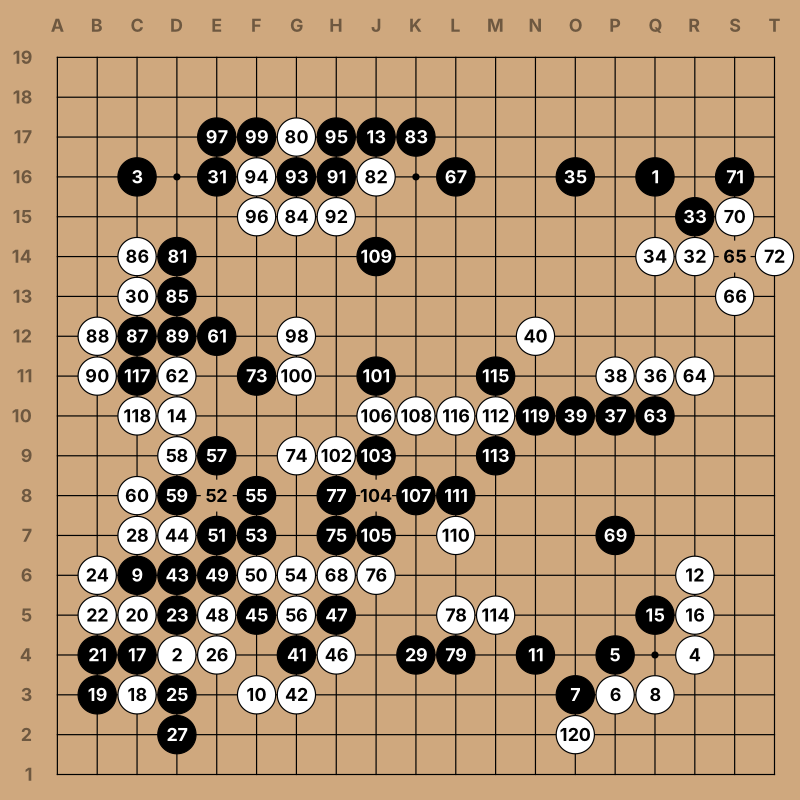
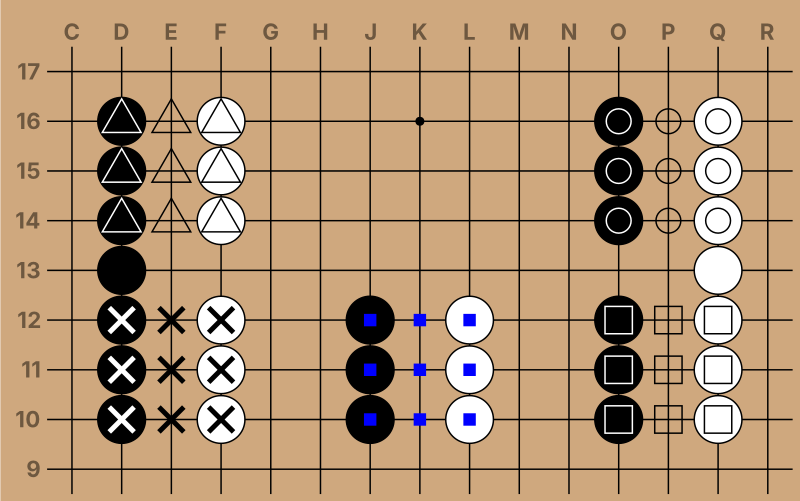
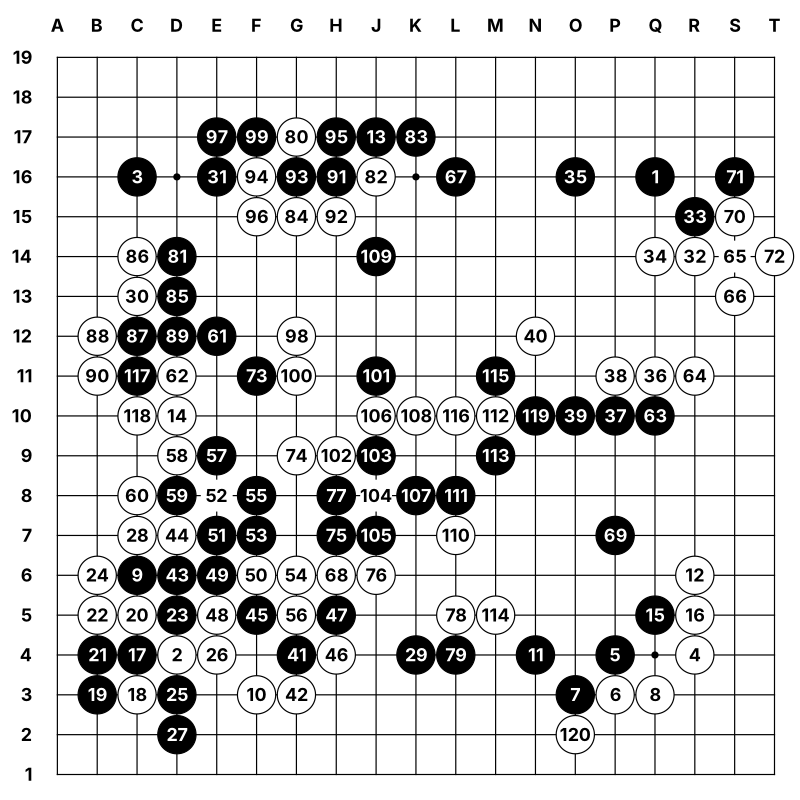
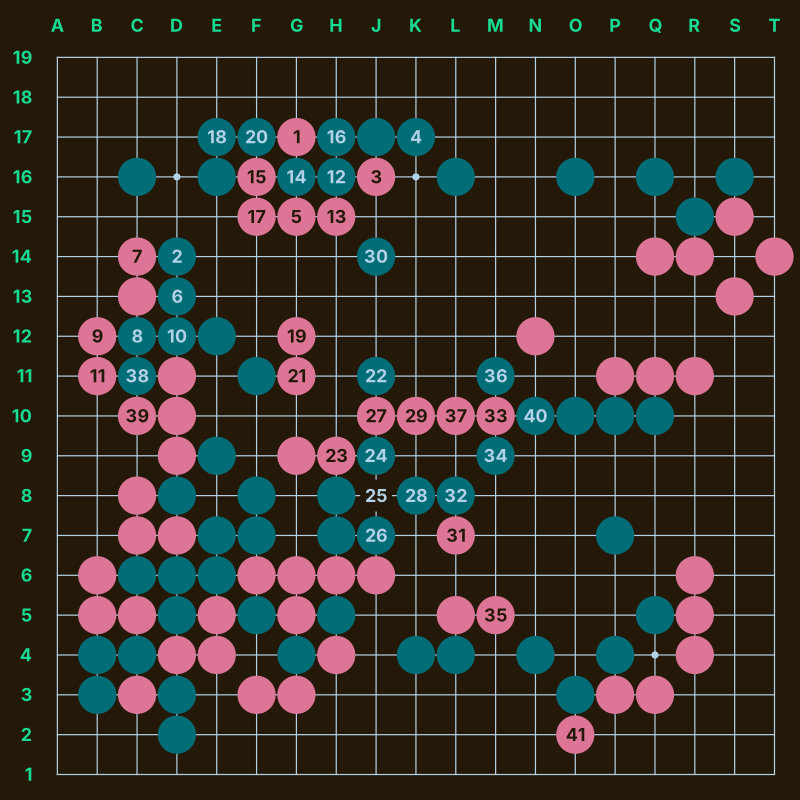
Supports numbered moves, markup, kifu output, and several customizable styles.
Installation
Check the releases page on GitHub for pre-built binaries. Alternatively, you can also install the package from crates.io:
$ cargo install sgf-render
Building from Source
Make sure you have git and cargo installed. Then:
$ git clone https://julianandrews/sgf-render
$ cd sgf-render
$ cargo build --release
Usage
Usage: sgf-render [OPTIONS] [FILE] [COMMAND]

Commands:
  query  Print a tree of the SGF's variations
  help   Print this message or the help of the given subcommand(s)

Arguments:
  [FILE]  SGF file to read from [default: read from stdin]

Options:
  -o, --outfile <FILE>             Output file [default: write to stdout]
  -f, --format <OUTPUT_FORMAT>     Output format [default: svg] [possible values: svg, text, png]
  -g, --game-number <GAME_NUMBER>  Game number to display (for multi-game files) [default: 0]
  -v, --variation <VARIATION>      Variation number to display (use `query` command for numbers) [default: 0]
  -n, --node-number <NODE_NUMBER>  Node number in the variation to display [default: last]
  -w, --width <WIDTH>              Width of the output image in pixels [default: 800]
  -s, --shrink-wrap                Draw only enough of the board to hold all the stones (with 1 space padding)
  -r, --range <RANGE>              Range to draw as a pair of corners (e.g. 'cc-ff')
      --style <STYLE>              Style to use [default: simple] [possible values: minimalist, fancy, simple]
      --custom-style <FILE>        Custom style `toml` file. Conflicts with '--style'. See the README for details
      --move-numbers[=<RANGE>]     Draw move numbers (may replace other markup)
      --move-numbers-from <NUM>    Number to start counting move numbers from (requires --move-numbers) [default: 1]
      --label-sides <SIDES>        Sides to draw position labels on [default: nw]
      --no-board-labels            Don't draw position labels
      --tileset <TILESET>          Tileset to use for text rendering (11 characters) [default: ●○┏┓┗┛┯┠┷┨┼]
      --no-marks                   Don't draw SGF marks
      --no-triangles               Don't draw SGF triangles
      --no-circles                 Don't draw SGF circles
      --no-squares                 Don't draw SGF squares
      --no-selected                Don't draw SGF selected
      --no-dimmed                  Don't draw SGF dimmed
      --no-labels                  Don't draw SGF labels
      --no-lines                   Don't draw SGF lines
      --no-arrows                  Don't draw SGF arrows
      --no-point-markup            Don't draw any markup on points
      --kifu                       Generate a kifu
  -h, --help                       Print help
  -V, --version                    Print version
Node selection and the Query command
Node numbers can be selected with the --node-number flag. For a simple
SGF, --node-number and move number will usually line up since conventionally
SGF files have no moves in the root node.
Variations can be selected with the --variation flag, and are numbered in
depth-first traversal order. You can print a diagram of variations and their
associated --node-number values with the query command:
$ sgf-render query tests/data/variation_tricky/input.sgf
Game #0
v0, 0-8
├── v0, 3-8
│   ├── v0, 6-8
│   └── v1, 6-7
└── v2, 3-7
    ├── v2, 5-7
    │   ├── v2, 6-7
    │   │   ├── v2, 7-7
    │   │   ├── v3, 7-7
    │   │   └── v4, 7-7
    │   └── v5, 6-7
    │       ├── v5, 7-7
    │       └── v6, 7-8
    ├── v7, 5-5
    └── v8, 5-5

Game #1
v0, 0-3
├── v0, 3-3
└── v1, 3-3
The query subcommand also supports a few options useful for providing machine
readable output suitable for scripting. See sgf-render query --help for more
information.
Text output
You can generate a text only diagram suitable for use from the terminal with
--format text.
# sgf-render -f text tests/data/minimalist/input.sgf

   ABCDEFGHJKLMNOPQRST
 1 ┏┯┯┯┯┯┯┯┯┯┯○●●●●┯┯┓
 2 ┠┼┼┼┼┼┼┼┼┼┼○○○●○●┼┨
 3 ┠┼┼┼○○●○○○┼┼○●●○●●┨
 4 ○○○○○●○○●┼○┼┼○●○○○●
 5 ○●●●○●●●┼┼┼┼○┼┼┼○●┨
 6 ●┼●○┼┼┼┼○┼┼┼●○┼●●┼●
 7 ┠●●○┼┼○○┼●○○○●●┼┼●┨
 8 ┠●○○○○●○┼○●●●○┼┼┼┼┨
 9 ┠●○●┼○●○○○○○●●●●●┼┨
10 ┠┼●●●┼●○●●●●○○○○○●┨
11 ┠┼┼●○┼●●○┼┼○┼┼┼┼┼●┨
12 ┠┼●┼●○┼○┼○○┼┼┼┼┼○●┨
13 ┠●●●○○┼○○┼●○┼┼○┼○●┨
14 ┠●○○○●●●●●●○┼┼○●●┼┨
15 ○●●○●┼●○○○●●○┼┼○●┼┨
16 ┠○○●●●┼●●○○○○○○┼●┼┨
17 ┠○┼○┼●●●○┼┼●●○●●┼┼┨
18 ┠┼○○●┼┼●○┼○●┼●┼┼┼┼┨
19 ┗┷┷┷┷┷┷┷┷┷○┷●┷┷┷┷┷┛
Text diagrams are intended primarily for examining an SGF file from the terminal, and not all functionality is supported:
--move-numbersand--kifuare not supported,- point markup is disabled (equivalent to
--no-point-markup), and --style,--custom-style, and--widthare ignored.
Kifu Generation
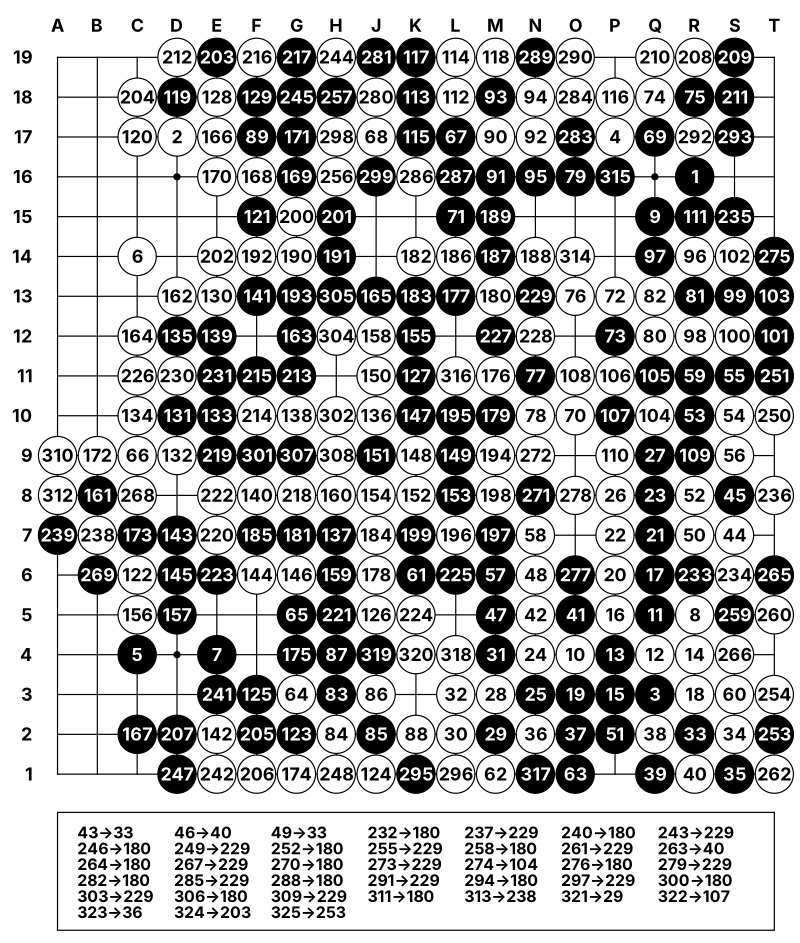
By default sgf-render generates diagrams designed to show the board position
at a single point in time. Captured stones are removed, and when using
--move-numbers only the last move number at a given point is displayed.
Use the --kifu flag to generate diagrams appropriate for use as a game
record:
- move numbers are enabled
- all other markup is disabled
- stones are never removed from the board
- if a stone would be placed on an existing stone an annotation is added instead
You can use the --move-numbers flag to select a subset of moves to number,
which can be useful for generating a diagram (or series of diagrams) showing
only part of a game.
Custom styles
You can use the --custom-style flag to specify a file with custom style
configuration in TOML format. As an example here's the style config for the
simple style:
line_color = "black"
line_width = 0.03
hoshi_radius = 0.09
background_fill = "#cfa87e"
label_color = "#6e5840"
black_stone_fill = "black"
white_stone_fill = "white"
black_stone_stroke = "black"
white_stone_stroke = "black"
markup_stroke_width = 0.1
black_stone_markup_color = "white"
white_stone_markup_color = "black"
empty_markup_color = "black"
black_stone_selected_color = "blue"
white_stone_selected_color = "blue"
empty_selected_color = "blue"
You can see a few other examples in the source code package under
resources/styles/
Contributing
Pull requests are welcome! For major changes, please open an issue first to discuss what you would like to change.
Feature requests are also welcome! The goal is to make this a general purpose SGF diagram generation tool. Just open an issue at GitHub.