slasher-horrorscripts
| Crates.io | slasher-horrorscripts |
| lib.rs | slasher-horrorscripts |
| version | 0.1.5 |
| created_at | 2026-01-24 14:22:59.587112+00 |
| updated_at | 2026-01-24 20:55:24.567807+00 |
| description | A Rust-based CLI tool that displays high-quality ANSI art of horror movie icons in your terminal |
| homepage | https://github.com/saylesss88/slasher-horrorscripts |
| repository | https://github.com/saylesss88/slasher-horrorscripts |
| max_upload_size | |
| id | 2066755 |
| size | 307,101 |
 T. Sawyer (saylesss88)
documentation
README
Slasher Horrorscripts 🔪
.png image credit https://pngegg.com
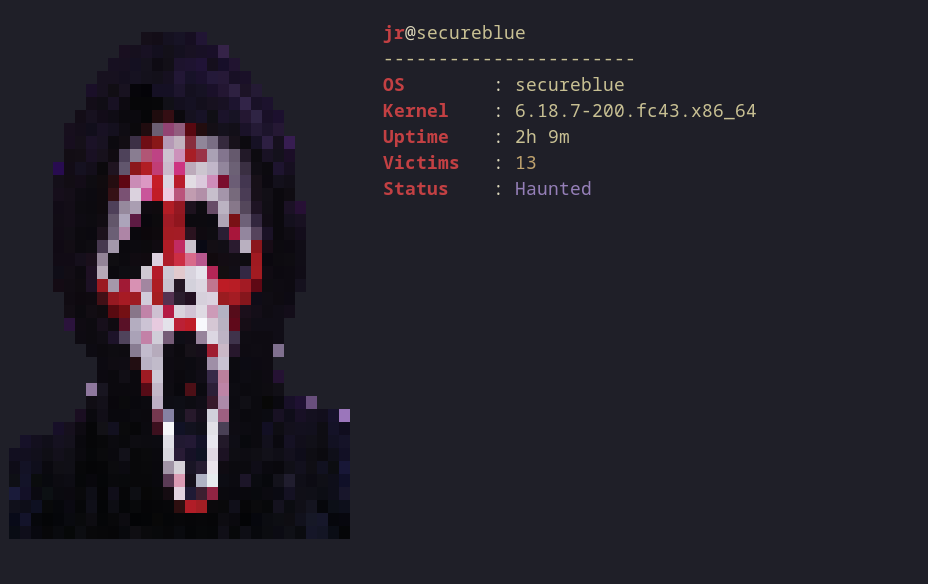
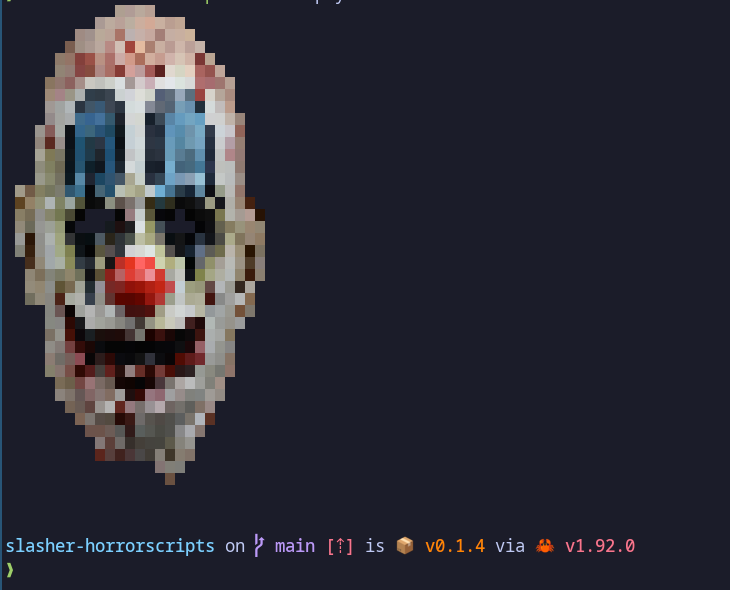
A Rust-based CLI tool that displays high-quality ANSI art of horror movie icons
in your terminal. Inspired by pokemon-colorscripts, but built for fans of the
macabre.
✨ Features
-
Blazing Fast: Written in pure Rust with embedded assets (single binary, no runtime dependencies).
-
High Fidelity: Uses a custom image-to-ANSI engine (px2ansi-rs) for crisp pixel-perfect rendering.
-
Self-Contained: No external image files needed at runtime; everything is baked into the executable.
-
Randomizer: Get a different slasher every time you open your terminal.
📦 Installation
Option 1: Install via Cargo (Recommended)
Get the default slashers (Jason, Freddy, etc.) immediately.
cargo install slasher-horrorscripts
Option 2: Build From Source (For Customization)
Choose this if you want to add your own characters or modify the art.
- Clone the repository:
git clone https://github.com/yourusername/slasher-horrorscripts.git
cd slasher-horrorscripts
- Generate Assets:
This step converts the raw PNG sprites in assets/images into optimized ANSI
text files.
cargo run --bin convert
# Or once installed simply
convert
- Build & Install
cargo build --release
cp target/release/slasher-horrorscripts ~/.local/bin/
Usage
Run the tool directly from your terminal:
# Show a random slasher
slasher-horrorscripts

# Show a specific character
slasher-horrorscripts --name jason

# List all available characters
slasher-horrorscripts --list
Add to Shell Startup
To see a random horror icon every time you launch your terminal, add this to your shell config (.bashrc, .zshrc, or config.fish):
# Display a random slasher on startup
slasher-horrorscripts
🎨 Adding New Characters
Want to add Pinhead, or any other character?
- Find a pixel art sprite (PNG/JPG).
- Tip: 8-bit or 16-bit sprites with transparent backgrounds work best.
-
Save the image to
assets/images/(e.g.,swampthing.png). -
Run the converter:
cargo run --bin convert
- Rebuild the binary:
cargo build --release
🔧 Technical Details
This project uses a custom rendering engine, px2ansi-rs, to handle image processing.
-
Engine: px2ansi-rs handles the RGB-to-ANSI escape sequence conversion.
-
Resizing: Images are automatically resized to a terminal-friendly height (40 rows) during the conversion step to ensure consistent presentation.
-
Embedding: The rust-embed crate compiles the generated ANSI text files directly into the final binary, making it portable and easy to distribute.
📜 License
MIT License - Hack away!