worktrunk
| Crates.io | worktrunk |
| lib.rs | worktrunk |
| version | 0.19.0 |
| created_at | 2025-11-03 06:10:50.528035+00 |
| updated_at | 2026-01-25 22:59:07.427149+00 |
| description | A CLI for Git worktree management, designed for parallel AI agent workflows |
| homepage | https://worktrunk.dev |
| repository | https://github.com/max-sixty/worktrunk |
| max_upload_size | |
| id | 1913994 |
| size | 5,929,416 |
 Maximilian Roos (max-sixty)
documentation
README
 Worktrunk






January 2026: Worktrunk was released over the holidays, and lots of folks seem to be using it. It's built with love (there's no slop!). If social proof is helpful: I also created PRQL (10k stars) and am a maintainer of Xarray (4k stars), Insta, & Numbagg. Please let me know any frictions at all; I'm intensely focused on making Worktrunk excellent, and the biggest gap is understanding how others experience using it.
Worktrunk is a CLI for git worktree management, designed for running AI agents in parallel.
Worktrunk's three core commands make worktrees as easy as branches. Plus, Worktrunk has a bunch of quality-of-life features to simplify working with many parallel changes, including hooks to automate local workflows.
Scaling agents becomes trivial. A quick demo:

📚 Full documentation at worktrunk.dev 📚
Context: git worktrees
AI agents like Claude Code and Codex can handle longer tasks without supervision, such that it's possible to manage 5-10+ in parallel. Git's native worktree feature give each agent its own working directory, so they don't step on each other's changes.
But the git worktree UX is clunky. Even a task as small as starting a new
worktree requires typing the branch name three times: git worktree add -b feat ../repo.feat, then cd ../repo.feat.
Worktrunk makes git worktrees as easy as branches
Worktrees are addressed by branch name; paths are computed from a configurable template.
Start with the core commands
Core commands:
| Task | Worktrunk | Plain git |
|---|---|---|
| Switch worktrees | wt switch feat |
cd ../repo.feat |
| Create + start Claude | wt switch -c -x claude feat |
git worktree add -b feat ../repo.feat && \ cd ../repo.feat && \ claude |
| Clean up | wt remove |
cd ../repo && \ git worktree remove ../repo.feat && \ git branch -d feat |
| List with status | wt list |
git worktree list(paths only) |
Workflow automation:
Expand into the more advanced commands as needed
- Hooks — run commands on create, pre-merge, post-merge, etc
- LLM commit messages — generate commit messages from diffs via llm
- Merge workflow — squash, rebase, merge, clean up in one command
- ...and lots more
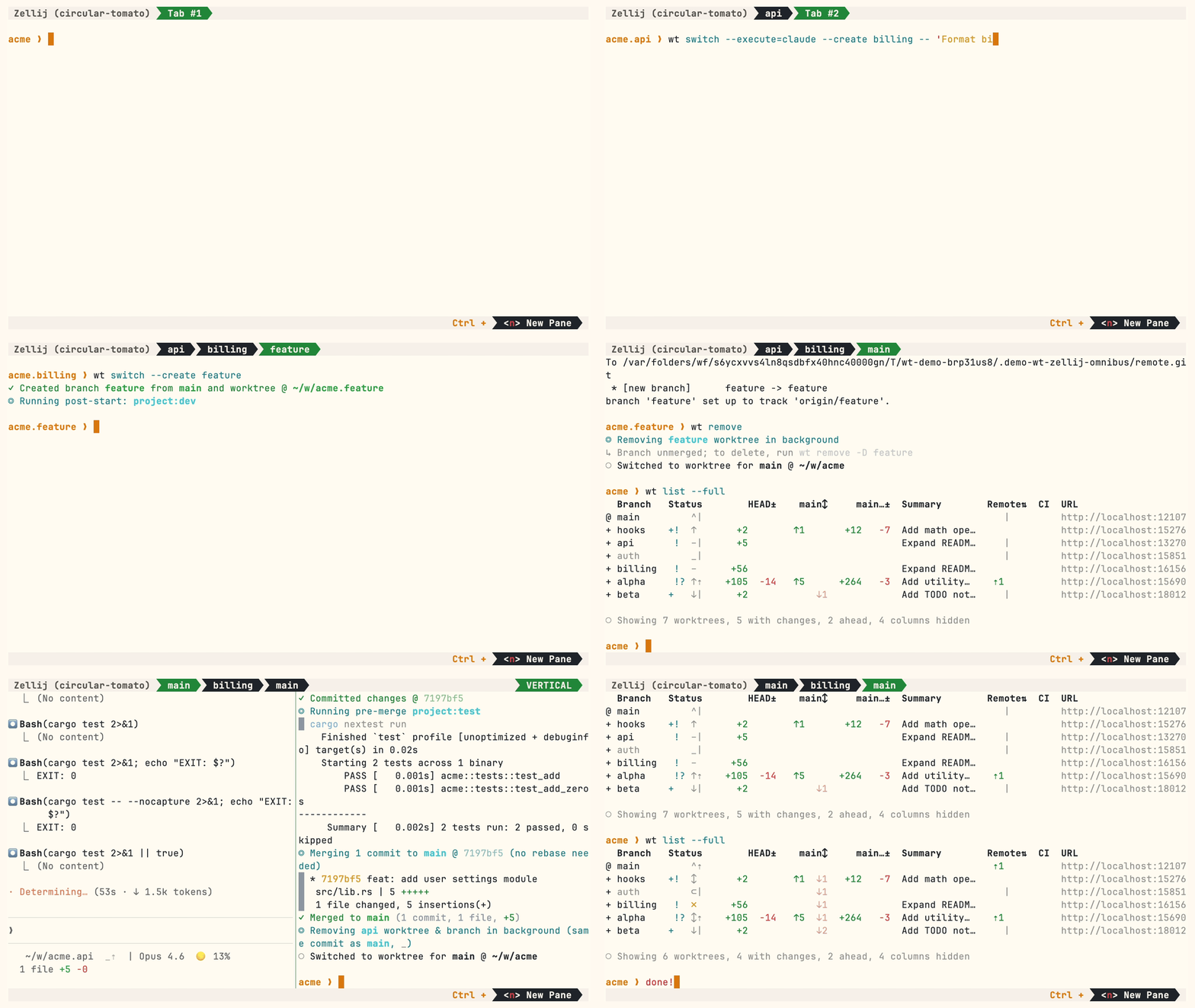
A demo with some advanced features:
Install
Homebrew (macOS & Linux):
brew install worktrunk && wt config shell install
Shell integration allows commands to change directories.
Cargo:
cargo install worktrunk && wt config shell install
Windows
On Windows, wt defaults to Windows Terminal's command. Winget additionally installs Worktrunk as git-wt to avoid the conflict:
winget install max-sixty.worktrunk
git-wt config shell install
Alternatively, disable Windows Terminal's alias (Settings → Privacy & security → For developers → App Execution Aliases → disable "Windows Terminal") to use wt directly.
Arch Linux:
paru worktrunk-bin && wt config shell install
Next steps
- Learn the core commands:
wt switch,wt list,wt merge,wt remove - Set up project hooks for automated setup
- Explore LLM commit messages, fzf-like selector, Claude Code integration, CI status & PR links
- Run
wt --helporwt <command> --helpfor quick CLI reference
Further reading
- Claude Code: Best practices for agentic coding — Anthropic's official guide, including the worktree pattern
- Shipping faster with Claude Code and Git Worktrees — incident.io's workflow for parallel agents
- Git worktree pattern discussion — Community discussion in the Claude Code repo
- git-worktree documentation — Official git reference
Contributing
- ⭐ Star the repo
- Tell a friend about Worktrunk
- Open an issue — feedback, feature requests, even a small friction or imperfect user message, or a worktree pain not yet solved
- Share: X · Reddit · LinkedIn
📚 Full documentation at worktrunk.dev 📚