wxdragon
| Crates.io | wxdragon |
| lib.rs | wxdragon |
| version | 0.9.8 |
| created_at | 2025-05-08 08:40:19.151858+00 |
| updated_at | 2026-01-20 14:35:01.483739+00 |
| description | Safe Rust bindings for wxWidgets via the wxDragon C wrapper |
| homepage | |
| repository | https://github.com/AllenDang/wxDragon |
| max_upload_size | |
| id | 1665036 |
| size | 1,721,888 |
 Allen Dang (AllenDang)
documentation
README
wxDragon - Cross-Platform Native GUI for Rust
wxDragon brings the power of wxWidgets to Rust, enabling you to build beautiful, native desktop applications that run seamlessly across Windows, macOS, and Linux. With wxDragon, your applications will look and feel native on every platform while maintaining a single Rust codebase.
Why Choose wxDragon?
🎯 Native Look & Feel - Your apps integrate perfectly with each operating system's design language
🚀 Single Codebase - Write once, run everywhere with true cross-platform compatibility
🛡️ Memory Safe - All the safety guarantees of Rust with the mature wxWidgets foundation
⚡ High Performance - Direct access to native GUI components with minimal overhead
🎨 Rich Widget Set - Comprehensive collection of native controls and layouts
🔧 Two Development Styles - Choose between programmatic creation or visual XRC design
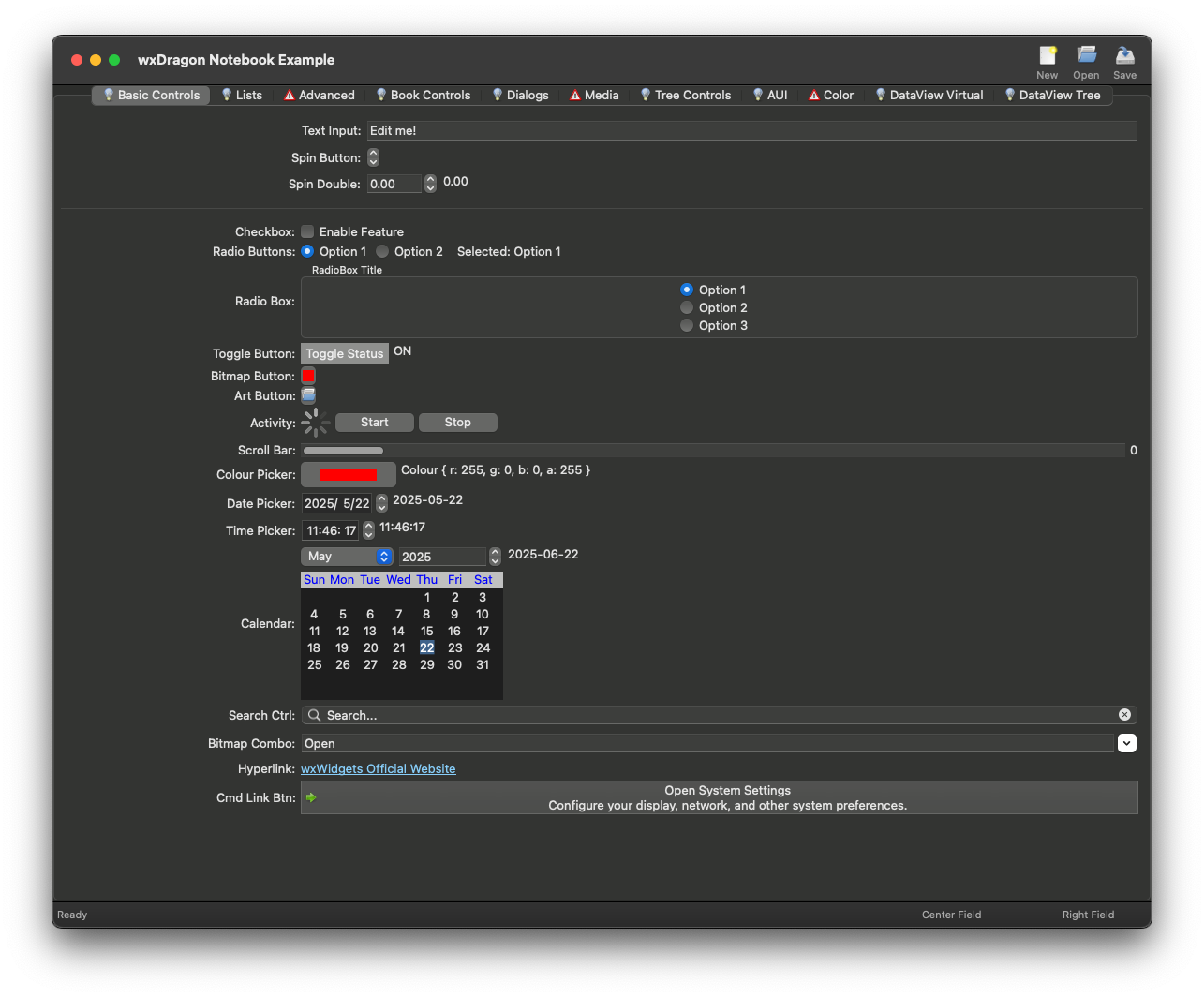
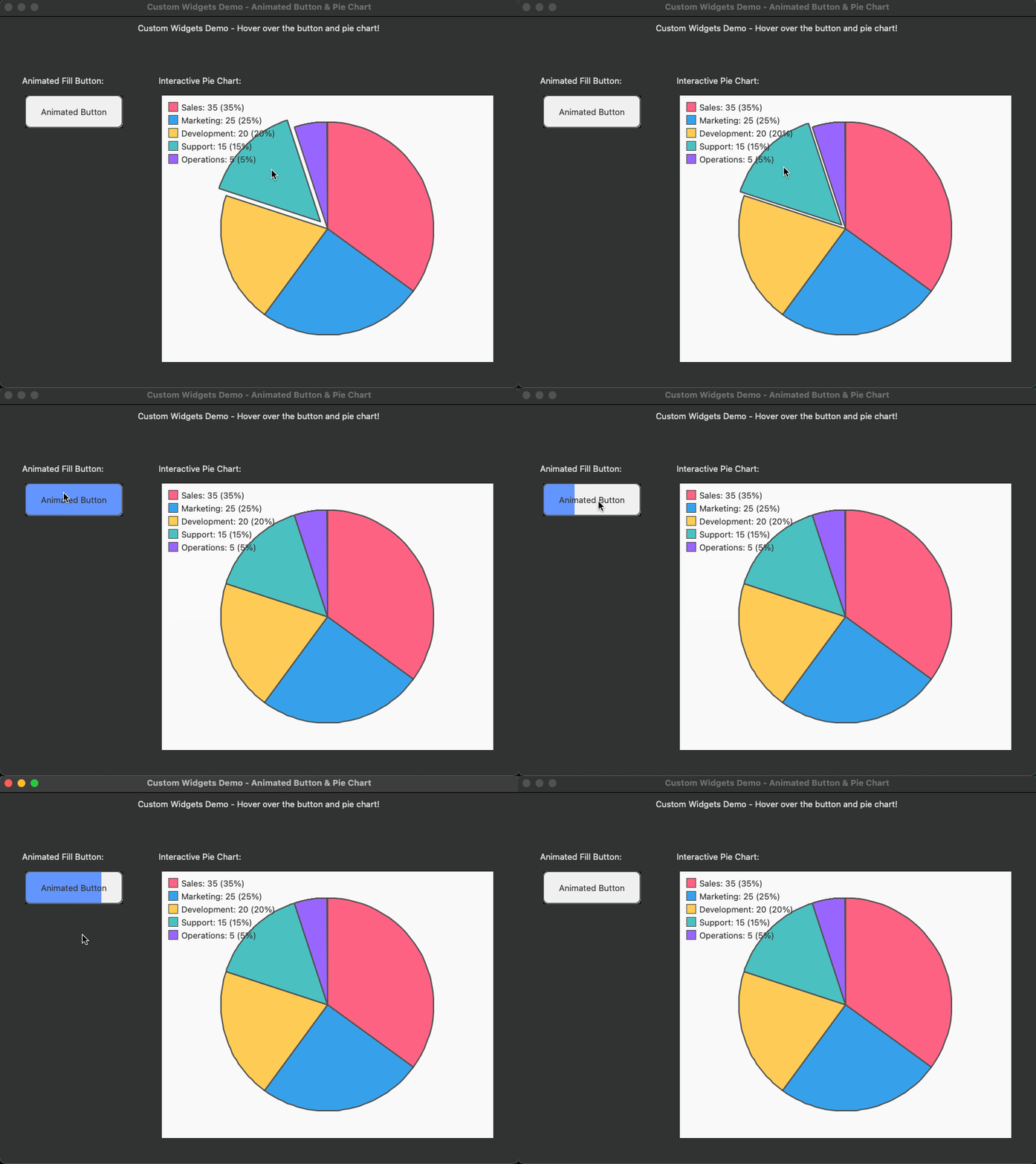
Screenshots
Quick Start
Add wxDragon to your Cargo.toml:
[dependencies]
wxdragon = "*"
Simple Example
use wxdragon::prelude::*;

fn main() {
    let _ = wxdragon::main(|_| {
        let frame = Frame::builder()
            .with_title("Hello, World!")
            .with_size(Size::new(300, 200))
            .build();

        let sizer = BoxSizer::builder(Orientation::Vertical).build();

        let button = Button::builder(&frame).with_label("Click me").build();

        button.on_click(|_| {
            println!("Button clicked");
        });

        sizer.add(
            &button,
            1,
            SizerFlag::AlignCenterHorizontal | SizerFlag::AlignCenterVertical,
            0,
        );

        frame.set_sizer(sizer, true);
        frame.show(true);
        frame.centre();
    });
}
Visual UI Design with XRC
For complex interfaces, wxDragon supports XRC (XML Resource) files with compile-time type safety. Design your UI visually with tools like wxFormBuilder, then load it seamlessly into Rust.
1. Design your UI (ui/main.xrc):
<?xml version="1.0" encoding="UTF-8"?>
<resource>
  <object class="wxFrame" name="main_frame">
    <title>wxDragon XRC Demo</title>
    <size>400,300</size>
    <object class="wxPanel" name="main_panel">
      <object class="wxButton" name="hello_button">
        <label>Click Me!</label>
        <pos>50,50</pos>
      </object>
      <object class="wxTextCtrl" name="input_field">
        <value>Enter text here...</value>
        <pos>50,100</pos>
        <size>200,25</size>
      </object>
      <object class="wxStaticText" name="status_label">
        <label>Ready</label>
        <pos>50,150</pos>
      </object>
    </object>
  </object>
</resource>
2. Use the include_xrc! macro for type-safe UI:
use wxdragon::prelude::*;

// Generate typed UI struct from XRC file
wxdragon::include_xrc!("ui/main.xrc", MyUI);

fn main() {
    wxdragon::main(|_| {
        let ui = MyUI::new(None);

        // Access widgets with full type safety
        let button = &ui.hello_button;      // Button
        let input = &ui.input_field;        // TextCtrl
        let label = &ui.status_label;       // StaticText
        let frame = &ui.main_frame;         // Frame

        // Bind events with closures
        let label_clone = label.clone();
        let input_clone = input.clone();
        button.on_click(move |_| {
            let text = input_clone.get_value();
            label_clone.set_label(&format!("You entered: {}", text));
        });

        frame.show(true);
        frame.centre();
    });
}
Benefits of XRC approach:
- Visual Design - Use GUI designers for rapid prototyping
- Type Safety - Compile-time checking of widget names and types
- Clean Separation - UI layout separate from application logic
- Professional Workflows - Integrate with existing design tools
Platform Support
| Platform | Status | Notes |
|---|---|---|
| Windows | ✅ Full Support | Native Win32 controls |
| macOS | ✅ Full Support | Native Cocoa integration |
| Linux | ✅ Full Support | GTK+ backend |
Cross-compilation is supported, including building Windows executables from macOS.
Installation & Setup
Prerequisites
All Platforms:
- Rust (latest stable)
- CMake
- C++ compiler
Linux Additional Requirements:
# Ubuntu/Debian
sudo apt-get install libclang-dev pkg-config libgtk-3-dev libpng-dev libjpeg-dev libgl1-mesa-dev libglu1-mesa-dev libxkbcommon-dev libexpat1-dev libtiff-dev

# Fedora/RHEL
sudo dnf install clang-devel pkg-config gtk3-devel libpng-devel libjpeg-devel mesa-libGL-devel mesa-libGLU-devel libxkbcommon-devel expat-devel libtiff-devel
Windows Additional Requirements:
- Visual Studio Build Tools or Visual Studio with C++ support
- Windows SDK
- Ninja build system:
winget install --id=Ninja-build.Ninja -e - [REQUIRED for MinGW builds] WinLibs GCC 15.1.0 UCRT toolchain (must match the version used for prebuilt wxWidgets libraries)
⚠️ Important: You must use the exact same MinGW/WinLibs GCC version as the prebuilt wxWidgets libraries (GCC 15.1.0 UCRT, WinLibs) for MinGW builds. Mismatched toolchains will cause linker errors for C++ symbols. Download from: https://github.com/brechtsanders/winlibs_mingw/releases/tag/15.1.0posix-13.0.0-ucrt-r2
Install WinLibs GCC 15.1.0 UCRT (for MinGW builds):
- Download the release from WinLibs GCC 15.1.0 UCRT
- Extract to
C:\mingw64(or another directory) - Add
C:\mingw64\mingw64\binto yourPATH - Set the Rust linker:
setx CARGO_TARGET_X86_64_PC_WINDOWS_GNU_LINKER "C:\mingw64\mingw64\bin\gcc.exe"
Note: When building on Windows with MinGW/WinLibs, always use a regular Windows shell (such as
cmd.exeor PowerShell), not an MSYS2 shell. Using MSYS2 may cause your build to use the wrong GCC toolchain, resulting in linker errors due to ABI mismatches.The wxDragon CI is configured to use WinLibs GCC 15.1.0 UCRT in a Windows shell for all Windows GNU builds, ensuring ABI compatibility with the prebuilt wxWidgets libraries.
Building with MSVC on Windows
Prerequisites:
- Visual Studio 2019 or later (Community/Professional/Build Tools)
- Windows 10 or 11 SDK
- CMake
Instructions:
- Open a "x64 Native Tools Command Prompt for VS 2019/2022" (or use the Developer PowerShell)
- Ensure
cl.exeandcmake.exeare in yourPATH - Build your project:
cargo build
MSVC builds do not require the WinLibs toolchain. wxDragon will automatically use the correct prebuilt wxWidgets libraries for MSVC.
Building Your Project
# Clone and build
cargo new my-gui-app
cd my-gui-app

# Add wxdragon to Cargo.toml
cargo add wxdragon

# Build (pre-built wxWidgets libraries will be downloaded automatically)
cargo build

# Run
cargo run
wxDragon automatically downloads pre-built wxWidgets libraries during the first compilation, reducing build times from 20+ minutes to under 3 minutes. No manual wxWidgets installation required!
Windows OS Theme Integration
To enable native Windows theming and modern OS integration features (such as dark mode support, high-DPI awareness, and crisp visual styling), add a build.rs file to your project root:
Create build.rs:
use embed_manifest::manifest::{ActiveCodePage, Setting, SupportedOS::*};
use embed_manifest::{embed_manifest, new_manifest};

fn main() {
    // Check if we're building for Windows (either natively or cross-compiling)
    let target = std::env::var("TARGET").unwrap_or_default();

    if target.contains("windows") {
        // Create a comprehensive manifest for Windows theming and modern features
        let manifest = new_manifest("YourApp.Name")
            // Enable modern Windows Common Controls (v6) for theming
            .supported_os(Windows7..=Windows10)
            // Set UTF-8 as active code page for better Unicode support
            .active_code_page(ActiveCodePage::Utf8)
            // Enable heap type optimization for better performance (if available)
            .heap_type(embed_manifest::manifest::HeapType::SegmentHeap)
            // Enable high-DPI awareness for crisp displays
            .dpi_awareness(embed_manifest::manifest::DpiAwareness::PerMonitorV2)
            // Enable long path support (if configured in Windows)
            .long_path_aware(Setting::Enabled);

        // Embed the manifest - this works even when cross-compiling!
        if let Err(e) = embed_manifest(manifest) {
            println!("cargo:warning=Failed to embed manifest: {}", e);
            println!("cargo:warning=The application will still work but may lack optimal Windows theming");
        }

        // Tell Cargo to rerun this build script if the build script changes
        println!("cargo:rerun-if-changed=build.rs");
    }
}
Add the dependency to Cargo.toml:
[build-dependencies]
embed-manifest = "1.4"
What this enables:
- ✅ Modern Theming - Windows Common Controls v6 for native Windows 10/11 styling
- ✅ Dark Mode Support - Automatic dark mode integration when system uses dark theme
- ✅ High-DPI Awareness - Crisp rendering on high-resolution displays (Per-Monitor V2)
- ✅ UTF-8 Support - Better Unicode handling for international applications
- ✅ Performance Optimizations - Segment heap for improved memory management
- ✅ Long Path Support - Support for Windows long file paths when enabled
- ✅ Cross-Compilation Compatible - Works when building Windows apps from macOS/Linux
Note: The manifest embedding works seamlessly with both native Windows builds (MSVC/MinGW) and cross-compilation from other platforms. Your application will automatically integrate with Windows theme changes and display properly on modern Windows systems.
Without this manifest, your wxDragon application will still work but may appear with older Windows styling and lack some modern OS integration features.
Cross-Compilation (macOS → Windows)
⚠️ Important: For cross-compilation, you must use the same WinLibs GCC version as the prebuilt wxWidgets libraries. Install it via Homebrew or download the matching version manually if needed.
# Install MinGW-w64 toolchain (Homebrew may not always match the required version)
brew install mingw-w64
# Or download and use WinLibs GCC 15.1.0 UCRT manually for ABI compatibility
# Add Windows target
rustup target add x86_64-pc-windows-gnu
# Build for Windows
cargo build --target=x86_64-pc-windows-gnu --release
If you encounter linker errors for C++ symbols, double-check that your MinGW/WinLibs GCC version matches the prebuilt wxWidgets libraries exactly.
Rich Widget Ecosystem
wxDragon provides comprehensive widget support including:
- Basic Controls - Buttons, text fields, checkboxes, sliders, progress bars
- Advanced Input - Date pickers, color pickers, rich text editors, search controls
- Data Display - Lists, trees, tables, data views with sorting and filtering
- Layout Management - Flexible sizers, notebooks, splitters, scrollable containers
- Menus & Toolbars - Full menu system with accelerators and toolbar support
- Dialogs - File choosers, message boxes, custom dialogs
- Media & Graphics - Image display, animations, media playback, drawing contexts
Examples
Explore the examples/ directory for comprehensive demonstrations:
- Simple - Basic window and controls
- Gallery - Showcase of all available widgets
- Custom Widgets - Creating your own controls
- Media Player - Audio/video playback application
- Data Views - Complex data display and editing
# Run the gallery to see all widgets in action
cargo run -p gallery
Getting Help
- Documentation - API Documentation
- Examples - Browse the
examples/directory - Issues - GitHub Issues
License
wxDragon is dual-licensed under Apache 2.0 and MIT licenses, giving you flexibility in how you use it in your projects.