xcom
| Crates.io | xcom |
| lib.rs | xcom |
| version | 0.1.4 |
| created_at | 2026-01-24 16:17:57.577918+00 |
| updated_at | 2026-01-24 16:17:57.577918+00 |
| description | Windows file operations utility with shell integration for copy and move operations |
| homepage | https://github.com/cumulus13/xcom |
| repository | https://github.com/cumulus13/xcom |
| max_upload_size | |
| id | 2066944 |
| size | 156,731 |
 cumulus13 (cumulus13)
documentation
https://docs.rs/xcom
README
xcom
A professional Windows file operations utility providing xmove and copyx commands with Windows Shell integration.
Features
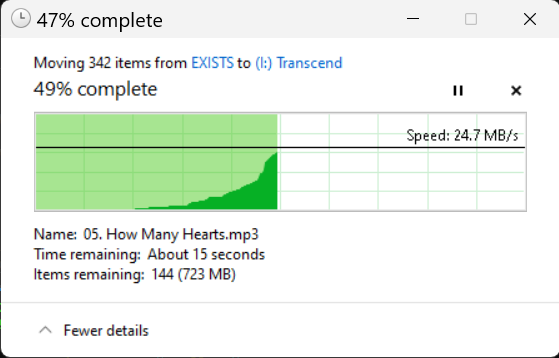
- xmove: Move files and directories using Windows Shell operations
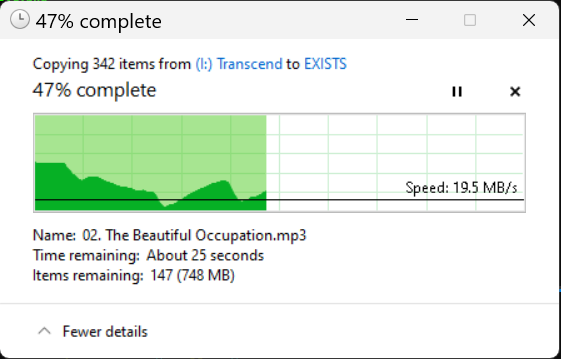
- copyx: Copy files and directories using Windows Shell operations
- Wildcard support (
*patterns) - Recursive directory operations
- Comprehensive logging with timestamps
- Windows Shell integration for proper file handling
- Professional command-line interface with clap
Installation
Option 1: Download Pre-built Binaries (Recommended)
Download the latest release for your platform from the Releases page:
- x86_64-pc-windows-msvc - 64-bit Windows (Intel/AMD) - Most Common
- i686-pc-windows-msvc - 32-bit Windows
- aarch64-pc-windows-msvc - 64-bit Windows (ARM)
Steps:
- Download the appropriate
.zipfile for your system - Extract
xmove.exeandcopyx.exe - Place them in a directory in your PATH, or use directly
Option 2: Install from crates.io
cargo install xcom
Option 3: Build from Source
git clone https://github.com/cumulus13/xcom
cd xcom
cargo build --release
The binaries will be in target/release/xmove.exe and target/release/copyx.exe
Usage
Move Files
# Move single file
xmove file.txt destination/

# Move multiple files
xmove file1.txt file2.txt dir1/ destination/

# Move all files in current directory
xmove * destination/

# Move with wildcard pattern
xmove *.txt destination/

# Show version
xmove -v
Copy Files
# Copy single file
copyx file.txt destination/

# Copy multiple files
copyx file1.txt file2.txt dir1/ destination/

# Copy all files in current directory
copyx * destination/

# Copy with wildcard pattern
copyx *.txt destination/

# Show version
copyx --version
Logging
All operations are logged to xcom.log in the same directory as the executable, with timestamps and operation details.
Platform Support
Currently supports Windows only (requires Windows Shell APIs).
License
Licensed under either of:
- Apache License, Version 2.0 (LICENSE-APACHE or http://www.apache.org/licenses/LICENSE-2.0)
- MIT license (LICENSE-MIT or http://opensource.org/licenses/MIT)
at your option.
Contributing
Contributions are welcome! Please feel free to submit a Pull Request.
👤 Author

